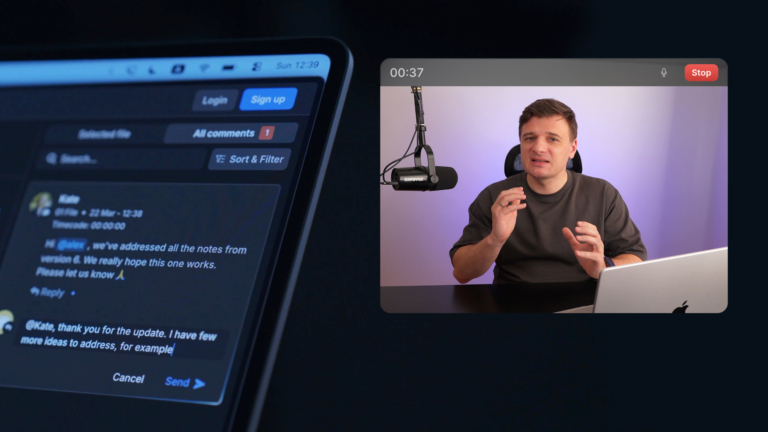




There’s a creative note that lives between what you feel and what you can write.
You’re watching a cut. The timing is off in a way that’s hard to describe. The color reads slightly cool in a shot that should feel warm. A line reading that almost works — but doesn’t. You know it instantly. But putting it into a text comment? That’s a whole separate job.
Most of the time, the note gets simplified. You write something vague and hope the editor figures it out. Or you schedule a call to explain what you already tried to explain. Or the revision comes back, and you realize the comment was read completely differently than you intended.
Feedback like this gets lost in translation all the time.
Not because teams aren’t trying — but because text is the wrong tool for it.
Video Review Comments Are Now Live in Krock.io
You can leave video, screen, and voice comments directly inside your Krock.io review workflow.
Click to add a comment on any asset. Hit Record. Your camera turns on, and your screen is shared. Then you just talk.
React in real time. Point your cursor at exactly where the problem is. Say the thing you couldn’t type. Your team sees your face, hears your voice, and watches your cursor land exactly on the problem frame.
No ambiguity. No back-and-forth. No “what did you mean by that?”
Three Recording Modes, One Workflow
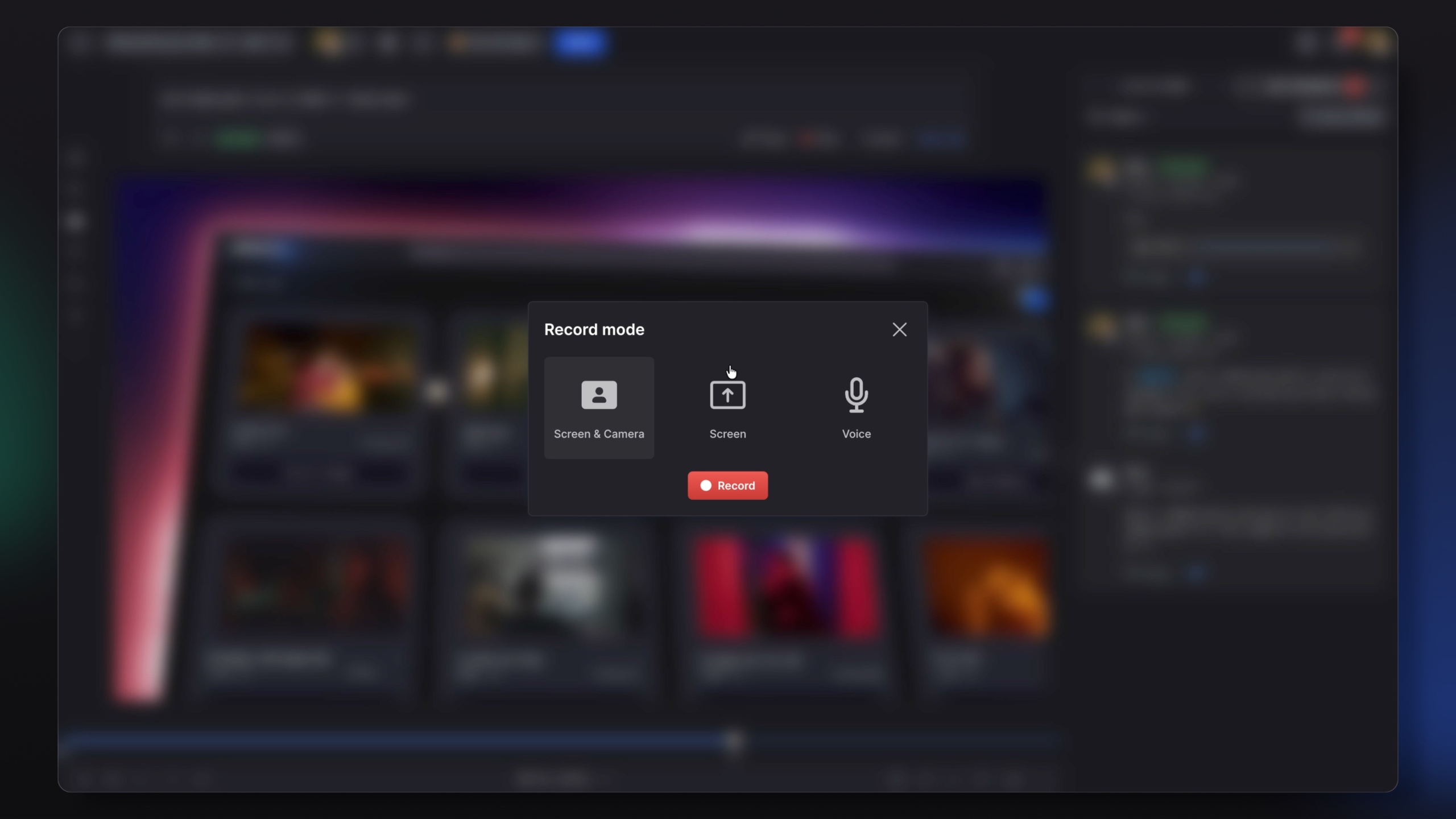
Camera + Screen
The full picture. Record yourself reacting to the cut while your screen is visible. Your team sees what you’re looking at and how you feel about it, which eliminates a surprising amount of follow-up.
Screen Only
Sometimes you just need to show your screen. No mic pressure, no camera. Walk through the edit, mark up a frame, pull up a reference, let the visual do the talking. Useful when the feedback is spatial — when it’s faster to point than to describe.
Voice Only
No camera, no screen share. Record your note as audio and post it. This mode is especially practical for mobile reviews, when you’re checking assets on your phone and typing out detailed feedback isn’t realistic. Hit record, say what you think, move on.
Built for People Who Think Faster Than They Type
This feature exists because a specific type of person has long been underserved by text-based review tools. Directors who need to react in the moment. Producers reviewing from their phones. Creative leads who communicate better in conversation than in writing. Clients who know what they want but can’t articulate it in a comment box.
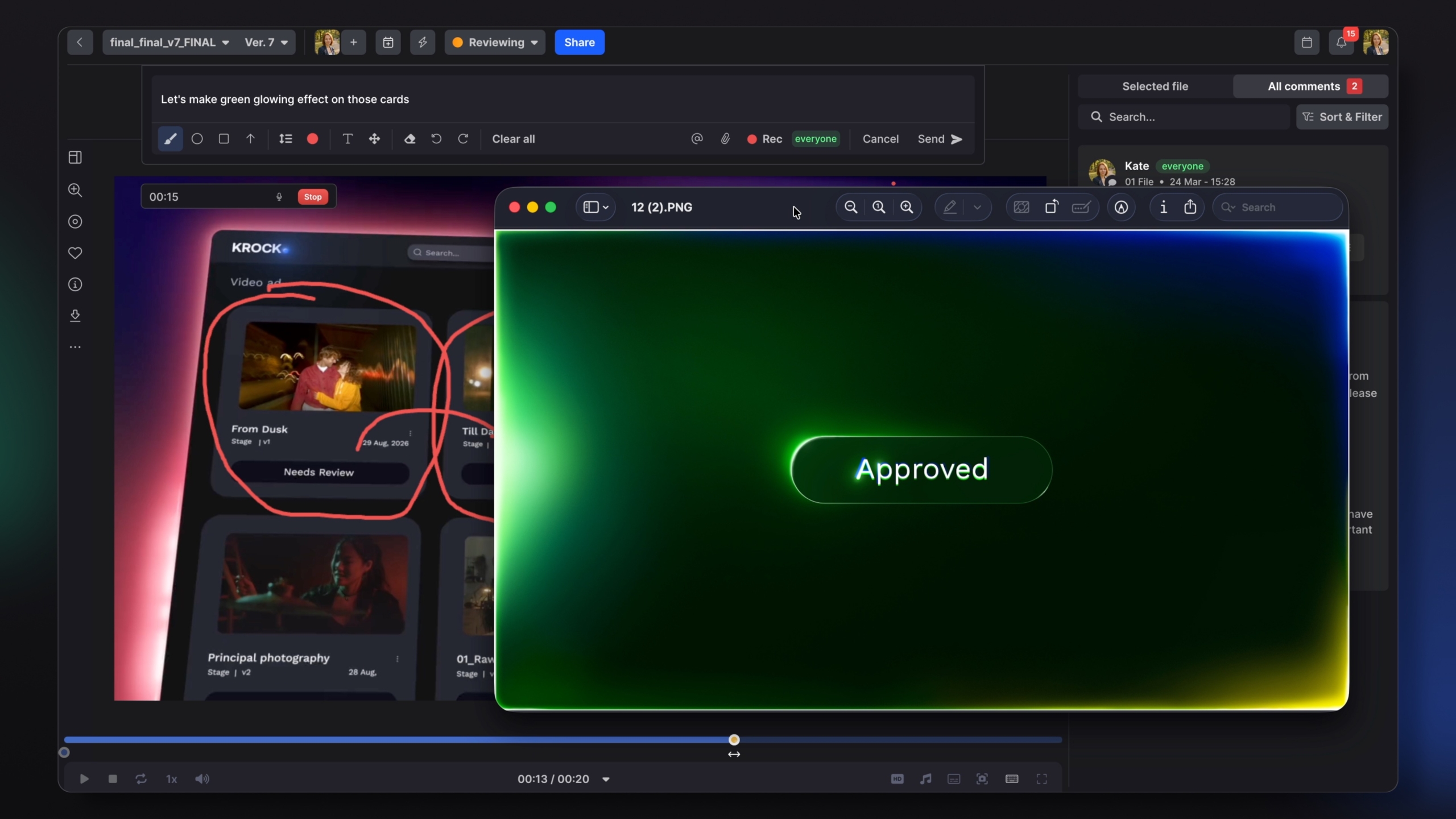
Video review comments give everyone on the team a way to leave feedback that actually sounds like them — without switching to a separate tool, scheduling a call, or losing context about which frame they’re looking at. You stay inside Krock.io. The context stays intact. The note lands the way you meant it.
Video review comments are now live for all Krock.io users, including those on the free tier.