

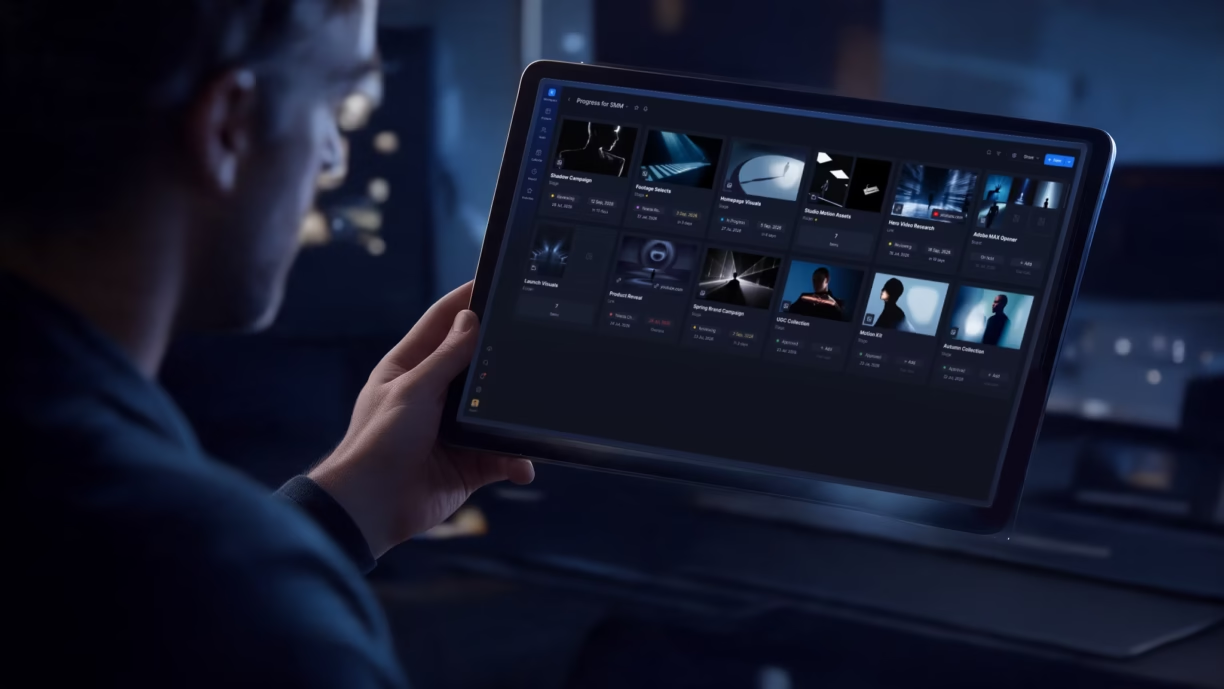


TL;DR: The best media asset management software for most creative teams is the one that pairs real search and organization with a built-in review workflow, not just storage. Krock.io is the strongest fit for video-first creative teams because it combines media asset management with frame-accurate review and unlimited reviewers at $10/user/month, starting free. iconik is the closest pure-MAM competitor with transparent per-role pricing. Orange Logic, CatDV, Dalet Galaxy, and Bynder are enterprise-grade but don’t publish pricing at all. Budget for a sales conversation, not a self-serve signup.
A three-person animation studio finishing a 12-episode series can end up with 40,000 individual asset files spread across drives, cloud folders, and old hard drives nobody labeled properly. By episode eight, nobody remembers which folder holds the final approved color grade versus the one the client rejected in round two.
That’s the problem media asset management software exists to solve: one searchable system for every video, image, and audio file a creative team produces, instead of a folder structure held together by memory and hope.
Agree: You’ve probably already tried to solve this with cloud storage and a strict naming convention. It works for a while. Then a client asks for “the final-final cut from March,” and finding it takes 20 minutes instead of 20 seconds.
Promise: This is a straight breakdown of the best media asset management software available in 2026, with real pricing where vendors publish it, honest “contact sales” flags where they don’t, and a clear answer on which tool fits which kind of team.
Preview: We’ll cover what actually separates media asset management from basic cloud storage, the difference between DAM and MAM (a real, searched question), full reviews of seven platforms, a pricing comparison table, and a buying guide by team type.
If you want to see Krock.io pricing alongside the review workflow that comes built in, that’s the fastest way to see the difference this makes in practice.
What is media asset management software?
Media asset management (MAM) software is a system that organizes, tags, and stores video, audio, and image files so creative teams can find, retrieve, and reuse them without digging through folders or asking a colleague where something lives. According to AWS’s overview of media asset management, a MAM system typically handles ingest, metadata tagging, search, and distribution of media files at scale, the digital equivalent of a well-organized film archive.
Media asset management vs. digital asset management (DAM vs. MAM)
Searching digital asset management vs media asset management usually means you’re trying to figure out which category your team’s problem actually falls into. Digital asset management (DAM) is the broader category. It covers any digital file, including logos, brand documents, and marketing collateral. Media asset management is DAM’s video-and-audio-specific sibling, built around the things a DAM system usually handles poorly: frame-accurate scrubbing, video-specific metadata like codec and frame rate, and large file sizes that need proxy generation to preview quickly. If your team mostly manages brand assets and PDFs, a DAM tool fits. If your team’s core output is video, animation, or audio, digital asset management software for video (in other words, a MAM system) built for those formats matters more.
What to look for in media asset management software
Not every one of these media asset management tools solves the same problem, and the differences matter more once you’re migrating years of production files into one.
Metadata and searchability
The entire point of a MAM system is finding a file in seconds instead of minutes. Look for automatic metadata extraction (codec, resolution, duration), custom tagging fields, and full-text search across filenames and notes, not just folder browsing with a search bar bolted on.
Version control tied to review, not just storage
A file being “the latest version” should mean something specific: who uploaded it, when, and what changed. Version history that’s just a list of re-uploaded files with timestamps isn’t the same as version control tied to an actual review and approval trail.
Integration with your editing tools
Media asset management only saves time if it fits into the tools your editors already use. Direct integration with Adobe Creative Cloud, DaVinci Resolve Studio, or Final Cut Pro means pulling assets and pushing new versions without re-exporting or re-uploading by hand.
Reviewer access without extra seats
Media asset management and creative review are related but different jobs. If your MAM tool also handles client and stakeholder review, check whether external reviewers count as paid seats. That cost adds up fast for agencies with a lot of active clients.
Storage model and limits
Cloud media asset management systems price around storage volume, user seats, or both. Understand which one drives your bill before you commit, especially if your team works in 4K or higher and archives everything rather than deleting old projects.
A note on how we evaluated these tools: the pricing and feature details below come from each vendor’s own public pricing and product pages, verified live in September 2026, not a hands-on trial of every platform. Krock.io’s own listing reflects its product team’s day-to-day use of the platform.
Want to see how this looks with your own footage? Start with Krock.io’s free plan, no credit card required.
The best media asset management software, ranked
1. Krock.io: best for video-first creative teams
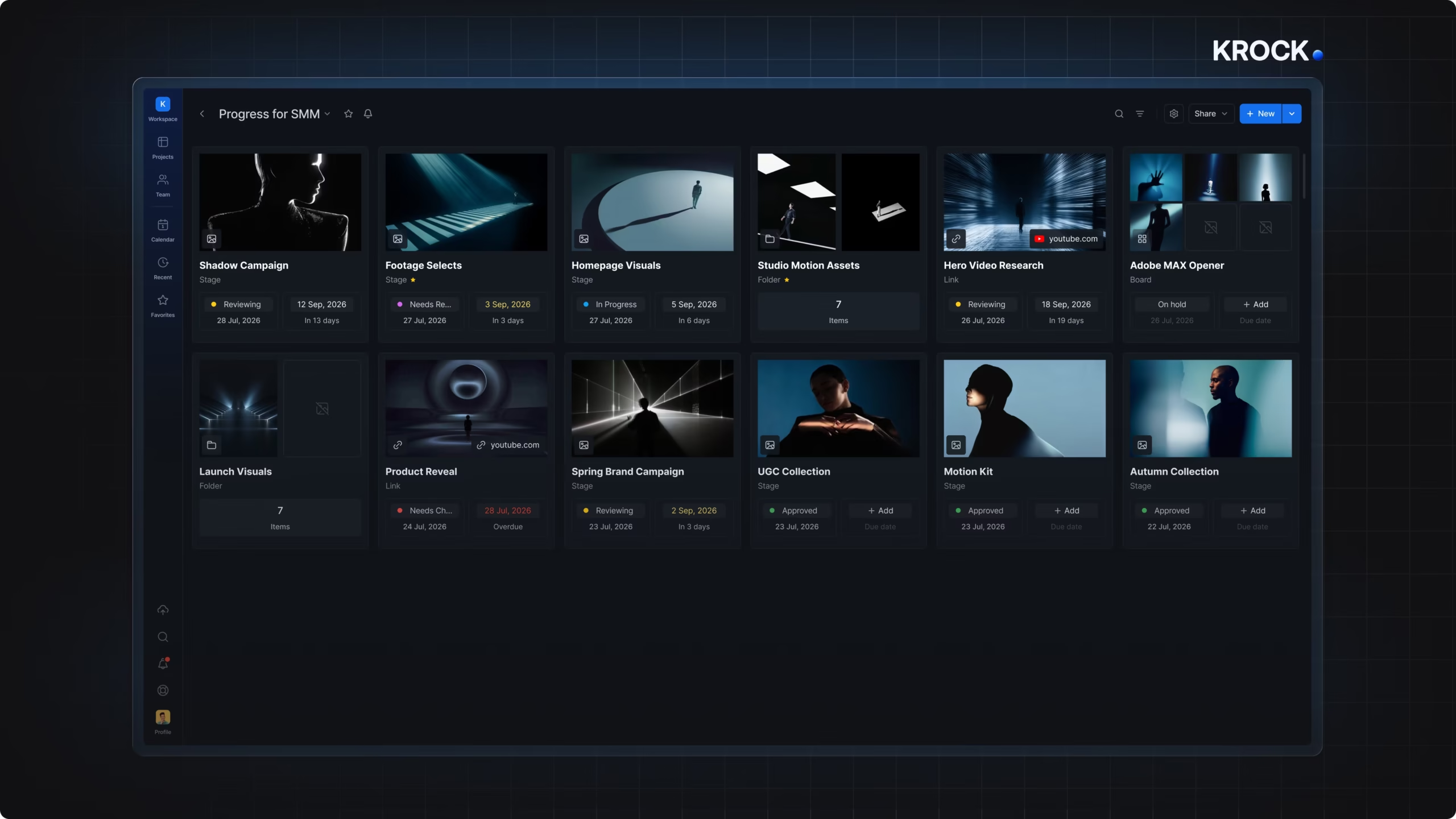
Krock.io approaches video media asset management as one part of the full production lifecycle, not a standalone archive. Assets are organized by project, tagged automatically, and stay tied to their entire review and approval history, so “the final-final cut from March” is a search away, not a guessing game.
Built-in review, not a bolt-on
Every asset in Krock.io carries its comment thread, version history, and approval status. When a client approves version 4 of a spot, that decision stays attached to the file permanently. It doesn’t live in a separate email thread you have to cross-reference later.
Unlimited reviewers on every plan
External clients and stakeholders review using a link, no account and no paid seat required, on the free plan and every paid tier above it. For a studio managing assets for a dozen active clients, that’s the difference between a system that scales and one that penalizes every new client relationship.
Pricing
- Free: $0/month, 1 user, 2 GB storage, 2 projects, unlimited reviewers
- Pro: $10/user/month, unlimited team size, from 2 TB storage (storage add-ons at $10/month per additional 1 TB)
- Unlimited: from $400/month for 100 users, flat-rate regardless of team size
Who it’s for: Animation studios, video production agencies, and marketing teams that want their asset library and their review workflow in the same place, without paying per reviewer.
Pros:
– Unlimited reviewers on every plan, including free
– Review history and approval status stay attached to each asset permanently
– Adobe Creative Cloud, DaVinci Resolve Studio, and Final Cut Pro integrations
– Transparent, published pricing at every tier
Cons:
– Free plan storage (2 GB) is tight for teams archiving full 4K masters
– Less specialized metadata tooling than dedicated enterprise MAM systems built for broadcast archives
2. Orange Logic: best for enterprise teams with large, rights-heavy media libraries
Orange Logic is an enterprise digital asset management (DAM) and media asset management platform, founded in 1998 and based in Irvine, California. It combines DAM, media asset management, rights management, project management and AI agents in one configurable system. Customers shown on its site include Lionsgate, A+E, BBC and National Geographic.
Rights stay attached to every asset
Licenses, expirations, territories and talent rights are stored on the asset itself. Teams can see what a file is cleared for before they download or publish it.
Cloud and on-premise storage side by side
Media Bridge links on-premise media storage to the cloud platform, so post-production teams don’t have to move every file first.
Pricing: Not publicly listed.
Who it’s for: Studios, broadcasters and global brands that manage large video libraries with complex rights.
Pros:
– Native rights management for licenses, expirations, territories and talent
– Workflows and approvals configured per team
– AI search and auto-tagging
– Named a Leader in The Forrester Wave: Digital Asset Management Systems, 2026
Cons:
– No published pricing, so comparing cost takes a sales conversation
– Built for enterprise scale, so a small team may not need all of it
3. iconik: best transparent pricing among pure-MAM tools
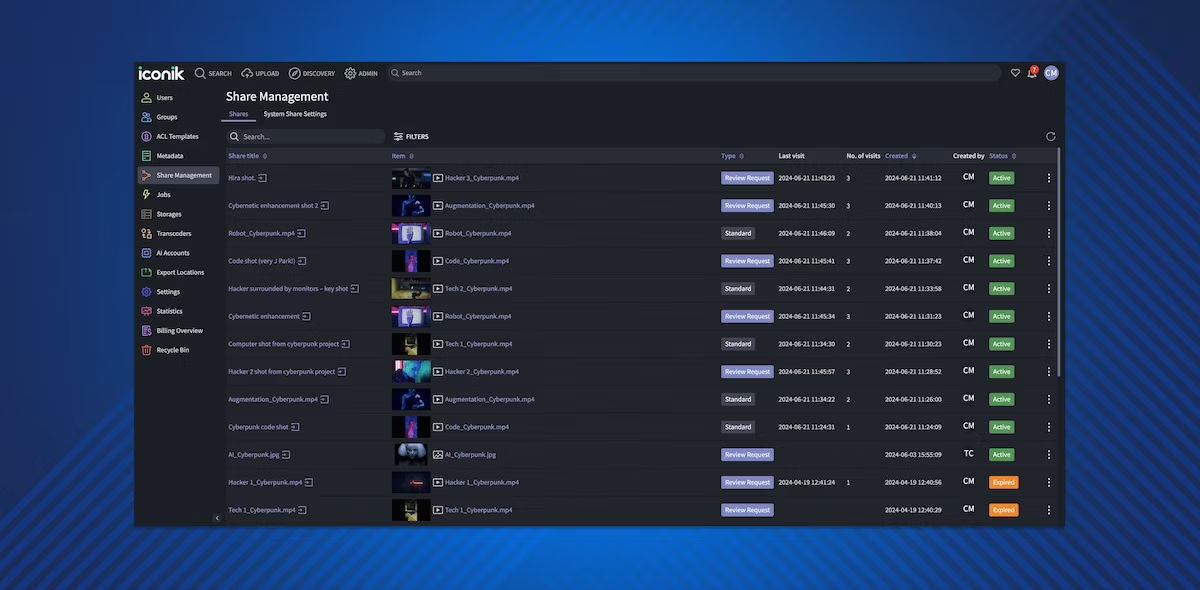
iconik is a cloud-native media asset management system built for the same problem Krock.io solves from the review side: finding and organizing large video libraries without relying on a fixed folder structure.
Role-based pricing, not flat per-seat
Unlike most enterprise MAM vendors, iconik publishes real numbers: a Collaborator role costs $0/month, a Browse User costs $9/month, a Standard User costs $65/month, and a Power User costs $120/month. Storage is hybrid: teams connect their own on-prem or cloud storage rather than iconik hosting everything centrally, which keeps large media libraries flexible but means storage cost lives outside the iconik bill itself.
Where it’s built for
iconik is purpose-built for media libraries at scale: broadcasters, post-production houses, and studios with large existing storage infrastructure they want to index and search, rather than teams looking for review and approval built in.
Pricing
- Collaborator: $0/month
- Browse User: $9/month
- Standard User: $65/month
- Power User: $120/month
- Professional and Enterprise tiers: custom pricing, contact sales
Who it’s for: Post-production houses and broadcasters with existing storage infrastructure who need a searchable index layered on top, not a full review-and-approval platform.
Pros:
– Transparent per-role pricing, rare in this category
– Flexible hybrid storage connects to infrastructure you already have
– Purpose-built for large-scale media search and retrieval
Cons:
– No built-in client review or approval workflow comparable to Krock.io
– Storage isn’t included in the price, adding a variable cost most competitors bundle
– Professional and Enterprise pricing still requires a sales call
4. Frame.io: best if review matters more than deep asset organization
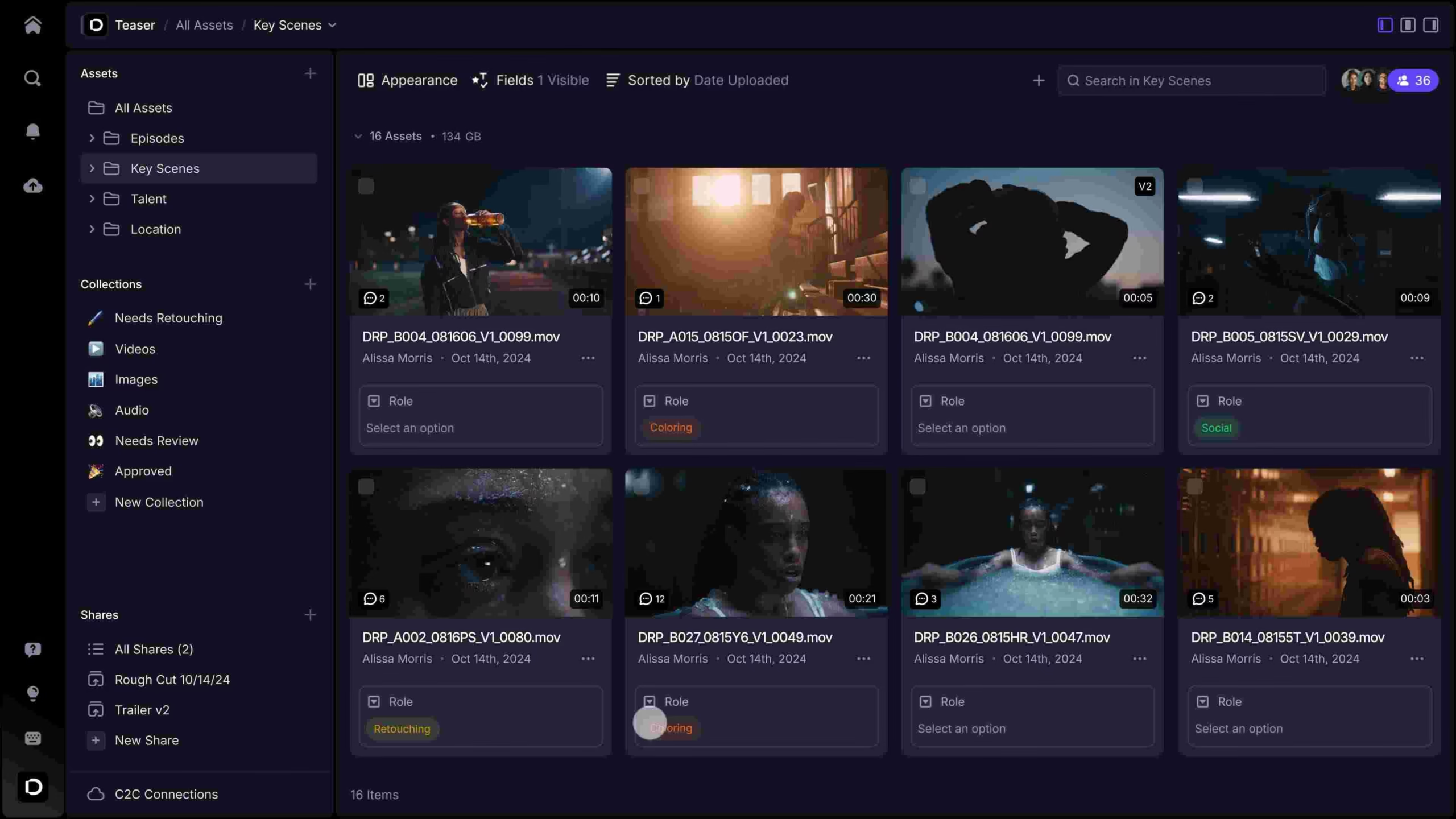
Frame.io is best known as a video review tool, but its project and folder structure functions as a lightweight media library for teams that don’t need advanced metadata tagging. See our full video review software comparison for more on how it stacks up purely as a review platform.
Asset organization is basic by design
Frame.io organizes files by project and folder rather than the tagging and metadata search that defines a true MAM system. For teams whose priority is reviewing footage, not archiving and retrieving years of past projects, that trade-off is often fine.
Reviewer access
Per Frame.io’s own pricing page, external clients don’t need an account to comment on shared links, and reviewers don’t count against a plan’s seat limit, a genuine parity with Krock.io on this specific point, worth calling out honestly rather than overstating the difference.
Pricing
- Free: $0/month, up to 2 members, 2 GB storage plus 2 GB mounted storage, 2 projects
- Pro: $15/month per member, up to 5 members, 2 TB included plus 2 TB per additional member
- Team: $25/month per member, up to 15 members, 3 TB included plus 2 TB per additional member
- Enterprise: custom pricing, unlimited members
Who it’s for: Teams whose primary need is video review inside the Adobe ecosystem, with light asset organization as a secondary benefit rather than the main job.
Pros:
– Reviewers don’t require a paid seat, matching Krock.io on this point
– Deep integration with Premiere Pro and After Effects
– Well-known, widely adopted in post-production
Cons:
– No real metadata tagging or advanced search; organization is folder-based only
– Per-user pricing climbs quickly past the Free tier
– No storyboard or pre-production tooling
5. CatDV: best for broadcast and enterprise archives
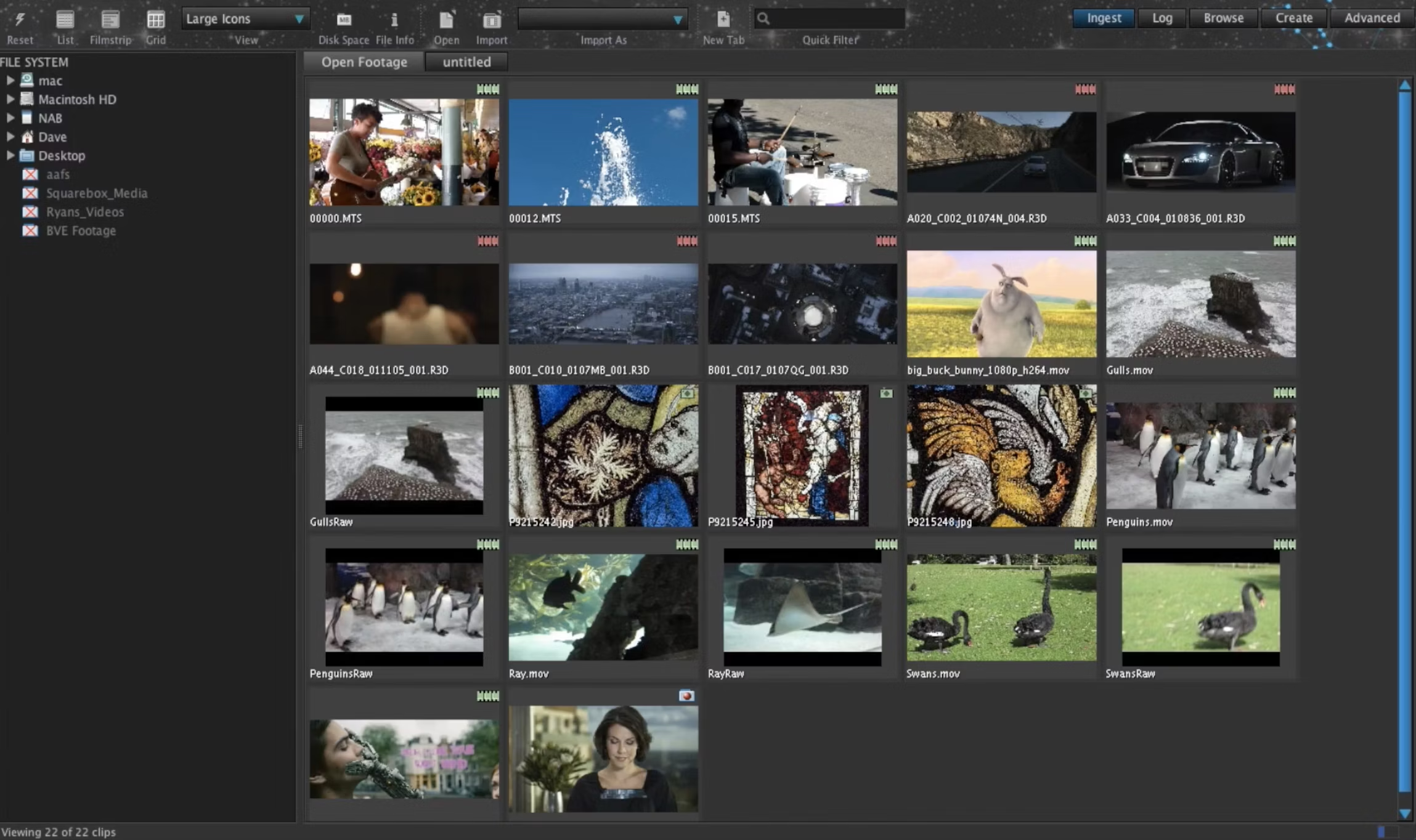
CatDV (now owned by Quantum) is a long-established media asset management system built for broadcasters and large enterprise archives managing decades of footage.
Enterprise-first, not self-serve
CatDV’s current owner, Quantum, doesn’t publish pricing, storage limits, or user caps on its product pages, a “contact sales” model consistent with its positioning as enterprise infrastructure rather than a tool a small studio signs up for directly.
Pricing
Not publicly listed. CatDV requires contacting Quantum’s sales team for a quote.
Who it’s for: Broadcasters and large media organizations with existing archive infrastructure and the budget for an enterprise deployment.
Pros:
– Decades of experience in broadcast and archival media management
– Deep integration options for large enterprise storage environments
Cons:
– No public pricing at all; every deal starts with a sales conversation
– Not designed for small or mid-sized creative teams
– No built-in creative review or approval workflow
6. Dalet Galaxy: best for large media organizations with existing infrastructure
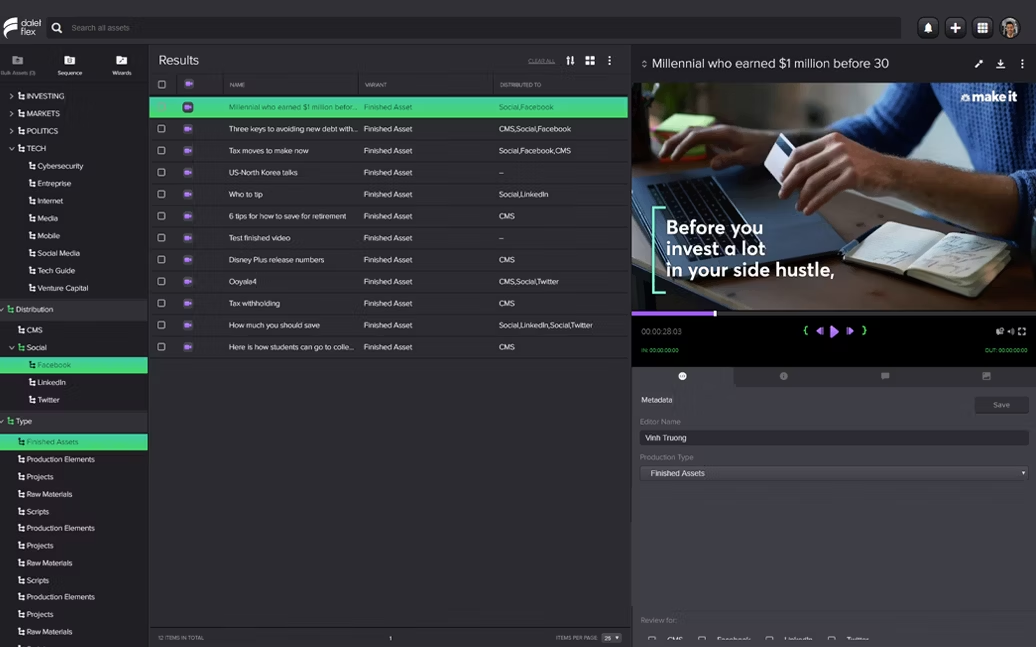
Dalet Galaxy is an enterprise media management platform aimed at broadcasters, media companies, and organizations managing high-volume content operations across multiple systems.
No public pricing anywhere
Dalet doesn’t publish pricing for Galaxy or any of its products. The company’s own site directs every inquiry to a sales conversation rather than a self-serve plan page, consistent with deployments that are custom-built per organization.
Pricing
Not publicly listed. Dalet requires contacting sales directly.
Who it’s for: Large broadcasters and media organizations that need a custom-configured system integrated with existing enterprise infrastructure, not a small studio evaluating a monthly plan.
Pros:
– Built for complex, high-volume media operations
– Enterprise-grade customization for organizations with dedicated IT resources
Cons:
– No pricing transparency of any kind
– Enterprise deployment timeline and cost are unknown until you talk to sales
– Overkill for small or mid-sized creative teams
7. Bynder: best for brand and marketing asset libraries
Bynder is a digital asset management platform focused on brand assets, marketing collateral, and content libraries rather than video-specific production workflows.
DAM-first, not MAM-first
Bynder explicitly positions itself around brand consistency and marketing asset libraries. It’s a genuine DAM tool by the DAM vs. MAM distinction above, useful if your team’s asset problem is mostly logos, templates, and campaign files rather than raw and edited video footage.
Custom pricing only
Bynder states plainly that “every Bynder customer has a custom-made package,” with cost depending on user count, storage, and which products you need. No plan or price appears anywhere on the public pricing page.
Pricing
Not publicly listed. Bynder requires a custom quote based on users, storage, and product selection.
Who it’s for: Marketing teams whose asset management problem is brand and campaign files first, video production second.
Pros:
– Strong brand-consistency and marketing-asset-specific features
– Established in the marketing/MarTech space
Cons:
– Not built for video-specific metadata or frame-accurate review
– Zero public pricing; no way to estimate cost without a sales call
– No free plan or trial mentioned
Media asset management software: pricing comparison
| Tool | Starting price | Free plan | Reviewer access | Best for |
|---|---|---|---|---|
| Krock.io | $10/user/month | Yes (1 user, 2 GB) | Unlimited, no seat | Video-first creative teams |
| Orange Logic | Custom, contact sales | No | Not publicly specified | Enterprise libraries with complex rights |
| iconik | $9/month (Browse User) | Free trial only | Collaborator role, $0/mo | Post-production houses with existing storage |
| Frame.io | $15/user/month | Yes (2 members, 2 GB) | Unlimited, no seat | Review-first teams, light asset organization |
| CatDV | Custom, contact sales | No | Not publicly specified | Broadcast and enterprise archives |
| Dalet Galaxy | Custom, contact sales | No | Not publicly specified | Large media organizations |
| Bynder | Custom, contact sales | No | Not publicly specified | Brand and marketing asset libraries |
Four of the six competitors here don’t publish pricing anywhere, a real pattern in enterprise MAM software worth knowing before you start evaluating. If a self-serve, published price matters to you as much as the software itself, that alone narrows the field to Krock.io, iconik, and Frame.io.
How to choose the right media asset management software
The right tool depends on what’s actually slowing your team down: finding old assets, managing client review and approval, or archiving decades of broadcast content. Weigh these media asset management solutions against that specific bottleneck, not a generic feature list.
For video production and animation studios
You need review and approval built into the same system as asset storage, so a client’s sign-off on a cut stays attached to that exact file permanently. Best fit: Krock.io. Unlimited reviewers and a published price mean you can start today, not after a sales call.
For post-production houses with existing storage infrastructure
If you already have on-prem or cloud storage and need a searchable index layered on top rather than a full review platform, iconik’s role-based pricing is the most transparent option in that category.
For broadcasters and large media organizations
CatDV and Dalet Galaxy are both built for high-volume, complex archive environments where a custom enterprise deployment makes sense. If licensing and talent rights drive your workflow, Orange Logic tracks them on every asset. Budget time for a sales process, not a signup form.
For marketing and brand teams
If your asset problem is logos, templates, and campaign files more than raw video footage, Bynder’s DAM-first approach fits better than a video-specific MAM tool.
Teams that already track production efficiency data know that time spent hunting for the right file is time not spent on revisions that actually matter. Media asset management software exists specifically to take that search time back.
Frequently asked questions
What is media asset management software?
Media asset management software organizes, tags, and stores video, audio, and image files so creative teams can search and retrieve them quickly instead of browsing folders manually. It typically includes metadata tagging, full-text search, and version tracking built specifically for large media files.
What’s the difference between DAM and MAM?
Digital asset management (DAM) covers any digital file, including logos and documents. Media asset management (MAM) is the video- and audio-specific version, built around frame-accurate scrubbing, video metadata like codec and frame rate, and the large file sizes that generic DAM tools handle poorly.
Is there free media asset management software?
Krock.io and Frame.io both offer real free tiers with core functionality, though each caps storage tightly (2 GB on both). iconik offers a free Collaborator role for reviewers but no genuinely free plan for uploading and managing assets. Orange Logic, CatDV, Dalet Galaxy, and Bynder offer no free tier at all.
Do I need media asset management if I already use cloud storage?
Cloud storage keeps files safe but doesn’t solve findability at scale. Once a team passes a few hundred assets, folder structures break down. Media asset management adds metadata tagging, full-text search, and (in tools like Krock.io) a review history tied to each file, which plain cloud storage doesn’t offer.
Can media asset management software handle video review and approval?
It depends on the tool. Krock.io and Frame.io both combine asset organization with built-in review and approval. iconik, CatDV, Dalet Galaxy, and Bynder are primarily storage and search systems, without a comparable review workflow layered in.
Choosing the right fit
The right media asset management software comes down to one real question: is your bigger problem finding old assets, or getting new ones approved? Tools built for archive-scale organization, like CatDV, Dalet Galaxy, and iconik, solve the first problem well. Tools that combine asset management with review, like Krock.io and Frame.io, solve both at once.
For creative and animation teams specifically, that combination matters most: a MAM system that only stores files still leaves approval status and revision history scattered across email and Slack. Krock.io keeps every asset, its full version history, and its approval status in one searchable place, with unlimited reviewers on every plan starting free.
See Krock.io’s pricing or compare it against every option above in detail before you decide.



