
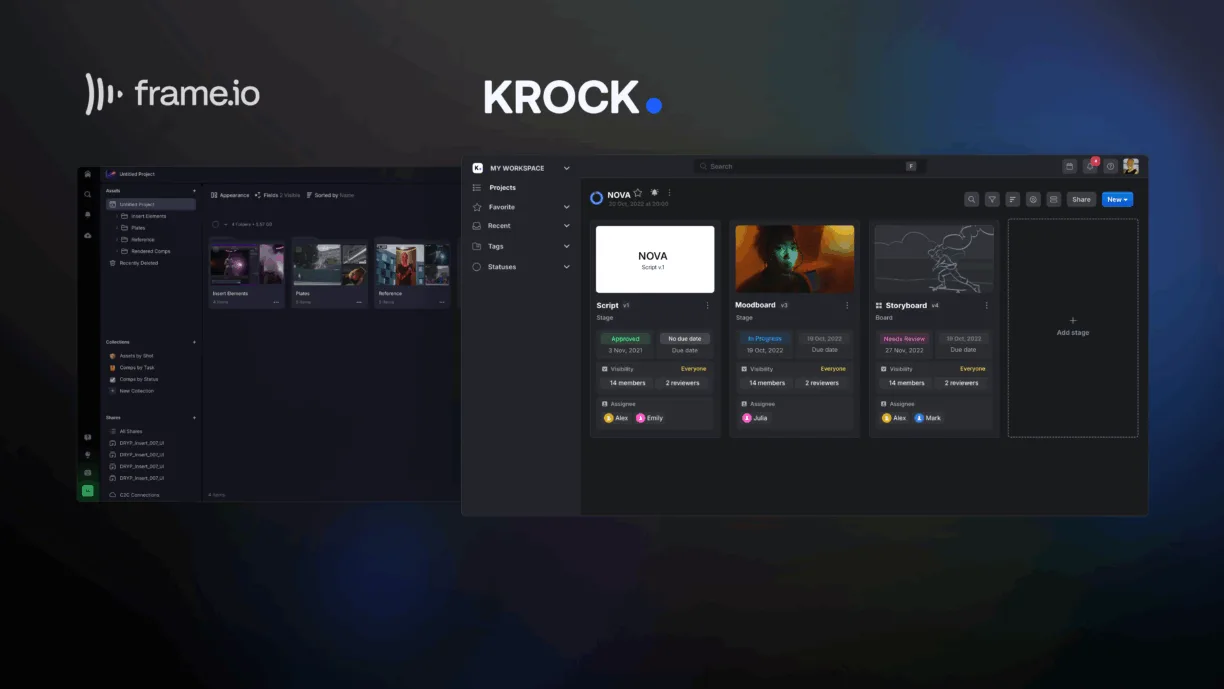


Krock.io and Frame.io both solve the same core problem — reviewing and approving creative work — but they’re built around different workflows. Frame.io focuses primarily on media review and post-production asset management. Krock.io combines media review with production workflows, task management, storyboarding, and project planning.
So which one is better? It depends on how your team actually works. This is a feature-by-feature comparison of Krock.io vs Frame.io, covering commenting, project management, pricing, integrations, version control, and AI tools, so you can see exactly where the two platforms overlap and where they diverge.
Looking for a broader list of options instead of a single comparison? See our guide to the best Frame.io alternatives. Already decided to switch and just need the how-to? Go straight to the Frame.io to Krock.io migration guide.
Quick answer: Krock.io vs Frame.io
| Capability | Krock.io | Frame.io |
|---|---|---|
| Video review & commenting | ✅ | ✅ |
| Image, audio & PDF review | ✅ | Limited |
| Creative production workflow (stages, tasks) | ✅ | — |
| Project management & deadline calendar | ✅ | — |
| Storyboarding & animatics | ✅ | — |
| Comment-to-task conversion | ✅ | — |
| Audio comments on a time range, not just a point | ✅ | — |
| Client review (no login required) | ✅ | ✅ |
| Adobe Premiere Pro / After Effects | ✅ | ✅ |
| DaVinci Resolve | Native/current | Not supported in V4 — Legacy plugin, limited to Resolve 16/17 Studio |
| Final Cut Pro | Native/current | Integration page exists, but V4 doesn’t support creating/browsing new projects from FCP |
| Reviewer access (comment/approve only) | Free & unlimited | Free via Review Links |
| AI-generated storyboards | ✅ | — |
| Flat-fee unlimited-team plan | ✅ | — |
Frame.io’s own documentation confirms the DaVinci Resolve integration is Legacy and capped at Resolve 16/17 Studio — it isn’t available on the current V4 platform — and that V4 doesn’t support Final Cut Pro’s Share Destination workflow for new projects. Comments already in Frame.io can still be brought over via EDL export regardless of plugin status — more on that in the migration FAQ below.
1. Media review and commenting
Both platforms give reviewers time-stamped, frame-accurate comments and the ability to draw directly on a frame. The core loop — play, click, comment, resolve — is comparable between the two.
Where they diverge is scope. Krock.io reviews video, images, audio, and PDFs in the same project, so a campaign with a video spot, print assets, and a voiceover script stays in one workspace. Frame.io’s review tools are built primarily around video and image assets; document and audio review are more limited.
A few differentiators worth knowing before you pick a platform:
- Comment visibility and filtering. Both platforms let you filter comments by reviewer, status, or type. If you export or migrate comments later, check your active filters first — an export typically respects whatever filter is currently applied.
- Pinned and resolved comments. Both support marking comments resolved so a review thread doesn’t stay open indefinitely.
- Attachments and replies. Both platforms support attaching files to comments and replying in a thread. Don’t assume every migration or export path preserves this — verify it for your specific workflow rather than assuming parity.
- Comment → task. This is where Krock.io diverges most. A client comment doesn’t have to stay a comment.
2. Video, image, audio & PDF review
Krock.io’s broader file-type support is a genuine differentiator for teams that don’t work in video alone. A single project can hold a video cut, a set of key art images, a voiceover script as a PDF, and a raw audio file, with time-coded or position-coded comments on each. Frame.io is strongest as a video and image review tool; if your workflow regularly includes PDFs or standalone audio review, that’s worth testing directly against your files before committing to either platform.

Audio review specifically works differently on each platform. Krock.io lets you drag-select a segment of the waveform — say, 00:15 to 00:16 — and attach one comment to that entire range. Frame.io’s audio comments anchor to a single point in time; you can flag a moment, but not mark the start and end of a section that needs work. For notes like “cut this segment” or “make this section louder,” a range-based comment maps directly to the edit that needs to happen, instead of a timestamp the editor has to interpret.
3. Production workflow & project management
This is the biggest structural difference between the two products, and it’s easy to miss if you only compare commenting features.
Frame.io is primarily focused on media review and approval — projects, folders, versions, review, and sign-off. Krock.io also includes production workflow and project-planning features on top of that same review layer.
Krock.io lets you structure the production workflow itself, not just the assets inside it. A typical setup looks like:
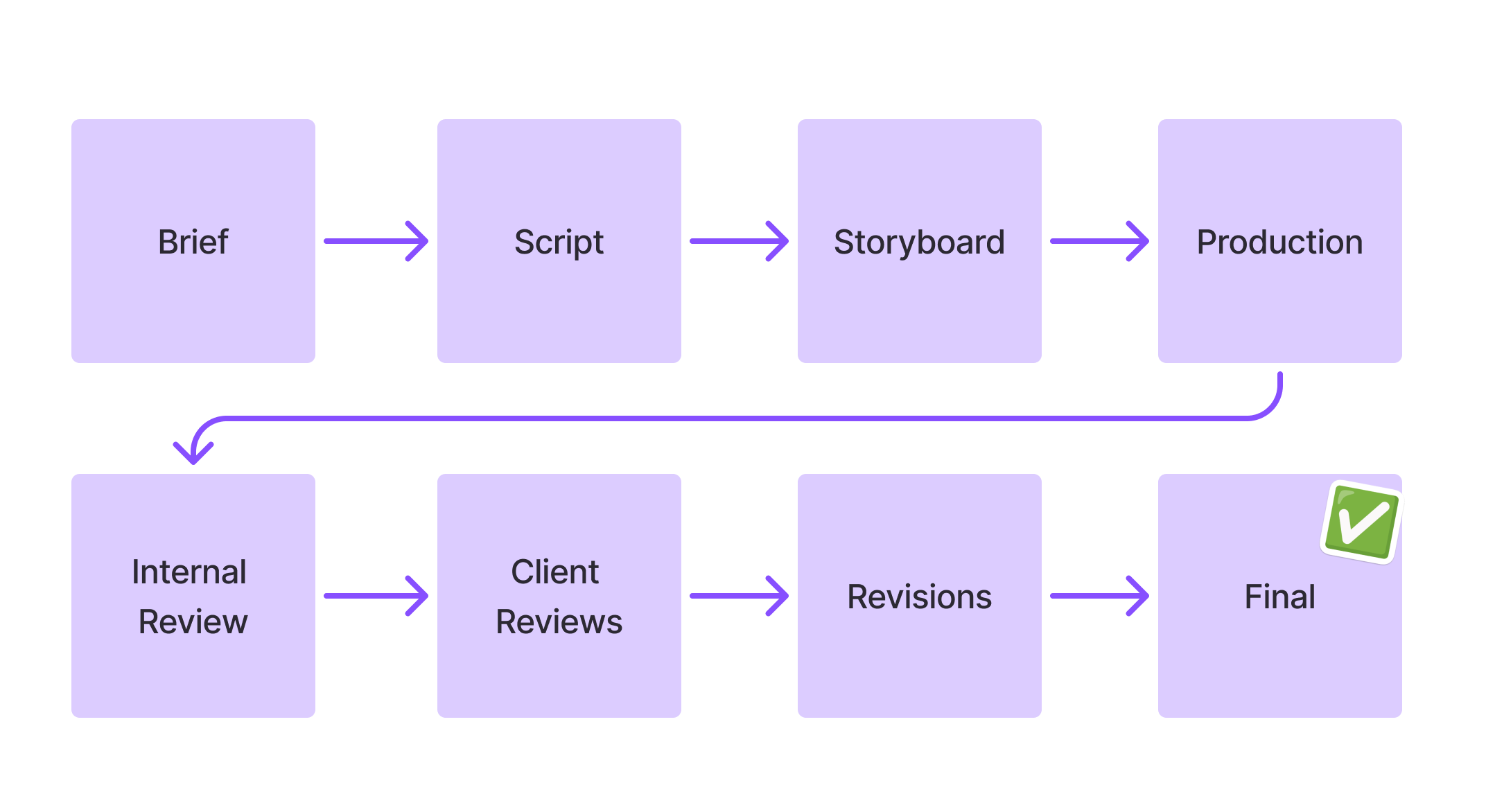
Each stage can carry its own assignees, permissions, deadlines, media, comments, and approval state. That means the same workspace that holds your review comments also holds:
- Workspaces and a dashboard — a live view of upcoming deadlines, task status, projects currently in client review, and recent comment activity, so you’re not hunting through folders to see what’s stuck.
- Custom pipelines and templates — stages built around how your team actually produces work (storyboard → production → internal review → client review → final), not a generic folder structure.
- Dependencies and deadlines — attached to individual stages, not just the project as a whole.
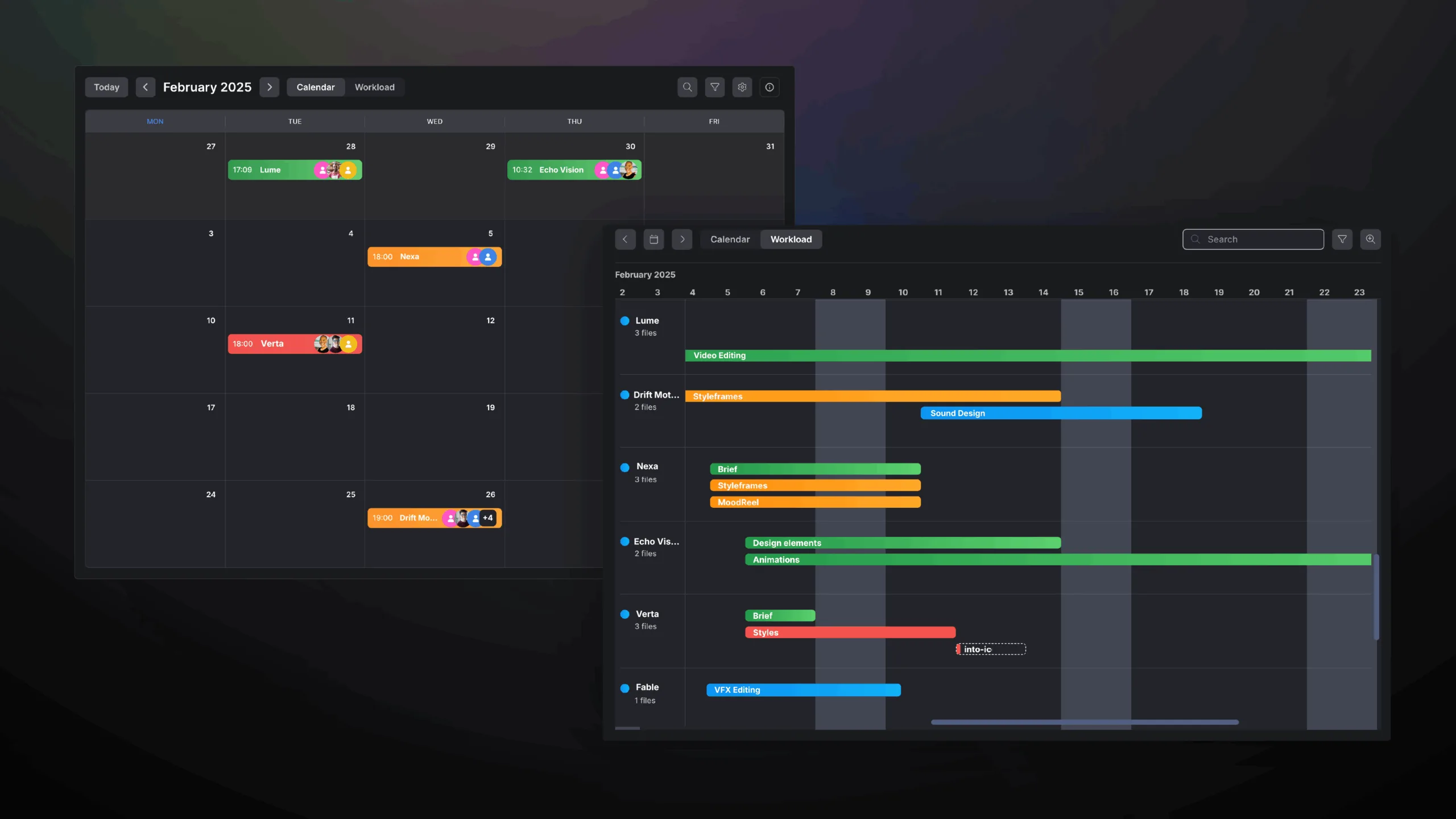
- A deadline calendar across the whole workspace — every stage’s due date shows up on one calendar, color-coded by status (in progress, in review, overdue, and so on), so a producer can see what’s coming up without opening each project individually.
Frame.io doesn’t offer an equivalent production-planning layer. If your team currently runs Frame.io for review alongside a separate tool (spreadsheets, Asana, Notion) for the actual workflow, this is the capability gap that closes when both live in Krock.io instead.
4. Turning feedback into tasks
In a typical review workflow, a client comment has to be manually turned into work: someone reads the comment, decides what needs to happen, creates a task somewhere else, and assigns it — often in a completely different tool than the one the comment lives in.
Krock.io connects the two steps directly. A comment can become a task without leaving the review. The task inherits the timecode and context from the original comment, so the assignee doesn’t have to reconstruct what was meant. Frame.io comments stay as comments — there’s no native path from feedback to an assigned, trackable unit of work.
There’s a stage-level version of this too. Whoever is assigned to a production stage is treated as the person responsible for it, so when a new comment lands on that stage, they get a dedicated notification flagging them as the responsible party. That keeps ownership clear even for feedback that hasn’t been converted into a task yet.
5. Storyboarding & animatics
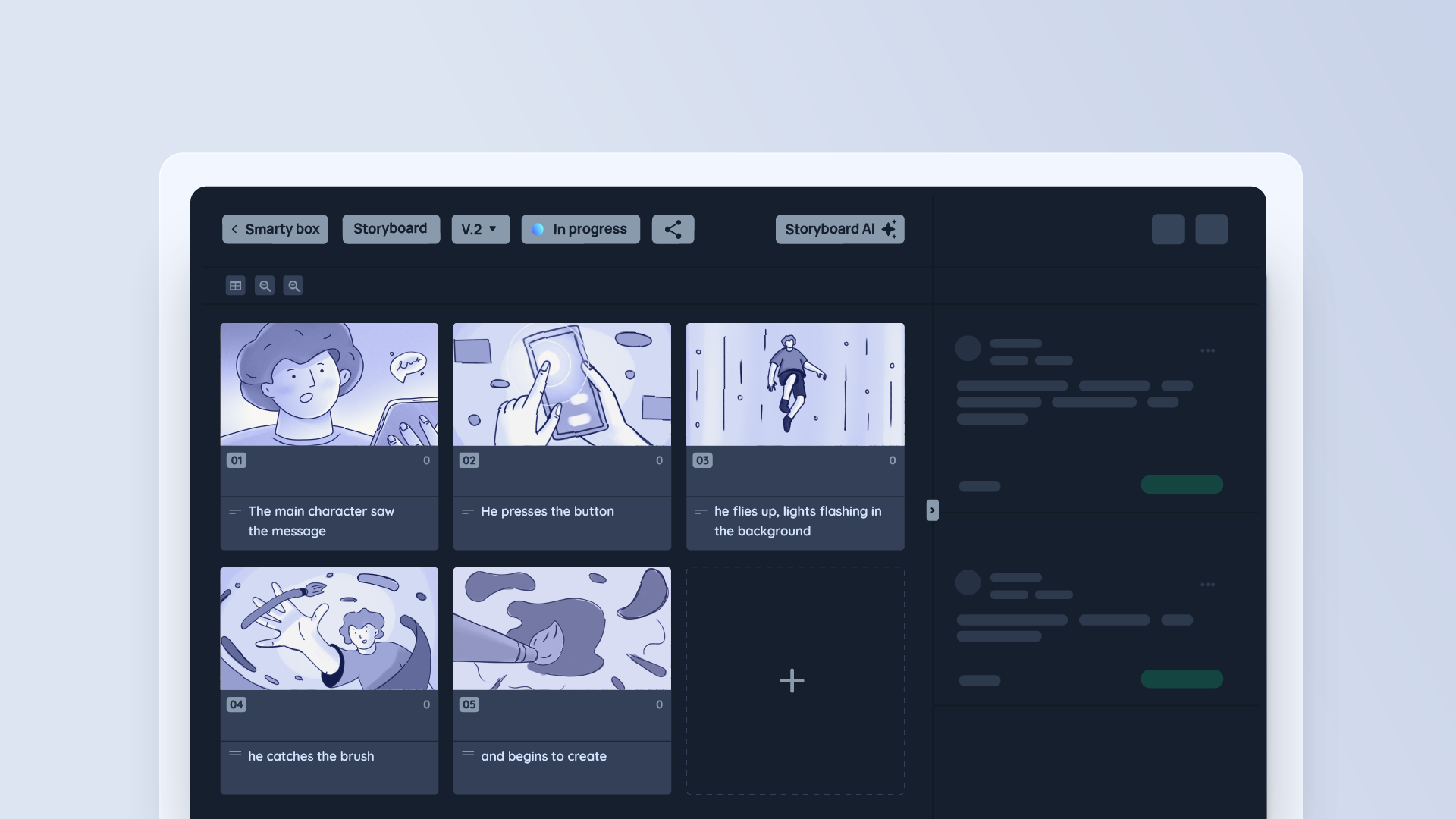
Krock.io includes a built-in storyboard and animatic tool inside the same platform used for review, so a team can plan and get early approval on a story before a single frame is animated or shot. This matters most for animation studios, explainer-video teams, and agencies running full pre-production through delivery in one place. Frame.io has no equivalent storyboarding feature — teams typically build storyboards elsewhere and only bring finished cuts into Frame.io for review.
6. Version management
Both platforms preserve prior versions and their comment history when a new cut is uploaded, so reviewers can compare feedback across versions without losing context.
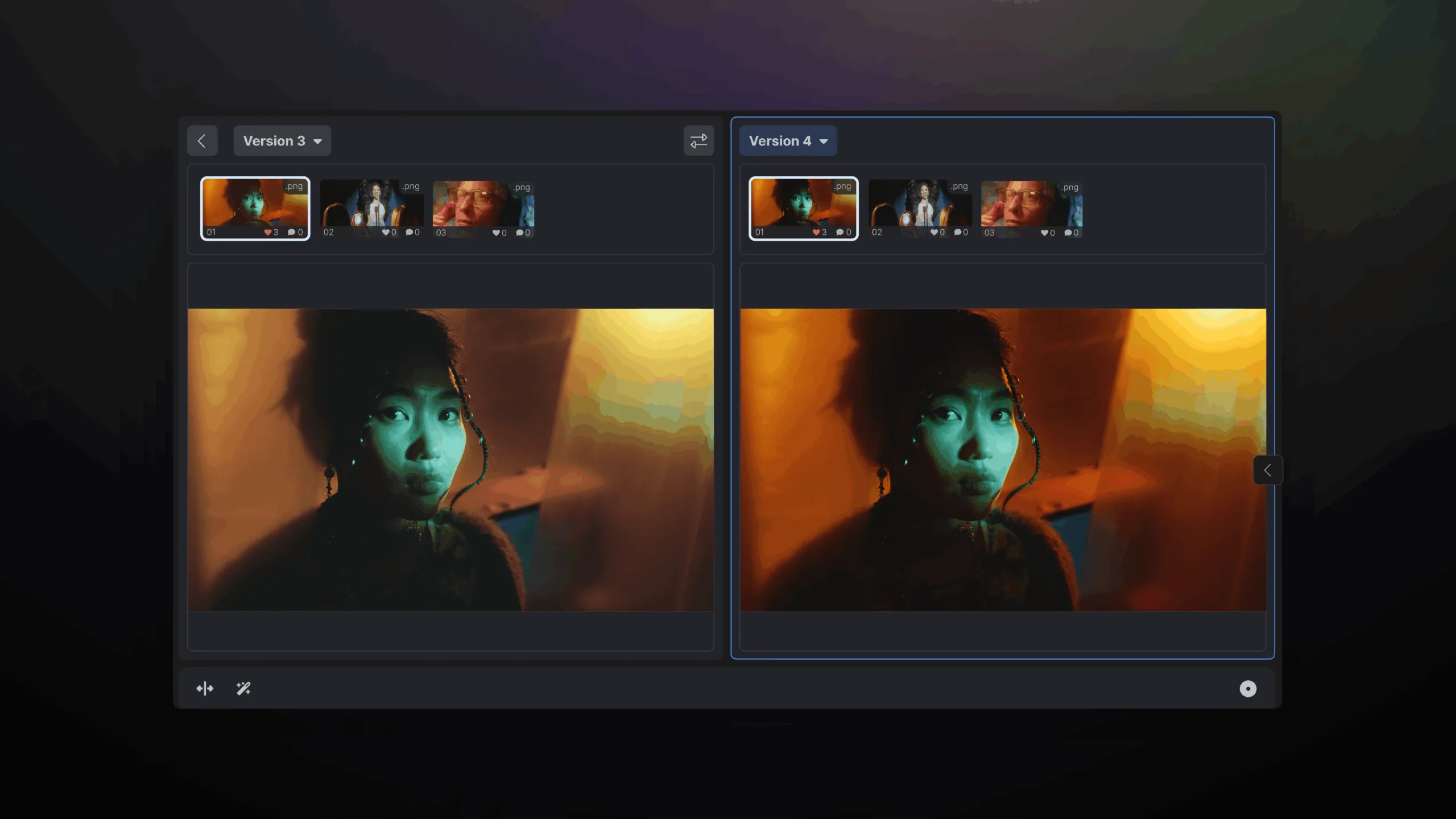
The practical difference is what a “version” sits inside. In Frame.io, a version is a media file inside a project folder. In Krock.io, a version sits inside a production stage, so version history, comments, approval status, and workflow status move together. That’s a small distinction until you’re several revisions deep into a project with client sign-offs at multiple stages, at which point having the version, the stage, and the approval state in one place removes a layer of manual tracking.
7. Notifications & team collaboration
Both platforms notify reviewers about the activity that affects them directly — mentions, replies, and approvals or rejections. Krock.io extends notifications further into the production workflow itself:
| Notification type | Krock.io | Frame.io |
|---|---|---|
| Comment mentions | ✅ | ✅ |
| Comment replies | ✅ | ✅ |
| Approval / rejection | ✅ | ✅ |
| Project or stage status changes | ✅ | — |
| Deadline reminders | ✅ | — |
| Stage assignee notified as responsible party on new comments | ✅ | — |
| Slack notifications | Current integration | Legacy — existing connections work, new connections not currently supported |
Frame.io’s direct Slack notification integration is marked Legacy in its own help center; it still works for teams already connected, but new Slack connections aren’t currently supported. Frame.io does offer newer Zapier-based workflows to reach Slack indirectly.
The practical effect is that Krock.io notifications can tell a producer when a project moves stages or a deadline is approaching, not only when someone leaves a comment. For teams running multiple concurrent productions, that’s the difference between checking one dashboard and manually following up in five different threads.
8. Integrations
| Integration | Krock.io | Frame.io |
|---|---|---|
| Adobe Premiere Pro | ✅ | ✅ |
| Adobe After Effects | ✅ | ✅ |
| DaVinci Resolve | Native/current | Not supported in V4; Legacy integration exists |
| Final Cut Pro | Native/current | Integration exists, but V4 functionality is limited |
| Slack | Current integration | Legacy direct integration; new connections limited |
| Webhooks | ✅ — set up in Workspace Settings, no developer account needed | ✅ — requires an OAuth app registered via the Adobe Developer Console |
Both platforms support webhooks, but the setup bar is different. In Krock.io, any user can add a webhook from Workspace Settings, paste in a destination URL, and pick which events (project, stage, comment, media, etc.) should trigger it — no code or developer account required. Frame.io’s webhooks live in its V4 developer platform: creating one means registering an OAuth 2.0 app through the Adobe Developer Console and calling the API directly, which puts it out of reach for a producer without engineering support.
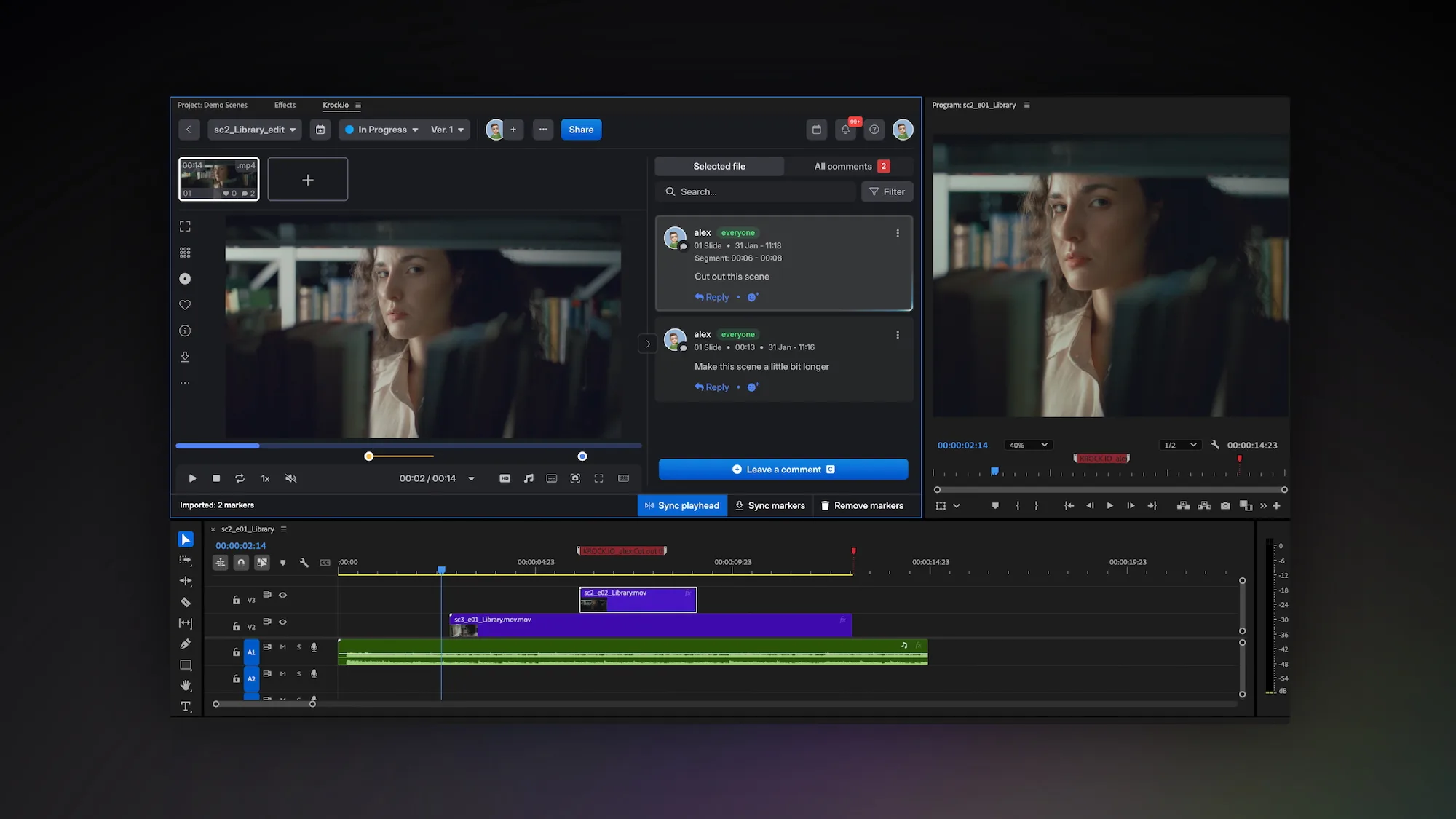
With the Adobe integration, editors can view and manage Krock.io comments while editing, keep the playhead synced to feedback, and pull comments in as timeline markers — without constantly switching between the browser and the editing application. That keeps the feedback loop attached to the tool an editor is already working in, which matters more the deeper a production gets into revision rounds. See the full list of Krock.io’s live plugins and integrations.
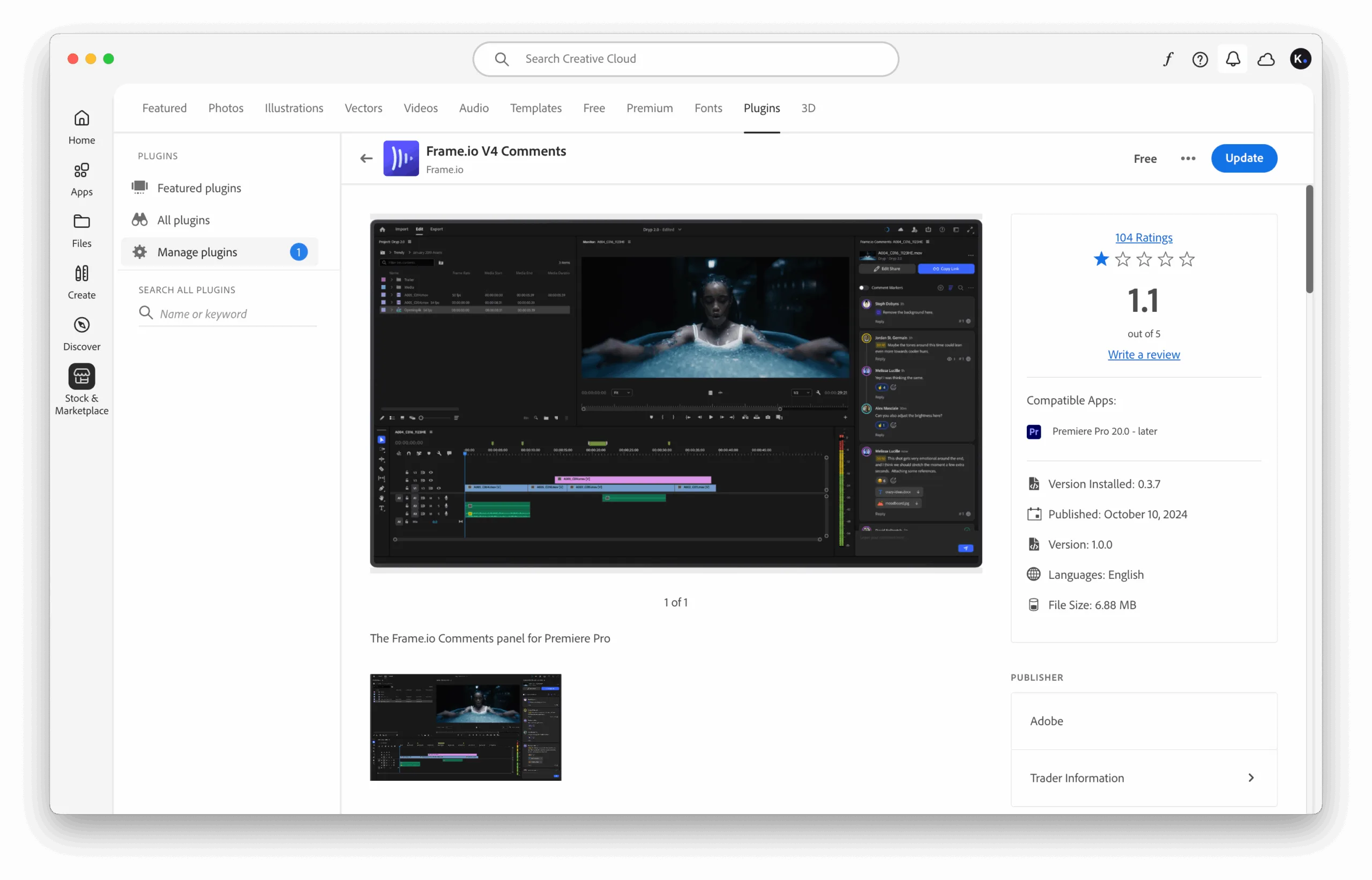
This is a genuine gap on Frame.io’s side right now, not a legacy talking point: since Frame.io’s V4 rollout, its DaVinci Resolve plugin is explicitly marked Legacy and capped at Resolve 16/17 Studio, and its Final Cut Pro integration page no longer supports creating or browsing V4 projects from FCP’s Share Destination. Teams on current Resolve or FCP versions who lean on those integrations day to day are the ones most likely to feel this. Frame.io’s Slack integration is in the same position — its direct project-notification connection is Legacy, so existing connections keep working but teams can’t set up new ones (Frame.io’s current path to Slack runs through Zapier instead).
9. Pricing & scalability
Krock.io’s pricing is seat-based for creators, with reviewers free and unlimited on every plan.
| Plan | Krock.io | Frame.io |
|---|---|---|
| Free | $0 | $0 |
| Pro | $10/user/month | $15/user/month |
| 10-person team | $100/month | $250/month |
| Larger teams | Flat-fee Unlimited plan, from $400/month | Team plan, $25/user/month |
| Reviewer access (comment/approve only) | Free & unlimited on every plan | Free via Review Links |
A quick example: a ten-person team on Krock.io Pro runs about $100/month versus about $250/month on Frame.io Team. Both platforms give comment/approve-only reviewers free access via share links. Anyone who needs broader access, such as uploading, organizing, or full project permissions, needs a paid seat. For teams with more than five people, that means $10 per user on Krock.io versus $25 per user on Frame.io Team.
For a full breakdown across every plan tier, see the Krock.io vs Frame.io pricing comparison.
10. AI features
Krock.io includes AI tools built into the same workspace used for review and production:
- AI storyboard generation — rough out a visual narrative from a text brief in minutes.
- AI image generation — generate reference or concept frames without leaving the project.
- Script assistance — support for drafting and iterating on scripts ahead of storyboard and production.
These tools sit inside the planning stage of a project, ahead of the point where Frame.io’s workflow typically begins (once footage or a cut already exists). If AI-assisted concepting is part of your pre-production process, it’s a capability Frame.io doesn’t currently offer.
Choose Krock.io if…
- You need video review software plus production workflow — stages, tasks, deadlines, calendar planning — not just media review.
- You want video review software plus project management in one subscription, instead of running Frame.io alongside a separate tool like Asana or Notion to manage the actual production.
- You review more than video: images, PDFs, and audio need to live in the same project.
- Storyboarding and animatics are part of your process, and you don’t want a separate tool for them.
- You want a flat-fee option once your team grows past a certain size.
- AI-assisted concepting (storyboards, script drafts) would help your pre-production phase.
Choose Frame.io if…
- Your primary need is media review and approval, without a production-planning layer attached.
- Your team is deeply invested in the Adobe ecosystem and that’s the only workflow you need to support.
- You need Camera to Cloud — getting footage from an on-set camera into review within minutes of the take, without an offload step. Krock.io has no equivalent feature. For on-set dailies review specifically, see our roundup of Autodesk Moxion alternatives.
- You need Frame.io’s specific enterprise or post-production capabilities that your current workflow already depends on.
- Your existing review process is already built around Frame.io and switching costs currently outweigh the benefits.
Frequently asked questions
Is Krock.io better than Frame.io?
It depends on what you need. For teams that only need media review, the two platforms are closer in capability. For teams that also need production workflow, task management, or storyboarding in the same tool, Krock.io covers more of the process without adding a second product.
Is Krock.io cheaper than Frame.io?
Yes. Krock.io’s Pro plan is $10/user/month versus Frame.io’s $15/user/month. Both platforms offer free reviewer access via share links; anyone needing broader access (uploading, organizing, full permissions) needs a paid seat on either platform. At 10 creator seats, that’s $100/month on Krock.io versus $150/month on Frame.io. See the full pricing comparison for every plan tier.
Does Krock.io have a Premiere Pro integration?
Yes. Krock.io integrates with Adobe Premiere Pro and After Effects, letting editors view and manage comments and pull feedback in as timeline markers without leaving the NLE.
Does Krock.io work with DaVinci Resolve?
Yes. Krock.io supports DaVinci Resolve as part of its editing-software integrations.
Does Krock.io support Final Cut Pro?
Yes, Krock.io integrates with Final Cut Pro alongside its Adobe and DaVinci Resolve integrations.
Does Frame.io still support DaVinci Resolve in 2026?
Only through a Legacy integration capped at Resolve 16/17 Studio — Frame.io’s current V4 platform doesn’t support it. Comments already in Frame.io can still be brought into a current Resolve workflow via EDL export; the plugin-level integration is what’s discontinued.
Does Frame.io work with Final Cut Pro?
Frame.io still lists a Final Cut Pro integration, but its own V4 documentation says creating or browsing new V4 projects from FCP’s Share Destination isn’t supported.
Can Krock.io replace Frame.io?
For most video review and approval workflows, yes. If your team also relies on Frame.io-specific enterprise features not covered above, test both platforms against your actual files and workflow before switching.
Does Krock.io support video comments?
Yes. Reviewers can leave frame-accurate, time-stamped comments and draw directly on the frame.
Can Krock.io manage projects, not just review media?
Yes — this is one of the largest differences between the two platforms. Krock.io supports custom workflow stages, task assignment, deadlines, and a color-coded deadline calendar across the whole workspace, alongside media review.
Does Krock.io have storyboarding?
Yes, including an AI-powered storyboard generator, in the same workspace used for review and production tracking.
Can you comment on a section of audio, not just a single point in time?
On Krock.io, yes — you can select a range of the waveform and attach one comment to that whole segment. Frame.io’s audio comments are pinned to a single timestamp; there’s no way to mark a start and end point for the note.
Can I migrate from Frame.io to Krock.io?
Yes. See the full step-by-step Frame.io to Krock.io migration guide, including how to transfer timecoded comments using an EDL export/import.
Which platform fits your workflow?
If your team’s process starts and ends with reviewing media, either platform will get the job done, and the decision comes down to price and integrations. If your process spans brief, storyboard, production, internal review, client review, and final delivery, and you’re currently stitching that together with Frame.io plus a separate project management tool, Krock.io is built to cover that entire span in one workspace.
Start your free Krock.io workspace → No credit card required, unlimited reviewers from day one.



