



TL;DR
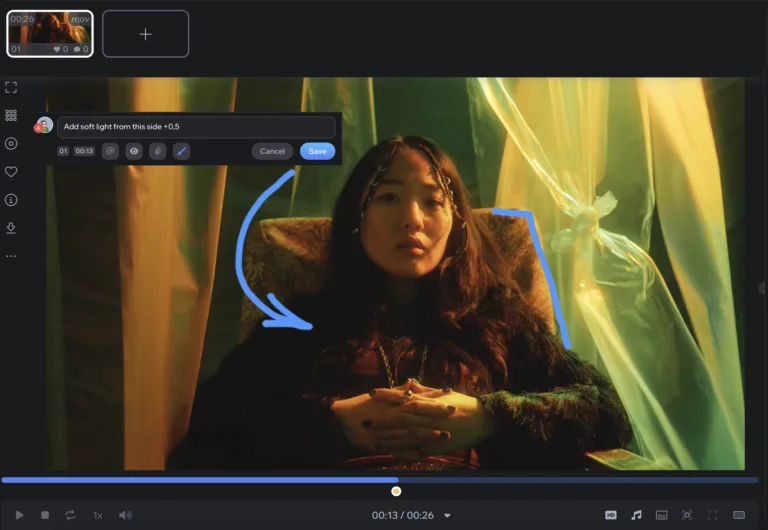
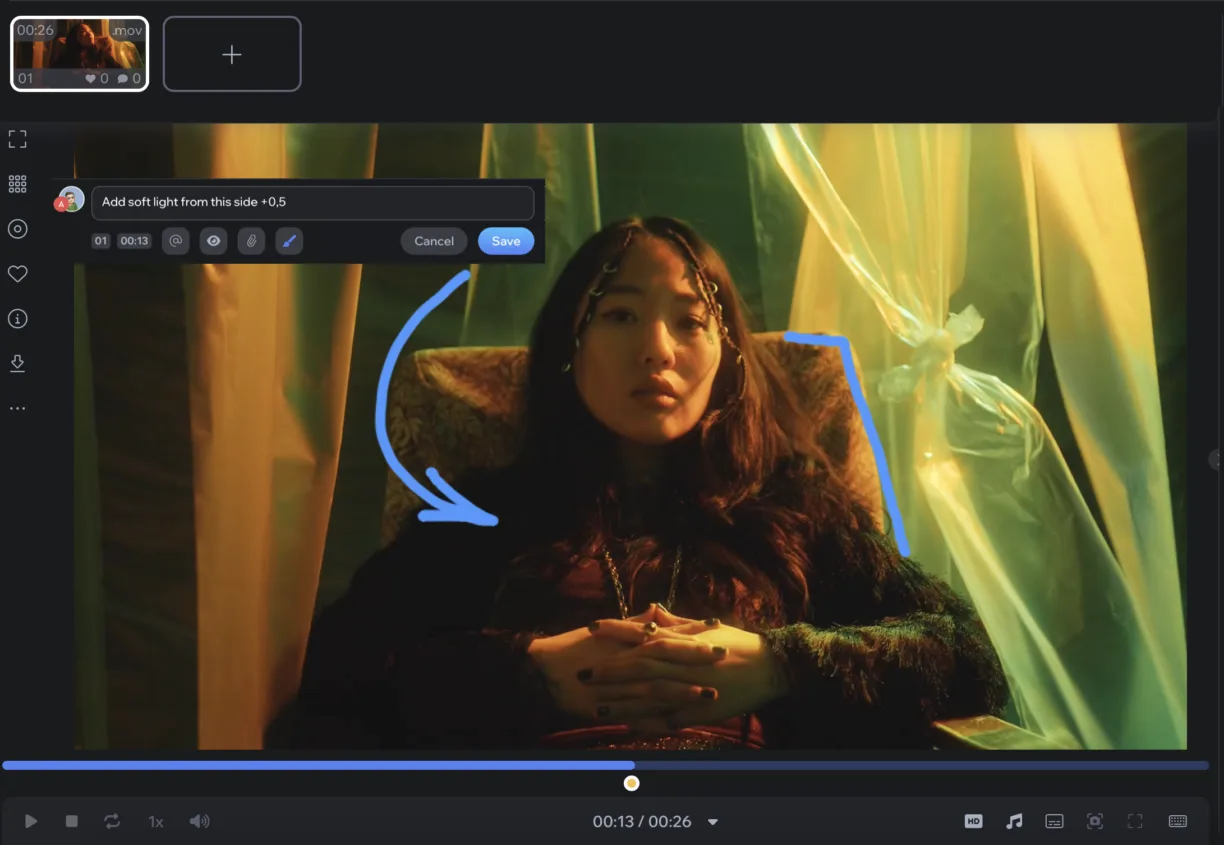
- Best overall for creative and video teams: Krock.io. Frame-accurate video review plus image, PDF, and audio proofing, free reviewers on every plan, and Pro at $10 per user per month.
- Best for large marketing and print teams: Ziflow or PageProof, if you need multi-stage approval workflows and can budget $199 to $499 per month.
- Best free option for occasional proofs: Ziflow’s free plan (2 users, 2 GB) or WeAproove’s free tier.
Online proofing software is a tool that lets your team and clients review creative files in the browser, leave comments directly on the work, and approve each version in one place. Instead of feedback scattered across email threads, PDFs with sticky notes, and Slack messages, every comment sits on the exact frame, pixel, or page it refers to.
We compared eight online proofing tools on the questions creative teams ask most. What does each one cost for a real team? Do clients pay to review? Which file types does it handle, and how well does it deal with video? Pricing below comes from each vendor’s own pricing page, checked on October 22, 2026.
One disclosure up front: Krock.io is our product. We’ve included it where we think it fits, and we’ve been specific about where other tools are the better choice.
What is online proofing software?
Online proofing software is a web platform for reviewing and approving creative work. You upload a file, share a link, and reviewers mark up the file itself. That might be a comment pinned to a banner, a note on frame 412 of a video, or a highlight on page 3 of a brochure. The software tracks every version, shows who approved what, and keeps the whole history in one place.
Most proofing software, also called digital proofing software, includes the same core set of features:
- Visual markup on images, PDFs, and designs (pins, shapes, drawing, text)
- Time-coded comments on video and audio, ideally frame-accurate
- Version control with side-by-side comparison of v1 and v2
- Approval status per file or per reviewer, with a clear audit trail
- Guest reviewers who can comment without creating a paid account
Where tools differ is everything around that core. How do they price seats? How deep does the video review go? And do they cover the work before and after the proof, such as briefs, storyboards, tasks, and deadlines?
If you want the longer background on the process itself, our guide to the creative review and approval process covers how to structure stages and sign-off.
Online proofing software compared: pricing and limits
| Tool | Free plan | Paid plans from | Pricing model | Reviewers | Best for |
|---|---|---|---|---|---|
| Krock.io | Yes: 1 user, 2 projects, 2 GB | $10 per user/month (Pro) | Per user; Unlimited plan from $400/month for 100 users | Free and unlimited on every plan | Video, animation, and creative agencies |
| Ziflow | Yes: 2 users, 2 GB, 60-day history | $199/month (Standard, billed annually) | Flat team plans | Unlimited | Marketing teams with multi-stage approvals |
| PageProof | No (free trial on request) | $249/month ($2,499/year, Team) | Flat team plans | Unlimited | Brand and print teams that want unlimited storage |
| Filestage | Yes: 1 active project | $199/month (Starter, 10 seats) | Seat bundles | Unlimited, no account needed | Agencies proofing mixed files incl. websites |
| Approval Studio | Free trial | $60/month (Lite, 5+ users, 5 GB) | Team plans | Unlimited external reviews | Packaging and label design |
| ReviewStudio | Yes: 3 active reviews | $15 per user/month ($12 billed annually) | Per user | Unlimited guests | Small teams that want simple per-user pricing |
| Frame.io | Yes: 2 members, 2 GB | $15 per member/month (Pro) | Per member, seat caps (5 on Pro, 15 on Team) | Free via share links | Video teams inside Adobe Premiere Pro |
| WeAproove | Yes | $10/month (Base) plus add-ons | Pay per feature | Unlimited | Occasional print and design proofs |
Prices are in USD, as listed on vendor pricing pages on October 22, 2026, and exclude tax. Annual billing is cheaper on most plans.
The 8 best online proofing software tools in 2026
1. Krock.io: best online proofing software for video and creative teams
Krock.io is online proofing software built by people who ran an animation studio and video production company. It handles video, images, PDFs, and audio in one project. On video, it goes further than most proofing tools: comments land on the exact frame, you can draw on the frame, and you can compare two versions side by side.
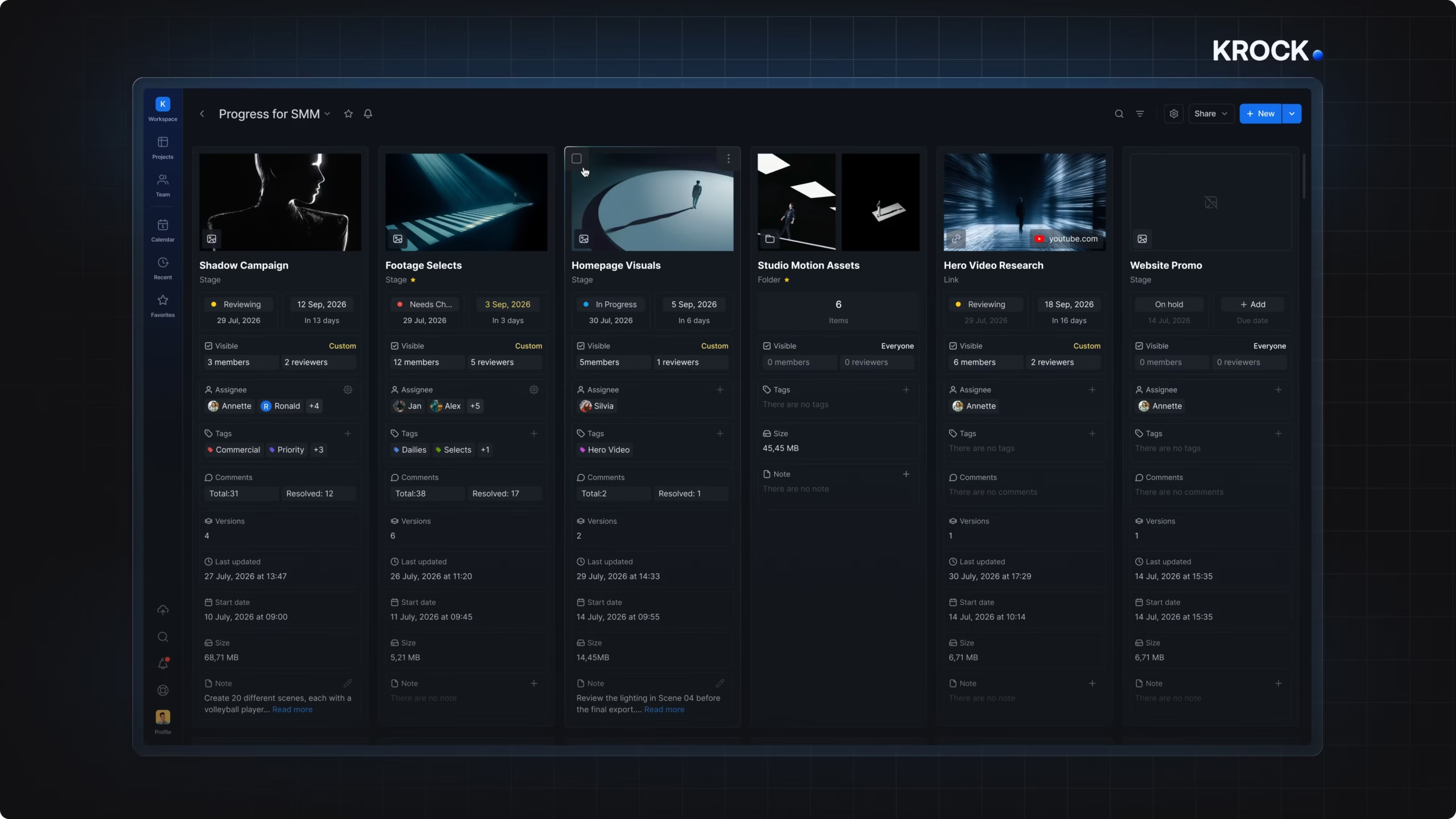
What sets it apart from the rest of this list is that proofing is one step in a full production workflow. The same project holds the brief, the storyboard (including the AI storyboard generator), tasks with deadlines and a Gantt view, and the review rounds. Comments sync back to DaVinci Resolve, Premiere Pro, and Final Cut Pro, so editors work through notes without leaving their editing software.
Pricing (October 2026):
- Free: 1 user, 2 projects, 2 GB storage, unlimited reviewers, no credit card
- Pro: $10 per user per month, adds unlimited projects, 4K playback, and custom branding
- Unlimited: from $400 per month for 100 users
Where it’s strong:
- Frame-accurate video review with on-frame drawing and version comparison
- Clients and reviewers are free on every plan and don’t need an account
- Covers pre-production (storyboards, briefs) and project management, not just the proof
Where it’s weaker:
- Fewer print-specific tools (color separations, preflight) than Ziflow or Approval Studio
- Multi-step automated approval routing is simpler than Ziflow’s or PageProof’s enterprise workflows
Across all file types on the platform, 82.4% of comments are time-coded and the average file goes through 2.24 versions (Krock.io video review statistics). For video teams specifically, see how this works on video proofing.
2. Ziflow: best for marketing teams with multi-stage approvals
Ziflow is one of the best-known names in online proofing, popular with in-house marketing teams and agencies that need structured, multi-stage approval workflows. It supports a wide range of file types and integrates with Adobe Creative Cloud.
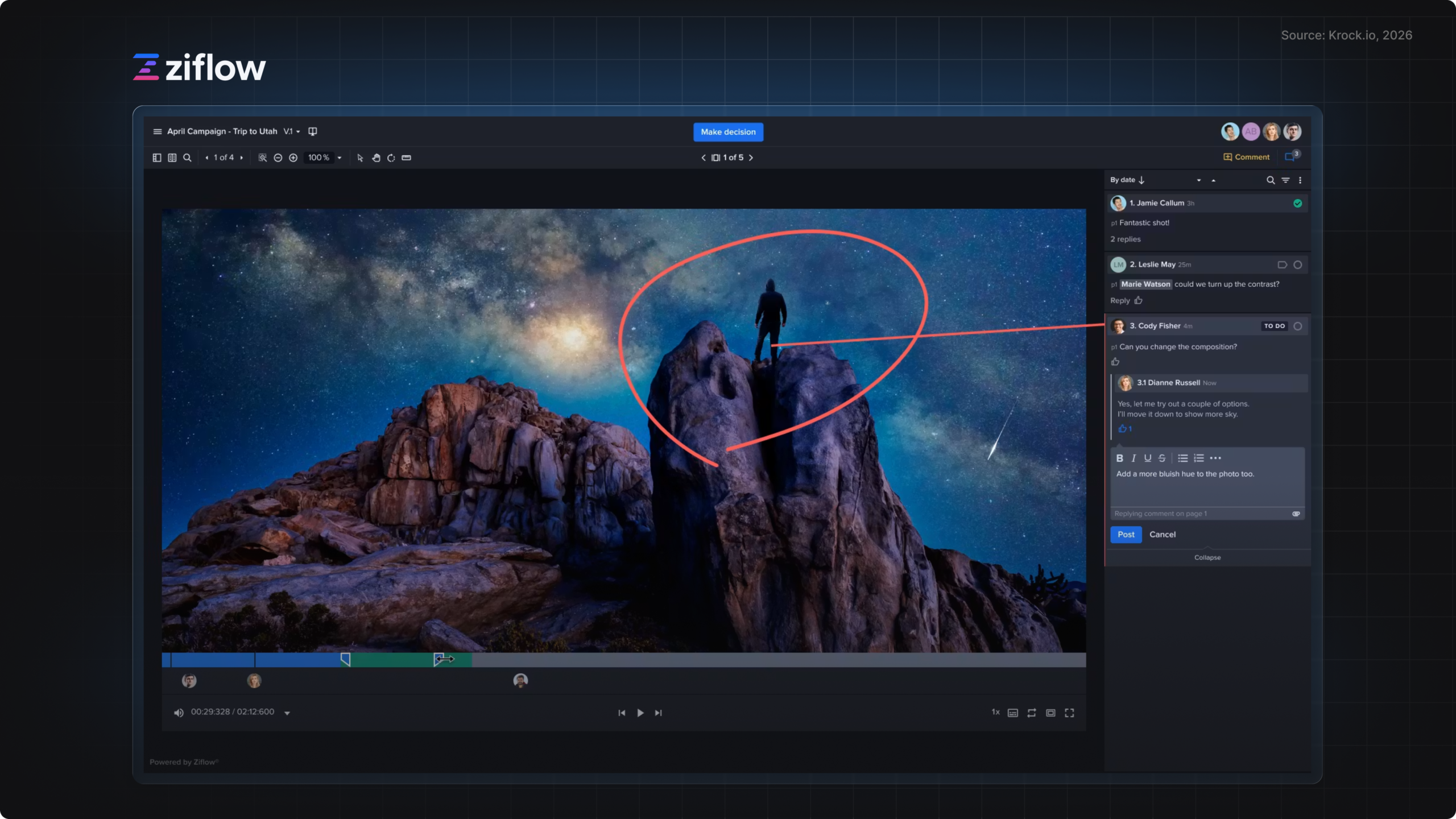
Pricing (October 2026): a free Personal plan (2 users, 2 GB storage, 1 workflow stage, 60 days of review history), Standard at $199 per month and Pro at $329 per month, both billed annually.
Where it’s strong: automated workflow routing, unlimited reviewers on every plan, and a mature feature set for brand and compliance reviews.
Where it’s weaker: the jump from free to $199 per month is steep for small studios, and video review is less specialized than in video-first tools. We compare the two directly in our Ziflow alternatives roundup.
3. PageProof: best for brand and print teams that want unlimited storage
PageProof uses flat-rate team pricing with unlimited reviewers, unlimited proofs, and unlimited storage, which makes costs predictable for high-volume teams. It also includes AI-assisted proof checks.
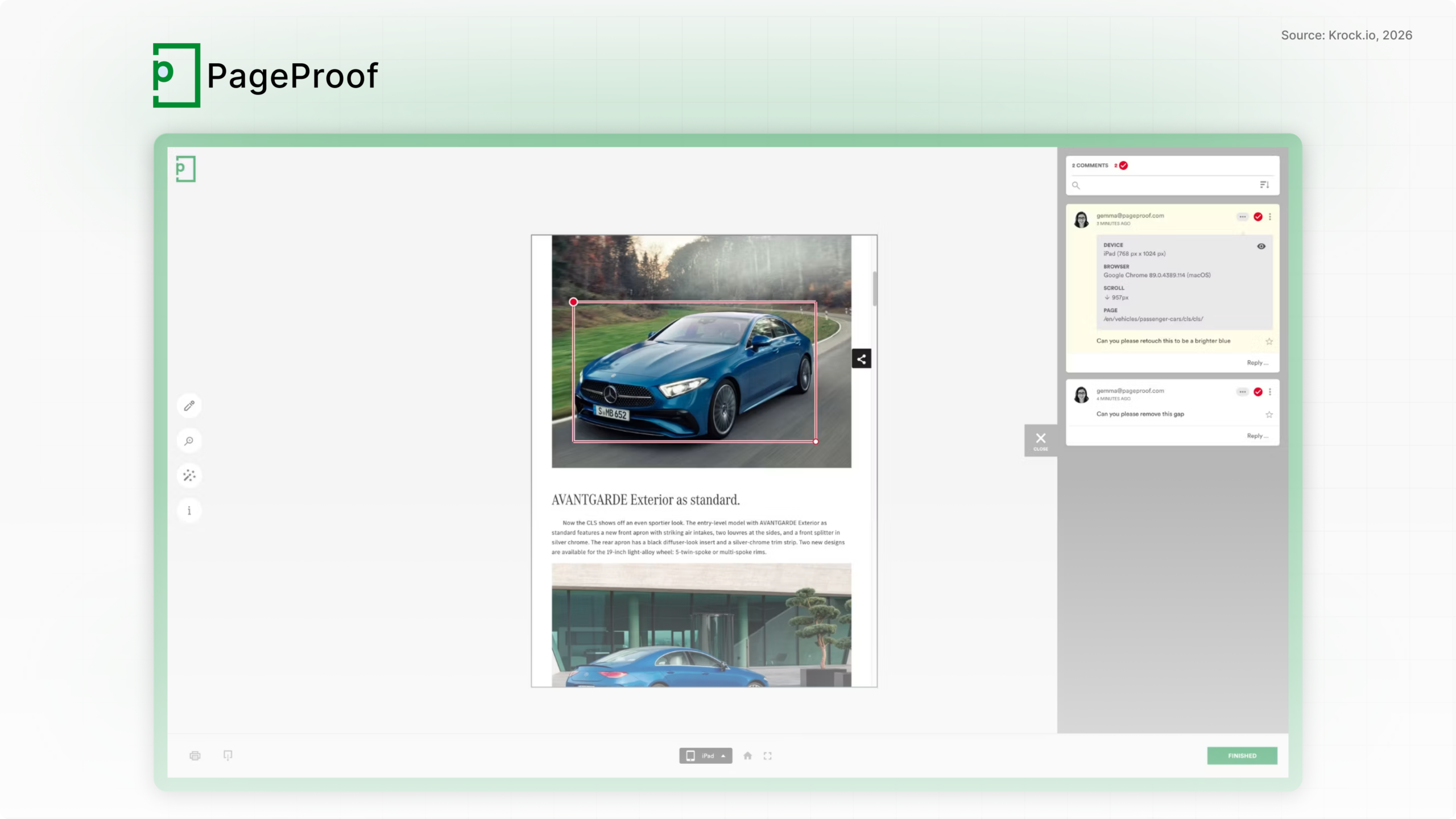
Pricing (October 2026): Team at $249 per month ($2,499 per year) and Team Plus at $499 per month ($4,999 per year). There’s no free plan; you request a free trial.
Where it’s strong: predictable flat pricing, unlimited storage, and strong security options for enterprise teams.
Where it’s weaker: the entry price is high for freelancers and small studios, and there’s no free tier to start on.
4. Filestage: best for agencies proofing mixed file types
Filestage handles videos, images, designs, documents, live websites, interactive HTML, and audio. Reviewers can comment and approve from a link without an account, which keeps client friction low.
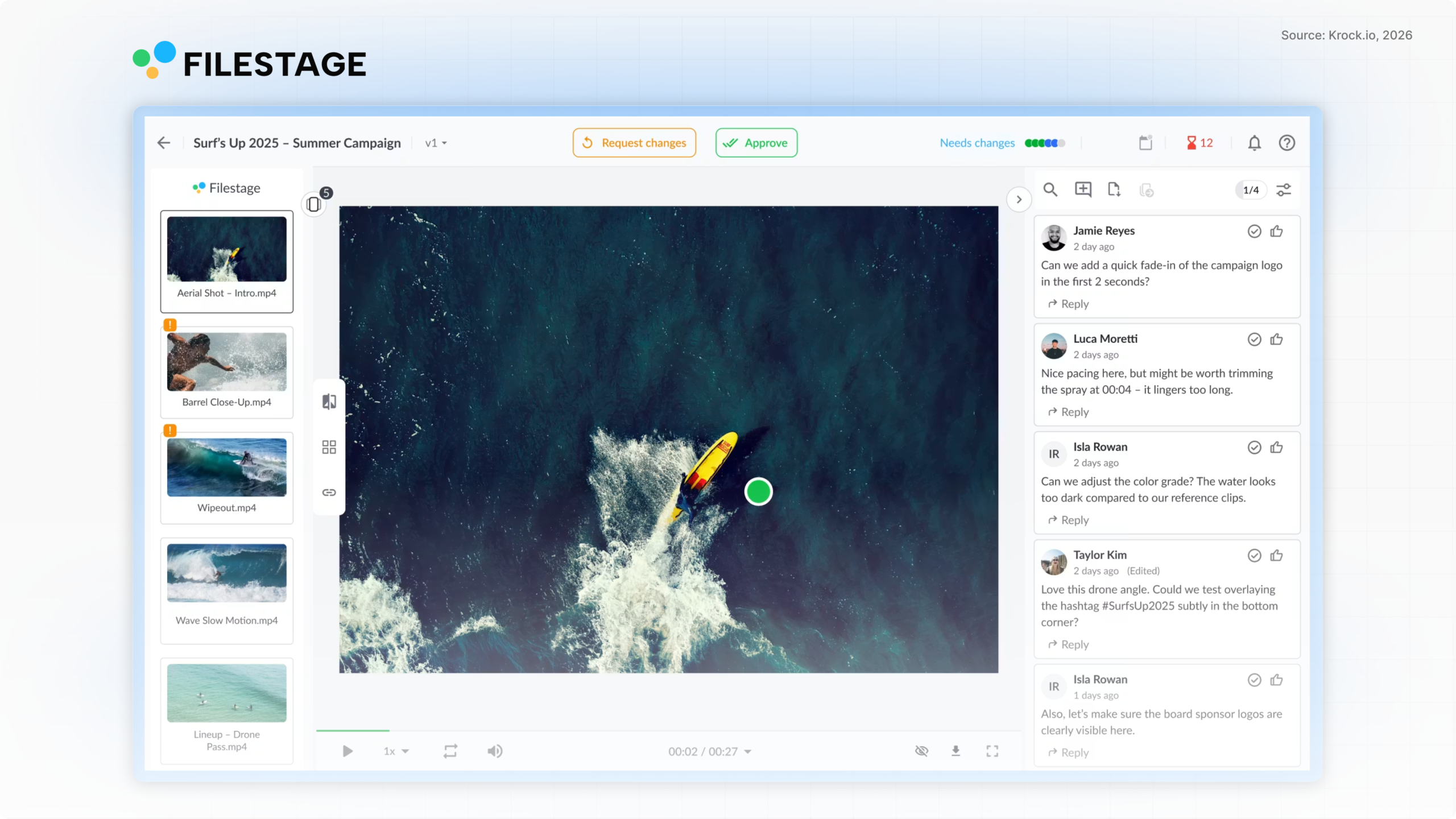
Pricing (October 2026): a free plan limited to one active project at a time, Starter at $199 per month (includes 10 seats, more in bundles of 5), and Business at $329 per month.
Where it’s strong: wide file-type support including websites, simple guest review, and due dates with reminders.
Where it’s weaker: the paid entry point is $199 per month regardless of how many of the 10 seats you use, and there are no production tools beyond review.
5. Approval Studio: best for packaging and label design
Approval Studio is aimed at packaging, label, and print design teams, with tools for comparing artwork versions and checking print files.
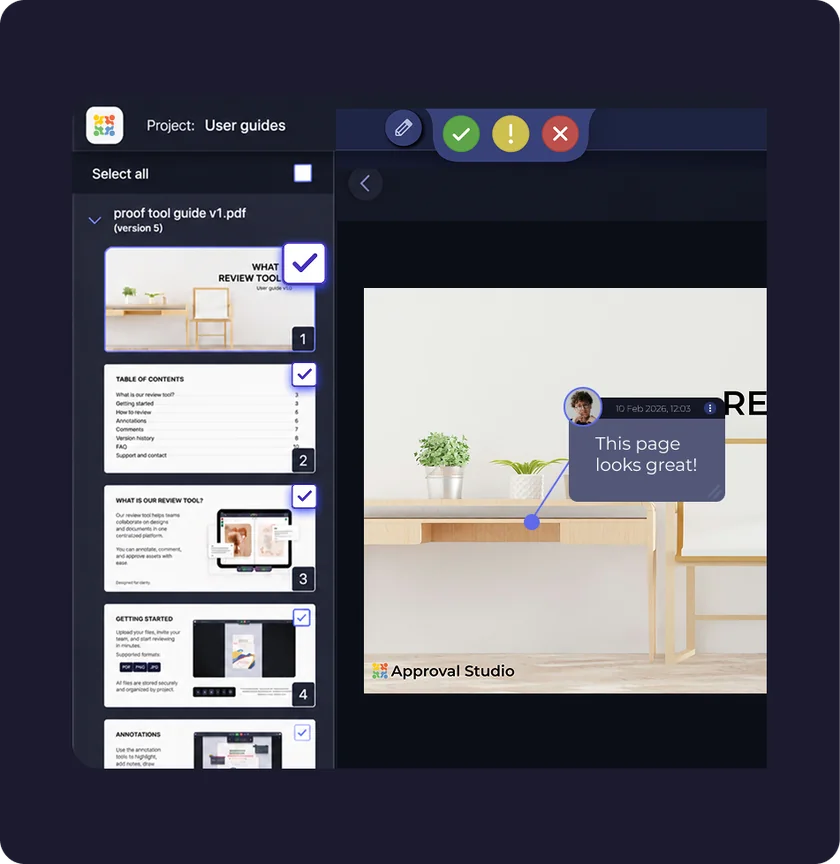
Pricing (October 2026): Lite at $60 per month (5+ users, 5 GB storage), Pro at $160 per month, and Pro XL at $300 per month, with 10% off annual billing. External reviews are unlimited.
Where it’s strong: artwork comparison and print-focused proofing at a lower entry price than Ziflow or PageProof.
Where it’s weaker: less suited to video and motion work.
6. ReviewStudio: best simple per-user pricing
ReviewStudio covers images, video, documents, and websites, with task and approval management built in.
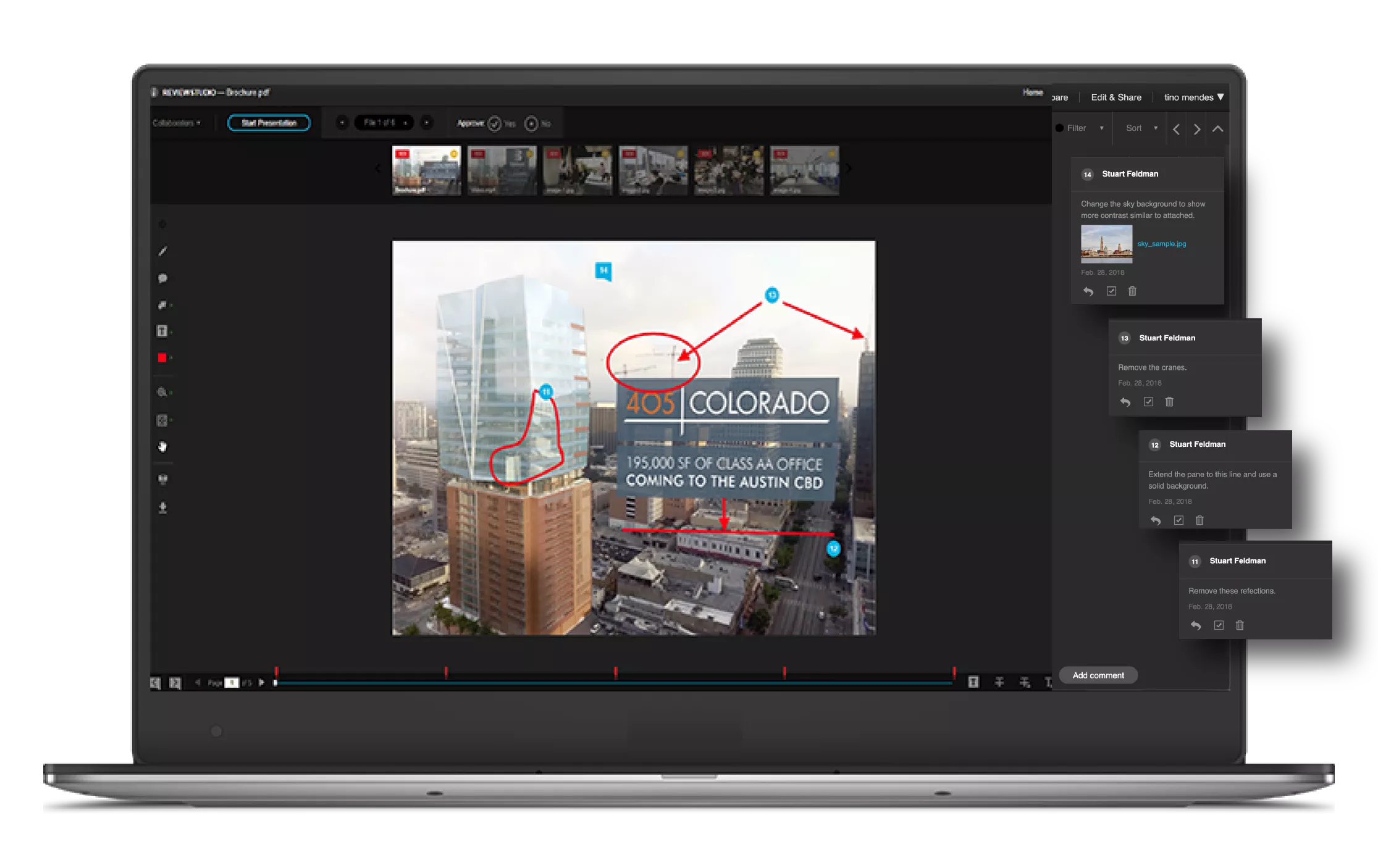
Pricing (October 2026): a free Starter plan (3 active reviews), Pro at $15 per user per month ($12 billed annually) with 25 GB per user, and Advanced at $25 per user per month ($20 annually) with a 5-user minimum. Guests are unlimited.
Where it’s strong: straightforward per-user pricing and unlimited guests.
Where it’s weaker: the Pro plan caps active reviews at 10 per user, and custom branding starts on Advanced.
7. Frame.io: best for video teams living in Premiere Pro
Frame.io, owned by Adobe, is video-first proofing with deep Premiere Pro and After Effects integration. Reviewers can comment through share links without a paid seat.
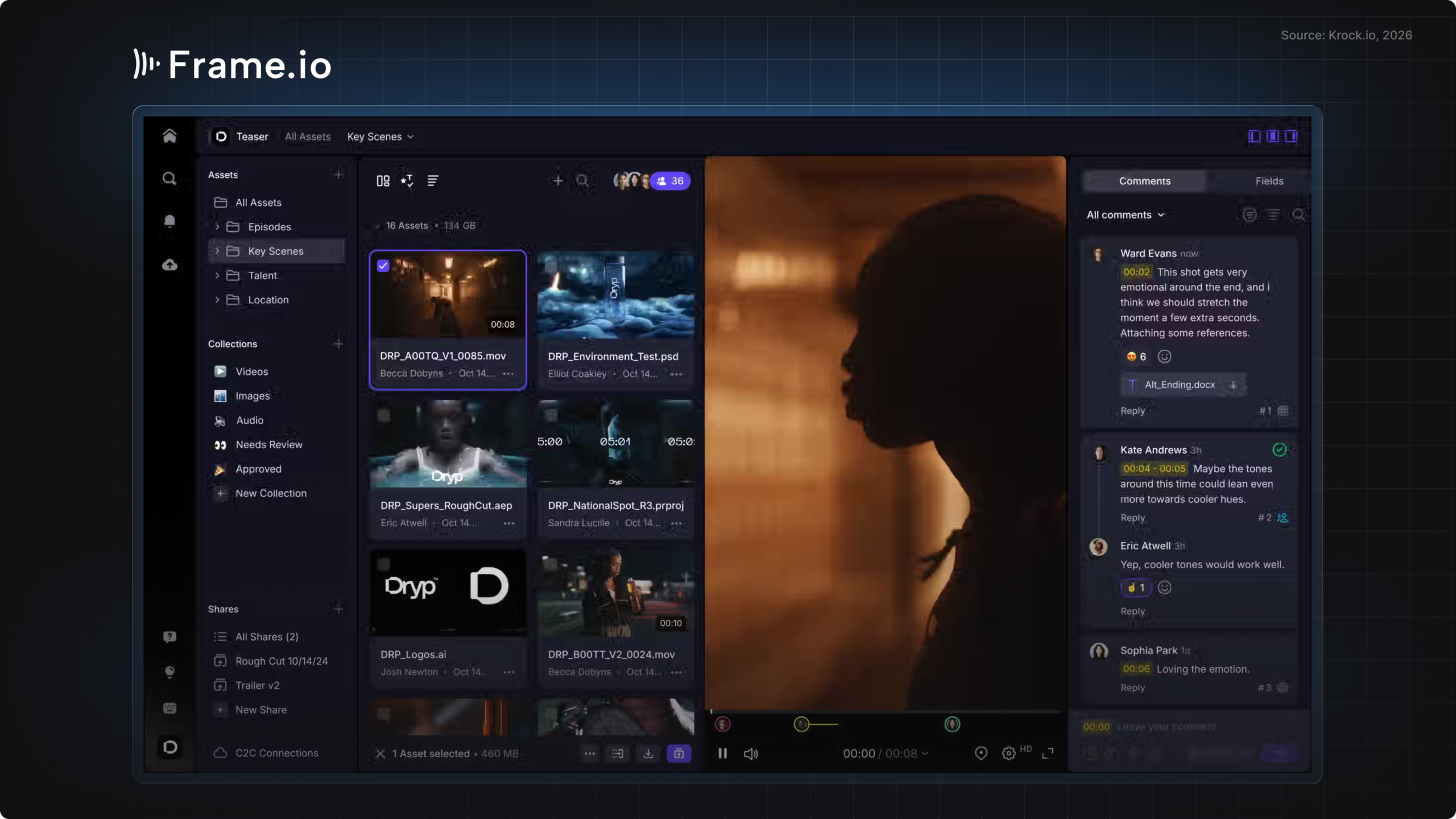
Pricing (October 2026): Free (2 members, 2 GB), Pro at $15 per member per month (up to 5 members), Team at $25 per member per month (up to 15 members), and custom Enterprise.
Where it’s strong: the tightest integration with Adobe’s video apps and fast playback.
Where it’s weaker: seat caps mean a growing team hits a plan limit quickly, and image, PDF, and print proofing are not its focus. If you’re weighing it up, our Frame.io alternatives guide compares the options for video teams.
8. WeAproove: best free option for occasional proofs
WeAproove is a lightweight proofing tool with a free tier and a pay-for-what-you-need model.
Pricing (October 2026): free to start, Base at $10 per month, then add-ons such as version comparison ($20 per month), custom branding ($20 per month), and extra users ($7 per month each).
Where it’s strong: low cost for light, occasional proofing.
Where it’s weaker: costs add up as you add features and users, and it’s built mainly for print and static design.
How to choose online proofing tools for your team
The right proofing software depends on what you proof most and who pays for seats. Four questions settle it for most teams:
- What file types do you proof most? If video and animation are a big share, pick a tool with frame-accurate comments and version comparison (Krock.io, Frame.io). For packaging and print, look at Approval Studio, PageProof, or Ziflow.
- Do clients pay to review? Every tool here offers free reviewers in some form. Still, check whether reviewers need an account and whether guest access is limited on lower plans.
- How does the price scale? Per-user pricing (Krock.io, ReviewStudio, Frame.io) is cheapest for small teams. Flat team plans (Ziflow, PageProof, Filestage) start at $199 to $249 per month and only pay off once you have many active users.
- Do you need more than the proof? If you also manage briefs, storyboards, tasks, and deadlines, an all-in-one platform saves you a second subscription and a lot of copy-pasting between tools.
Before you commit, read recent user reviews on G2’s online proofing category and Gartner Peer Insights. Pricing pages tell you what a tool costs; reviews tell you how clients cope with it.
If your team mostly needs sign-off on campaigns and documents rather than creative proofing, our roundup of the best approval software covers tools built around approval routing.
Client proofing software: what clients actually need
Client proofing software lives or dies on how easy it is for the client. In practice, that means three things: a link that opens without a sign-up, comments that go straight onto the work, and one clear “Approve” button. Every extra step (creating an account, downloading a file, emailing a PDF back) adds a day to the review round.
Photographers have their own version of this problem. If that’s you, see our guide to online proofing for photographers.
Case study: how Hound Studio runs proofing on Krock.io
Hound Studio is an animation and video production studio that has used Krock.io for years to run its production and client reviews. In the studio’s own words, from its post on efficient video production workflows: “To sort everything out we use Krock.io, an online proofing tool & project management platform.”
Before moving reviews into one tool, the studio collected feedback over email and calls. That meant slow responses, edits made on outdated versions, and notes that contradicted each other.
Now every cut, storyboard, and design goes into one Krock.io project. Clients leave time-coded comments on the video timeline, the team works from a single version history, and deadlines in the Gantt view update when a production date moves.
The results Hound Studio reports (confirmed with Krock.io, October 2026):
- 40% less time spent on feedback and approvals
- 30% more repeat business, which the studio credits to faster, more transparent reviews
In this video, the Hound Studio team walks through how its illustrators and animators produced a 2D animated spot, with reviews run in Krock.io:
Which online proofing software should you pick?
Our pick: Krock.io for creative and video teams. It’s the only online proofing software on this list that combines frame-accurate video review with image, PDF, and audio proofing. It also adds free reviewers on every plan and production tools like storyboards and tasks, starting at $10 per user per month. If your team spends most of its review time on video and animation, try it on a live project with the free plan.
Pick Ziflow or PageProof if you’re a larger marketing or brand team that needs multi-stage automated approvals and can budget $199 to $499 per month for a flat team plan.
Pick Approval Studio if packaging and labels are most of your work, and WeAproove if you only proof occasionally and want to start free.
Whichever online proofing software you choose, test it on a real project with a real client before you roll it out. For a closer look at proofing across all your creative files, see how online proofing in Krock.io works.
Online proofing software FAQ
What is online proofing?
Online proofing is the process of reviewing and approving creative work in a web browser instead of by email or printed proofs. Reviewers comment directly on the file: a spot on an image, a frame in a video, or a page in a PDF. The software then tracks versions and approvals in one place.
What is the best online proofing software?
For creative and video teams, Krock.io is our pick: frame-accurate video review, image, PDF, and audio proofing, and free reviewers on every plan from $10 per user per month. Larger marketing teams that need complex approval routing often choose Ziflow or PageProof, at $199 to $499 per month.
Is there free online proofing software?
Yes. Krock.io, Ziflow, Filestage, ReviewStudio, Frame.io, and WeAproove all have free plans. Limits vary: Krock.io’s free plan includes 2 projects and 2 GB with unlimited reviewers, Ziflow’s covers 2 users and 2 GB, and Filestage’s allows one active project at a time.
How much does online proofing software cost?
Per-user tools start at $10 to $15 per user per month (Krock.io, ReviewStudio, Frame.io). Flat team plans start at $199 per month for Ziflow and Filestage and $249 per month for PageProof. Approval Studio starts at $60 per month for 5 users. All prices checked October 22, 2026.
What’s the difference between proofing software and design proofing software?
Proofing software is the general category for reviewing any creative file. Design proofing software is the same idea focused on static design: layouts, packaging, and print files, often with color and artwork comparison tools. For tools built around design feedback specifically, see our comparison of design review software.



