
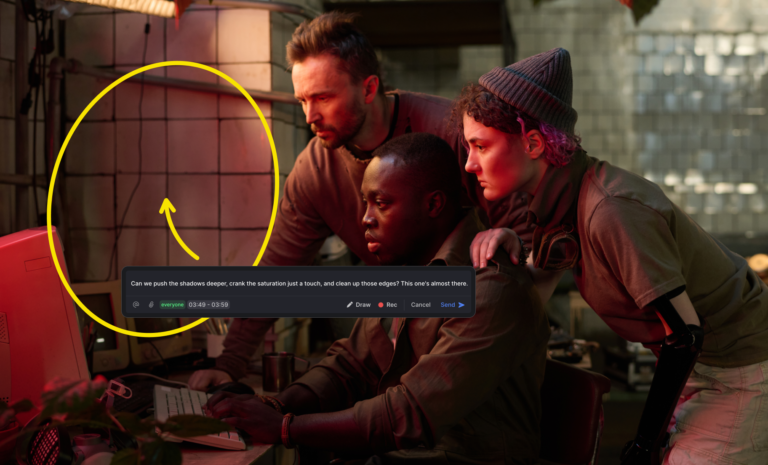


You send the first cut. Your client replies by email. Then their head of marketing replies to that email, but with different notes. Someone else sends a voice note on WhatsApp. A stakeholder fires off a Loom. Two days later you have seven threads, four conflicting opinions, and a version number in the filename that reads v3_FINAL_revised_USETHISONE.mp4.
Sound familiar? That’s not a video production problem. That’s a workflow problem.
Every creative team needs a structured video review workflow — and most never formally build one. They inherit a patchwork of tools and habits that worked fine for smaller projects, then patch it when things break. By the time they’re running 10 concurrent client projects, the patchwork is holding everything together with tape.
This guide is for the teams that want to fix that. We’ll walk through what a proper video review workflow looks like, where most setups fall apart, and how to build something that actually scales without burying you in email chains.
Want to see how teams centralize their review process? Krock.io’s video proofing software gives every stakeholder one place to watch, comment, and approve, with no seat fees for clients.
What a video review and approval workflow actually is
A video review and approval workflow is the structured process a creative team uses to move a video from rough cut to final sign-off. It defines who reviews what, in what order, using what tools, and what “approved” actually means.
In practice, it answers three questions that most teams leave unasked:
- Who needs to see this, and when?
- Where does feedback live, and who acts on it?
- How does everyone know when a version is approved?
Without clear answers, review becomes reactive. Feedback piles up in different places. Revisions happen based on the last email anyone read. And the definition of “approved” shifts depending on who you ask.
A good video review workflow makes all of this explicit before the first cut goes out for review. It sets up the stages, assigns the roles, and gives everyone, including your client, a single place to look.
That’s the thing most teams miss. The tool matters less than the process. A disciplined team can run a decent review workflow with a shared folder and a spreadsheet. A disorganized team will create chaos with the best software in the world. But having the right tool makes it dramatically easier to build good habits, especially when your clients are involved.
The five stages of a video review workflow
A well-structured video review and approval workflow has distinct stages. Each stage has a clear owner, a defined purpose, and an exit condition. Here’s how the best-run creative teams break it down.
Stage 1: Internal review
The first cut never goes to the client. It goes to your own team.
The internal review stage exists to catch the obvious problems before they become client problems: pacing that doesn’t work, temp music that should go, sequences that don’t land, and technical issues you missed in the rush to get a cut out.
This stage should be fast and brutally honest. Internal reviewers should know they’re looking at a rough cut, not a finished product, and their job is to find problems, not protect feelings. If rough cuts take too long to produce in the first place, see how to edit videos faster with a 20-minute rough cut. Mark a version “internal only” so nothing accidentally ends up in a client share link.
Keep this stage tight. Two or three reviewers maximum, a short turnaround window, and a clear brief: watch for X, look out for Y. Vague internal reviews produce vague notes.
Stage 2: First client review
Once the internal team is satisfied, the first version goes to the client. This is where the client video review stage breaks down most often, because it’s where the most people get involved in the least structured way.
Set expectations before you send the link. Tell your client:
- What they’re looking at (a first cut, not a finished product)
- What you need from them (story and structure feedback, not color or sound)
- Where to leave their notes (one place, not email)
- When feedback is due
That last point matters more than most teams realize. Open-ended review windows drag on. A deadline focuses the mind.
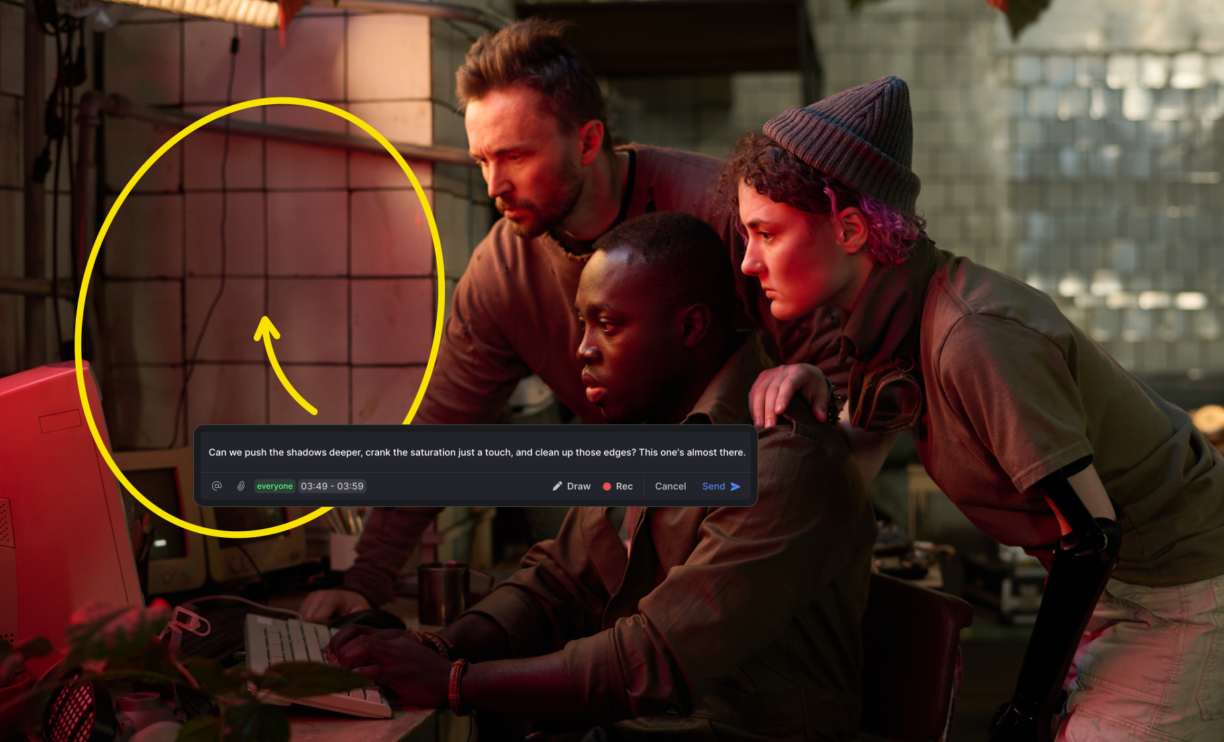
The best way to collect first-cut client feedback is through a dedicated review tool where comments are timestamped, attached to specific frames, and visible to everyone on the project. Frame-accurate comments replace “you know, around the middle bit” with a precise timestamp and a drawing on the frame. That specificity alone cuts one revision round out of most projects.
Stage 3: Revision rounds
Once feedback comes in, revisions happen. A clean video revision process works from the consolidated notes — not from individual emails that arrive after the window closes.
The key habit to build here is a round limit. Before the project starts, agree with the client on how many revision rounds are included. Two is standard for most video work. Three is generous. “Until you’re happy” is a scope creep disaster. For a complete system covering how to set those limits, collect time-coded feedback, and close each round cleanly, see the full guide to managing client video revisions.
Track each round as a separate version in your review tool. Never overwrite v1 with v2. Every version and its associated comments should be accessible so you can always go back and show what feedback was given, when, and what changed.
Stage 4: Final approval
The final approval stage is where “we like it” becomes a formal sign-off. This is the most underbuilt part of the video approval process — and the most important.
An informal “looks great!” reply to an email is not an approval. It’s an expression of sentiment. Six months later, when the client says the video doesn’t match the brief, your ability to point to a timestamped, named approval matters.
Use a dedicated approval action in your review tool, one where the client clicks “approve” and the status changes to approved. That creates a clear record: who approved, which version, when. No ambiguity.
Stage 5: Delivery sign-off
After approval, you deliver the final file. The sign-off stage closes the project: confirm the delivery format matches what was specified, get the client to confirm receipt, and update the project status to complete.
This sounds procedural because it is. But it’s also the stage that protects you when a client comes back three months later, claiming they never received the finals.
Why most video review workflows break down
Most video review workflows don’t fail catastrophically. They degrade slowly. One client starts emailing feedback instead of using the review link. A stakeholder who wasn’t in the original brief gets added at stage four. Someone uploads v6 without clearing the v5 notes first.
Here’s where the structural failures tend to show up.
Feedback is scattered. Email, Slack, video messages, phone calls, a Word document someone attached. When feedback comes from multiple sources, the editor has to reconcile conflicting notes with no clear hierarchy. Whose version takes precedence? Which note is the latest? Research from HBR shows email overload is one of the biggest drains on knowledge worker productivity — and scattered client feedback is exactly that problem, compounded.
Version control is informal. “Use the one I sent Thursday” is not version control. When there’s no clear system for naming, storing, and linking feedback to specific versions, editors waste hours trying to work out which notes go with which file.
Approval has no formal structure. If the client never explicitly approves, you can never formally close the revision cycle. “I think they’re happy with it” is not the same as “they approved v4 at 3:47 p.m. on March 15.”
Too many people are involved too late. A CMO who watches the cut for the first time in stage four and has “a few thoughts” is not a stage-four problem. It’s a stage-one problem: you didn’t map who needed to be in the review process from the start.
The tool charges per seat. This one is worth calling out directly. Some of the most common Frame.io alternatives charge per reviewer, which means teams start rationing who gets access. A client team of 12 becomes a client contact of one, because adding all 12 would blow the budget. The single contact collates feedback from 11 other people, which degrades its quality and delays the turnaround.
The fix is online proofing for creative teams that gives unlimited reviewers access without per-seat charges, so you can invite the whole client team and get real feedback from the people who actually matter, rather than a filtered summary.
How to build a video review workflow that doesn’t break
Here’s the practical setup that high-performing creative teams use. Research on creative team productivity consistently shows that structure — not more tools — is what separates teams that scale from teams that drown. Most of the value comes from being deliberate about things most teams leave to chance.
Map your stages before you start
Before you send the first cut anywhere, define your review stages explicitly:
- Internal review (team only, no client access)
- First client review (story and structure)
- First revision round
- Second client review (fine-tuning)
- Second revision round (if needed)
- Final approval
- Delivery confirmation
Set this up in your project tool so it’s visible to everyone. When a project is in “first client review,” every team member knows where it is in the cycle.
One platform, one thread
Every piece of feedback for a project goes in one place. Not one place per stakeholder, one place per project, full stop. This is the single habit that makes the biggest difference.
Pick your review platform and make it non-negotiable for clients. If you’re still evaluating options, see the breakdown of the best video review software covering what creative teams actually use and why. Most modern review tools give clients a simple link they click to watch and comment. No login required, no software to install, nothing to resist.
If a client emails you feedback anyway, don’t reply to the email. Copy the notes into the review tool and acknowledge in the email that you’ve logged the feedback there.
The platform trains the behavior. Reward the behavior you want by showing clients that notes they leave in the review tool get actioned faster than notes they email you.
Separate internal and client-facing comments
Your team should be able to have conversations about a project that clients don’t see. “The color grade here is not working, let’s fix before client sees this” is a useful note. It’s not a useful note for the client to read.
Use a review tool that lets you mark some comments as internal only. This keeps client-facing threads clean and gives your team room to discuss work in progress without filtering every thought.
Build approval gates into the stages
Each stage should have a gate: it doesn’t move forward until someone explicitly approves it.
After internal review, the lead editor or creative director signs off before the client link goes out. After first client review, no revisions start until the feedback window closes. After final revision, the client formally approves before delivery begins.
Approval gates slow down the sloppy parts of the process: the “one more small change” that arrives after you’ve already rendered the final, the stakeholder who adds notes to a version that was already approved. If it’s approved, it’s done.
Set revision limits in writing
Before the project starts, your contract should state how many revision rounds are included. When you send the first link, remind the client in your email: “This is round one of two. Please consolidate all feedback from your team before the Thursday deadline.”
That framing does two things. It tells the client they have a finite number of rounds, which encourages them to be thorough rather than iterative. And it creates an implicit urgency: if they don’t consolidate feedback from their team, they’ll burn a revision round on incomplete notes.
Track everything by version
Every new cut is a new version. Version one, version two, version three. Every version lives in the project tool with its associated comments. The client can always go back and see what they said in version one if they’re confused about why something changed.
This also protects you during scope disputes. If a client says “we never asked for that change,” you can show them the exact comment from version two that requested it.
Ready to see how this works in practice? See how Krock.io’s pricing compares to the tools you’re currently paying for, including how much you could save by not charging per reviewer.
What a broken workflow looks like in the real world
Nina runs a four-person video production agency. In her first two years, she managed client reviews by email. It worked until it didn’t.
The project that broke her system was a 90-second brand film for a retail client. The client contact collected feedback from the CEO, the head of retail, and the head of digital. Each of them had watched a different version. The CEO had seen the cut from two weeks ago.
The head of digital had feedback from a WhatsApp video. Nina received four emails with conflicting notes, no indication of which version each person had watched, and a deadline in 48 hours.
She spent six hours reconciling the feedback, made the wrong call on three notes because she couldn’t tell which version they referred to, and ended up doing a third revision round that wasn’t in the contract.
After that project, she moved to a dedicated review tool and set a strict one-link, one-thread policy. The next project with the same client ran two revision rounds instead of three. Her team’s billable hours on that project dropped by 18%.
The tool didn’t fix Nina’s workflow. Her workflow fixed her workflow. The tool just made it enforceable.
Video review workflows for animation studios vs. video agencies
The same principles apply across both contexts, but the specific stages and pressure points differ.
Animation studios
Animation has a longer production cycle and more expensive revisions. A mistake caught at storyboard costs a few hours. The same mistake caught at the final composite costs days.
A good animation review workflow has more stages and earlier approval gates:
- Storyboard approval (catch story problems before a single frame is animated)
- Animatic approval (catch timing and pacing before production begins)
- Rough animation review (check motion and performance before cleanup)
- Compositing review (internal, before client)
- First client review
- Final approval
Each gate exists to prevent expensive rework downstream. Getting clients to approve the storyboard before animation starts isn’t bureaucracy; it’s cost control.
Krock.io’s built-in storyboard and animatic tools mean you can run pre-production review in the same platform where you do post-production review. No switching tools between phases, and every stage’s comments are preserved in the same project history.
Video production agencies
Agencies typically have shorter cycles and more clients in parallel. The pressure point isn’t expensive rework; it’s managing multiple clients without losing track of which project is at which stage.
A good agency review workflow emphasizes:
- Clear stage visibility across all active projects (who’s waiting on client feedback right now?)
- Strict revision round limits enforced from the start, not negotiated mid-project
- A client experience that doesn’t require client training (a link they click, not software they install)
- Approval records that hold up if a client disputes what was signed off
For agencies managing five or more concurrent projects, the ability to see every project’s stage at a glance isn’t a nice-to-have. It’s the difference between proactive management and constant firefighting.
A proper review and approval process gives both studios and agencies the structure they need, even if the specific stages look different.
Pulling it together
A video review and approval workflow isn’t a set of rules you hand to clients. A solid creative review workflow is a system you build before the project starts and run consistently across every project, every client, every time.
The teams that do this well share a few common habits:
- They map stages explicitly, not just informally.
- They centralize feedback in one tool and enforce it without apology.
- They set revision limits in the contract and hold to them.
- They use formal approval gates, not informal expressions of satisfaction.
- They track every version and its associated feedback for the life of the project.
None of this requires an expensive tool or a complex process. It requires the decision to be deliberate about something most teams leave to chance.
If your current setup involves email threads, WhatsApp messages, and files named FINAL_v7_usethis.mp4, you already know it needs to change. The question is how long you’ll run the old system before building the new one.
Start building it today. Krock.io gives you the stages, the version control, the approval gates, and unlimited client reviewers on every plan, without the per-seat charges that make other tools impractical at scale. See how costs compare and start a free trial with no credit card required.



