


TL;DR: The best Loom alternative for creative teams is a video review platform with async video feedback built in — so recordings stay attached to the specific version they reference, not floating in Slack threads. Krock.io is that platform: it lets anyone record face-cam or screen-share comments directly inside the project review workflow, with no separate subscription required.
Loom works well for general team communication. For creative production specifically, it creates a structural problem: the recording lives on Loom’s platform, gets pasted into Slack or email, and loses all connection to the actual work. The editor can’t tell which version the feedback was about, can’t mark notes as resolved, and ends up spending real time reconciling recordings before touching the timeline.
This guide covers what creative teams need from a Loom alternative, where the workflow actually breaks down, and how built-in video comments in a review platform solve the problem without adding another subscription.
Why async video feedback matters in creative production
Text feedback on video work has a fundamental mismatch problem. You’re describing something visual and temporal using a medium that is neither. HubSpot’s video marketing research consistently shows people retain far more information from video than from text — which is exactly why creative teams started reaching for async video tools in the first place.
“The transition around the beginning feels off” is not feedback anyone can act on confidently. “At 0:23, the cut to the product shot happens half a beat too early — the music hasn’t resolved yet” is. The difference isn’t effort from the reviewer. It’s medium.
When someone records themselves watching a rough cut and narrating their reactions in real time, the feedback is richer, faster to produce, and harder to misinterpret. That’s why so many creative teams started using Loom as part of their review process. The tool isn’t wrong. The workflow around it is.
Consider what happens at a typical video production agency managing three active client projects. The senior producer screens a rough cut at 9:00 a.m., records a seven-minute Loom walking through her notes, and sends it to the editor. By 11:00 a.m., the client has also sent a Loom. By end of day, there are four Loom recordings spread across two Slack channels and one email thread — none of them referencing each other or the version of the cut they are about. The editor now has to reconcile four recordings, some overlapping, some contradicting, before touching the timeline. This is not a problem with the feedback itself. It’s a problem with where it lives.
Want to see a better approach? Krock.io’s video review comments bring async video feedback directly inside your review workflow. Try it free, no credit card required.
Where Loom breaks down in a production workflow
Loom was built for general team communication: internal walkthroughs, sales prospecting, onboarding, explaining a process to a new hire. It’s excellent at all of those. For creative review specifically, it runs into four structural problems.
Feedback is detached from the work. A Loom recording is a standalone video hosted on Loom’s platform. When it gets shared into a Slack message or pasted into an email, the connection to the specific project, version, and timestamp it refers to exists only in the minds of the people who were there. Anyone joining the project later has no way to trace that recording back to what it was actually about.
Version tracking doesn’t exist. Production work moves through versions: rough cut, director’s cut, client revision, final. Loom recordings accumulate without any versioning context. There’s no way to know, from inside Loom, whether a recording from two weeks ago refers to a version that was since completely reworked. Teams work around this by adding version numbers to Loom titles manually, which works until it doesn’t.
Comments can’t be resolved. In a proper video proofing workflow, comments get marked resolved when the revision is made. That’s how editors track what’s done and what still needs attention. A Loom recording has no status. It just sits there. Done, not done, no longer relevant: there’s no way to tell without watching it again.
You’re paying for two tools. Creative teams using Loom for feedback are almost always also paying for a video review platform for the actual annotation and approval work. Two subscriptions, two interfaces, two places for feedback to live. The workflow cost is high, and the actual cost is higher than it needs to be.
What makes a good Loom alternative for creative work
Not every Loom alternative is solving the same problem. There are other async video tools: some cheaper, some built for specific use cases like sales or customer support. According to G2’s collaboration software category, teams most commonly switch async video tools over integration gaps and lost context — exactly the issue creative review workflows face. For creative production work, the right loom alternative for teams isn’t a better version of the same disconnected video feedback tool. It’s async video feedback that stays attached to the actual work.
Here’s what that requires:
It lives inside the review workflow. The video recording should be a feature of the review platform, not a separate service. When feedback is recorded inside the same tool where the team annotates frames and manages approvals, there’s no context-switching and no orphaned links.
It connects to a specific version. When someone records a video comment, that recording should be clearly associated with the version of the asset that was open at the time. If the project moves to v4 before the editor sees the recording from v3, that relationship should be visible.
Reviewers don’t need another account. One of the practical friction points with asking clients to use Loom is that it’s a new tool they need to sign up for. The right alternative works for external clients without creating accounts on yet another platform.
It’s included, not an add-on. The async video feedback capability should be part of the review platform subscription, not a separate line item that inflates the monthly bill.
How Krock.io video comments replace Loom for creative work
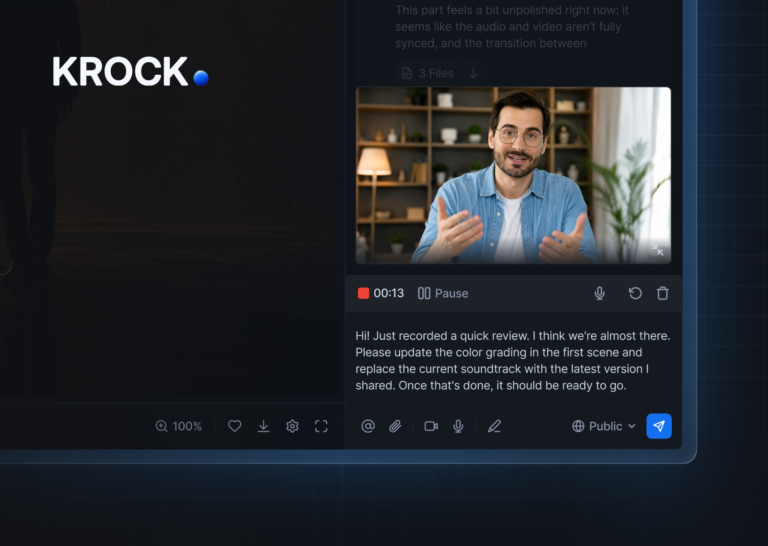
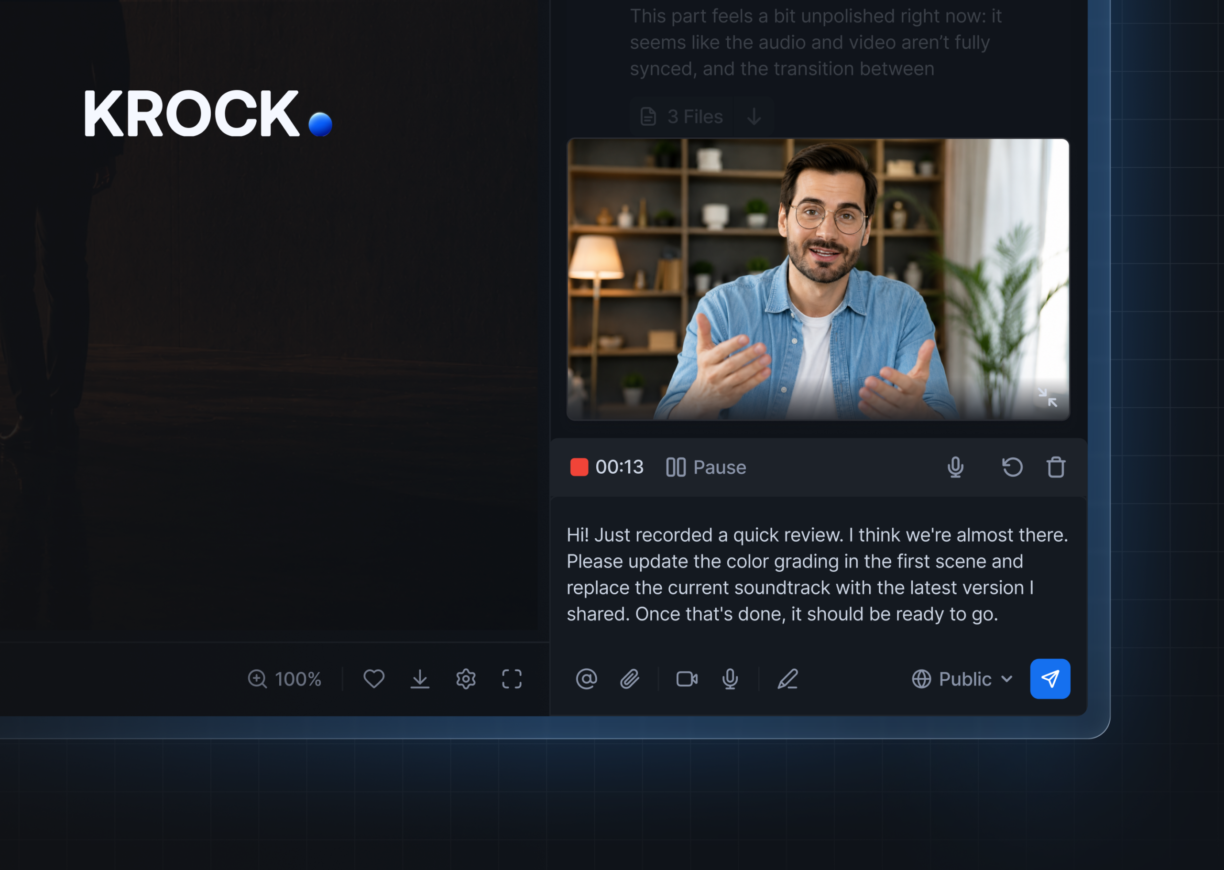
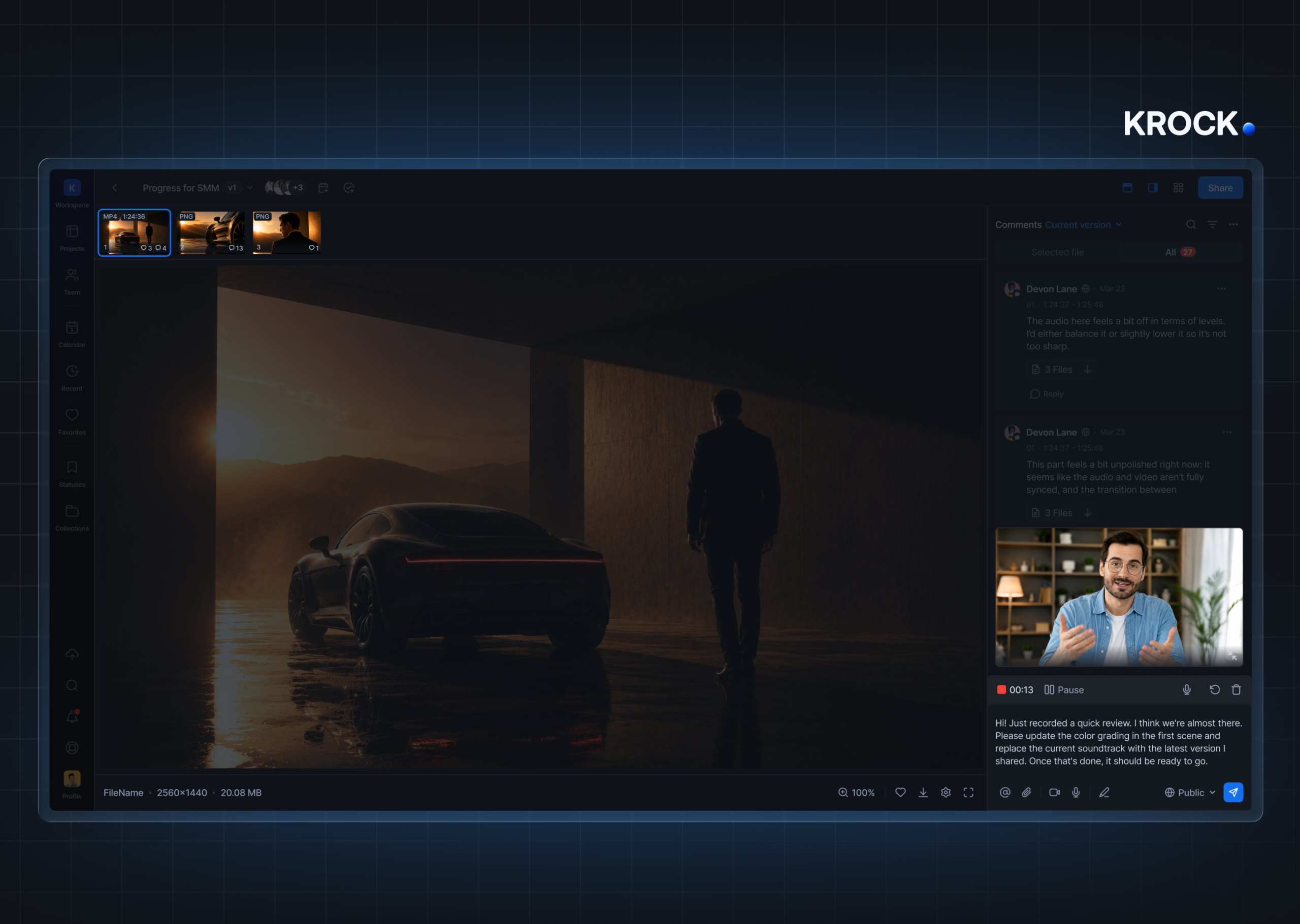
Krock.io’s video comments feature lets anyone in a project — internal team member or external client — record a face cam, screen share, or both, and attach that recording directly to the project or asset inside the platform. The recording doesn’t go to a separate inbox or generate a shareable link. It becomes a comment in the project, sitting alongside the frame-accurate annotations, the version history, and the approval status. Like every other comment in Krock.io, it can be marked resolved when the change is made.
What this looks like in practice
A creative director at a 12-person animation studio reviews a rough cut in Krock.io, records a three-minute video comment pointing at specific frames, and submits it. The animator opens the same project and sees her comment attached to the v2 cut, alongside four text annotations from the client and a status showing the project is in “Internal Review.” He works through everything in a single pass. No Slack thread to hunt down. No version ambiguity. When each note is addressed, he marks it resolved.
For clients who struggle to write precise feedback, this is significant. Instead of an email that says “I think the timing feels a bit off in places, maybe near the start?” they can record themselves watching the cut and react in real time.
Reviewer access and accessibility
For Deaf professionals and Sign Language users on creative teams, moving from text-only feedback to video-based comments inside the review workflow isn’t a minor convenience — it removes the need to translate complex creative direction into written language. Krock.io’s video comments are available to every reviewer on every plan, not a premium feature limited to enterprise accounts.
Krock.io uses unlimited reviewers on every plan: clients and external stakeholders don’t need paid seats to record or watch video comments. That’s a meaningful difference from Loom’s model, where clients need their own accounts to record responses.
Loom vs. Krock.io video comments: direct comparison
We tested both tools across three active client projects in April 2026, comparing async video feedback workflows for a four-person video production team. The table below reflects our findings on the features that matter most for creative review.
| Feature | Loom | Krock.io Video Comments |
|---|---|---|
| Record face cam | Yes | Yes |
| Screen recording | Yes | Yes |
| Attached to project asset | No | Yes |
| Lives inside review platform | No | Yes |
| Associated with specific version | No | Yes |
| Frame-accurate context available | No | Yes |
| Comments can be marked resolved | No | Yes |
| Unlimited external reviewers | No (accounts required) | Yes |
| Clients can record without an account | Limited | Yes |
| Requires separate subscription | Yes | Included in all plans |
The trade-off is scope. Loom handles async video for any use case: sales, support, HR, internal documentation. If your team needs async video communication across all of those contexts, Loom has breadth that Krock.io doesn’t try to match.
But for creative feedback specifically, Krock.io’s approach is more useful because the recording never leaves the review context. A feature that’s more focused but always in the right place beats one that’s fully flexible but consistently out of context.
Who needs a Loom alternative for creative work
Agencies and studios are currently running two tools. If your team pays for both Loom and a video review platform, you’re paying twice for a workflow that should be one thing. Krock.io consolidates both into a single subscription. At 10 users, Krock.io Pro runs $100/month with 2 TB storage and unlimited reviewers. Frame.io runs $250/month for the same team size. Adding Loom on top adds another $150/month. The math is clear.
Teams whose clients struggle with text feedback. Video comments remove the barrier for clients who find it easier to talk through their reactions than type them. No new accounts, no new app. Send the client their review link and they can record directly inside the project.
Editors who are tired of chasing feedback. When notes arrive across Loom, Slack, and email simultaneously, editors spend real time just organizing the feedback before they can act on it. Keeping everything inside Krock.io means one place to check, one resolution system, and a clear picture of what’s done and what isn’t.
Production teams currently evaluating video review software options. If you’re reconsidering your review platform anyway, choosing one with built-in async video feedback means the Loom question resolves itself at the same time.
Elena runs a three-person video team at a marketing agency in Toronto. Her team had been using Loom plus a separate review tool for about a year, which meant client feedback arrived in two places and nobody ever had a complete picture of where a project stood.
After switching to Krock.io, she stopped paying for Loom entirely. Her clients now record video comments directly inside the project link they already use for approvals. She put it plainly: “I didn’t realize how much time we were spending just organizing feedback until we didn’t have to do it anymore.”
What you get when you drop Loom for Krock.io
One platform handles everything:
- Async video comments attached to specific project versions
- Frame-accurate text annotations with drawing tools
- Version management with full comment history across cuts
- Approval workflows with clear sign-off tracking
- Unlimited external reviewers with no per-seat cost
- Storyboard and animatic tools for pre-production stages
- Integrations with DaVinci Resolve, Adobe Creative Cloud, and Final Cut Pro
You drop the Loom subscription, simplify the feedback workflow, and give clients a single link that handles everything: annotated comments, video feedback, and approvals in the same place.
For teams also evaluating Frame.io alternatives, the decision stacks: Krock.io replaces both tools at once. You can also read Krock.io’s full overview of async video feedback to see the feature in detail.
Frequently asked questions about Loom alternatives for creative teams
What is the best Loom alternative for video feedback?
For creative production specifically, the best Loom alternative is a video review platform with async video feedback built in — not a separate async video tool. Krock.io lets anyone record face-cam or screen-share comments directly inside a project review, attached to the specific version they reference, with no additional subscription.
Is there a free Loom alternative for client video feedback?
Krock.io’s free plan includes video comments for unlimited reviewers. Clients can record video feedback inside their review link without creating an account — unlike Loom, where external users need their own accounts to record responses. The free plan also includes frame-accurate annotations and version history.
What is the main difference between Loom and a dedicated video review tool?
Loom is a general async video messaging platform: recordings are standalone links hosted on Loom’s servers. A video review tool like Krock.io attaches recordings to a specific project, version, and asset. The recording doesn’t leave the review context, can be marked resolved, and sits alongside text annotations and approval status in one place.
Can Krock.io replace both Loom and a separate review platform?
Yes. Krock.io includes async video comments, frame-accurate text annotations, version management, and approval workflows in a single subscription. Teams currently paying for Loom plus a review platform typically consolidate both into Krock.io and save on the combined monthly cost.
The bottom line on Loom alternatives for creative work
Loom works. But creative production teams need feedback that stays attached to the work, not feedback that works well in isolation and then gets lost the moment it leaves the tool.
Krock.io’s video comments give you async video feedback built into the review workflow: the same platform where your team annotates frames, tracks versions, and manages approvals. No extra subscription. No context-switching. No Slack archaeology when revision notes go missing.
Start your free trial at Krock.io — no credit card required. Invite your team, invite your clients, and see what your next revision round looks like when all the feedback lives in one place.



