
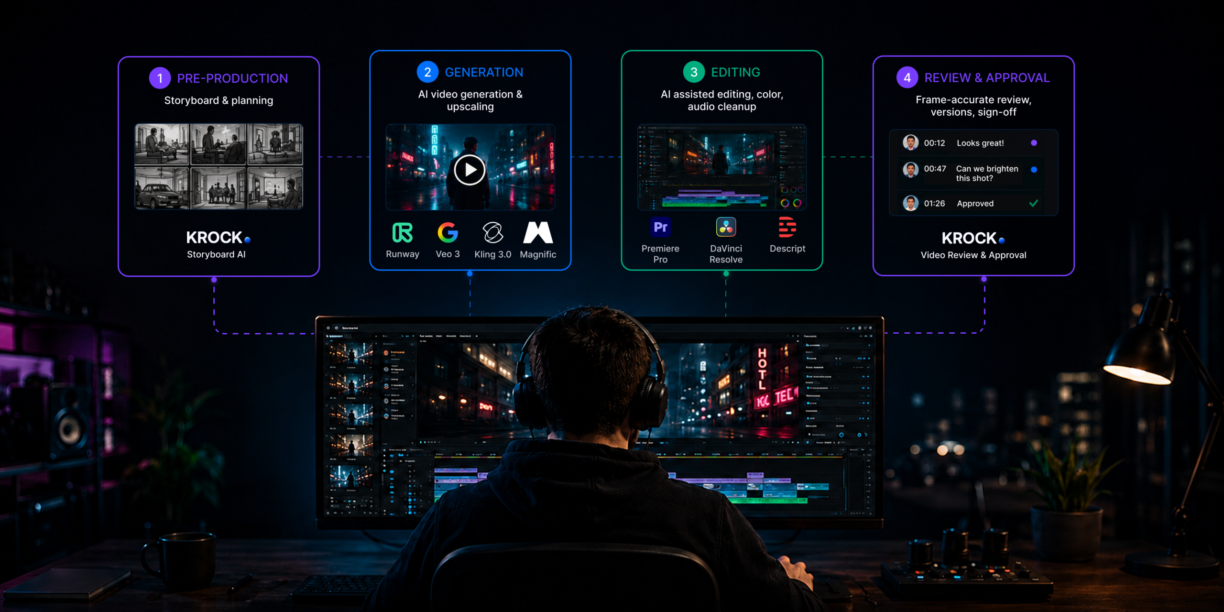


The best AI video creation software in 2026 covers four stages: Krock.io for storyboarding and client approval, Runway, Google Veo 3, Kling, or Magnific (formerly Freepik) for AI video generation and upscaling, Adobe Premiere Pro or DaVinci Resolve for editing. No single tool covers all four stages. This guide maps the best option for each.
Most AI video creation guides tell you how to press a button. This one covers what happens before the button, what you do with the ten versions that come out, and who approves them before they ship.
If you work at an agency, studio, or production company, “AI video creation” is not a single step. It’s a pipeline: script to storyboard, storyboard to footage, footage to cut, cut to client approval.
The best AI video creation software handles at least one of those stages really well. A small number of tools cover more than one. Almost no roundup covers all of them, which is why production teams waste time switching tools they thought would replace each other.
This guide maps the best AI video creation software to each stage of the production workflow, so you can build a stack that actually fits how a professional production operates.
What is AI video creation software?
AI video creation software is any tool that uses artificial intelligence to assist in producing, editing, or reviewing video content, covering some or all stages of the production pipeline. The best platforms handle multiple stages; most handle one. The category spans AI tools for video creation at every level, from script-to-storyboard pre-production through text-to-video generation and AI-assisted editing, to frame-accurate client review.
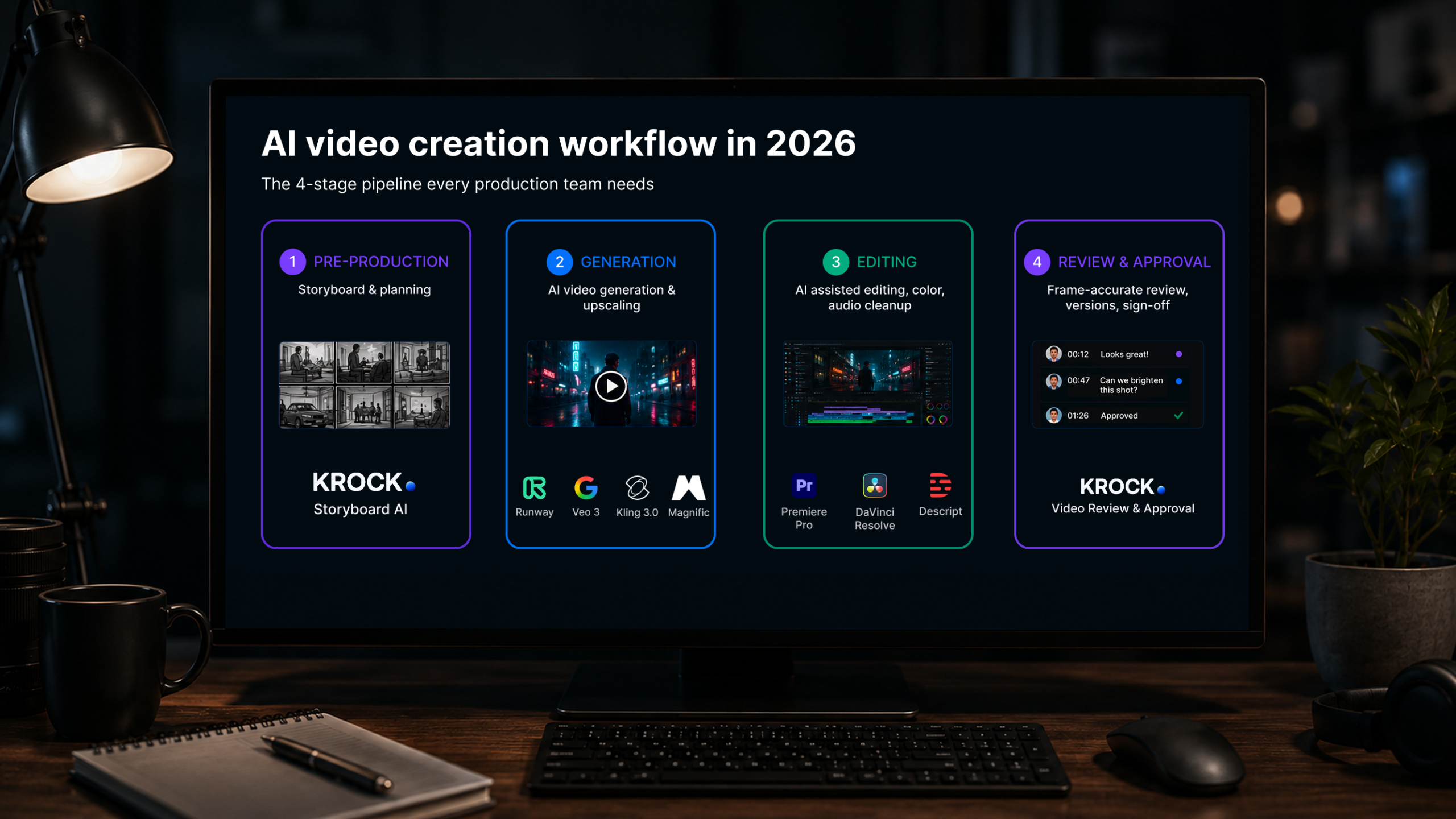
The full pipeline includes four distinct stages:
- Pre-production: Storyboarding, scene planning, animatic creation. AI helps turn scripts into visual frames before a single shot is taken or generated. Image generators fit here too (see using Midjourney in video production).
- Video generation: Text-to-video, image-to-video, or AI-assisted stock generation. This is what most “AI video creation” articles only cover.
- Video editing: AI-assisted cuts, color correction, transcription-based editing, noise removal. Covered in depth in our guide to the best AI video editing software.
- Review and approval: Frame-accurate client feedback, version control, and sign-off. The stage most AI video guides skip entirely.
Solo content creators can get by focusing on stage two. Production teams cannot. A video agency delivering a campaign for a retail brand needs approval at the storyboard stage, the rough cut, and the final grade, with a record of every change along the way.
AI video creation software speeds up every creative step, but it also multiplies the number of versions that need review. That’s where the pipeline breaks without a dedicated review tool.
AI tools for pre-production: storyboarding and visual planning
Pre-production is where most AI video creation software guides start too late. By the time you open a video generation tool, you should already know your scene sequence, camera angles, shot duration, and visual tone. AI tools that compress pre-production time reduce the most expensive revision stage: catching story problems before a frame is animated or shot.
Krock.io Storyboard AI
Krock.io’s AI storyboard maker generates storyboard panels from text prompts directly inside the platform your team uses for review and client approval. That last part matters more than it sounds.
When Sofia, a creative director at a mid-size advertising agency, started using Storyboard AI on a 30-second product launch spot, her team cut the client concept-approval round from three meetings to one. She uploaded a rough script outline, generated storyboard panels in about 20 minutes, and shared a review link with the client that same afternoon.
The client left comments directly on the frames. Revisions happened in one place. By the time the production brief went to the editor, the client had already signed off on the visual direction.
The tool also feeds directly into Krock.io’s animatic maker, so you can set panel durations, preview the sequence as a rough motion video, and get timing approval before animation or filming begins. For animation studios especially, catching story problems in storyboard rather than in the full render is the single biggest cost-saver in production.
Best for: Animation studios, advertising agencies, video production teams who need early-stage client alignment before committing production budget.
Try it free: Krock.io’s storyboard tool is available on the free plan with no credit card required. No credit card, no seat fees from day one.
LTX Studio
LTX Studio is one of the more complete AI video creation tools for teams that want to move from concept to rough video without switching platforms. You upload a script or describe a concept, and it breaks the idea into scenes with visual suggestions, character consistency settings, and shot type recommendations. It leans toward solo creators and small teams. It works best when the visual style is flexible and speed matters more than precise creative control.
Artlist Studio
Artlist Studio adds AI-generated storyboards to a platform that also offers stock footage, music, and sound effects. For agencies producing social content at volume, especially content that combines AI visuals with licensed media, it consolidates several asset sourcing steps into one place. It’s not a replacement for a purpose-built production storyboard tool when precise client approval workflows are involved, but for content teams moving fast on repeating formats, it reduces tool-switching.
AI video generation software
Video generation is the stage most people picture when they search for AI video creation software. Prompt in, video out. The tools have improved rapidly: 2024’s obvious-CGI output has given way to footage that passes a casual glance as real camera work. For production teams, the practical use cases are expanding from concept visualization to B-roll generation, background replacement, and product visualization.
Google Veo 3
Google Veo 3 is the only major text-to-video model that generates synchronized audio — ambient sound, dialogue, and music — alongside the video output in a single generation step. For agencies producing content in multiple visual formats from a single brief, that removes a separate audio production step. It performs well on landscape, architectural, and nature content, making it practical for quick visual iteration before committing to a full shoot.
Best for: Content teams that need audio-native video generation; agencies working across multiple visual formats from one brief.
Runway Gen-4
Runway Gen-4 produces short-form cinematic video with frame-to-frame motion stability that holds up when cutting AI-generated clips against real camera footage. Motion blur, camera movement, and lighting stay coherent across the clip duration, which matters when the output needs to live inside a professional edit rather than stand alone. Editors and directors use it primarily to extend shots, replace backgrounds, or generate B-roll that matches live footage.
Best for: Post-production teams integrating AI footage into professional edits; editors who need generated clips to cut with real camera material.
Kling 3.0
Kling 3.0 maintains character and environment consistency across separately generated clips — a practical distinction when the same subject needs to appear in multiple scenes of a video. Competing text-to-video tools regenerate subjects from scratch each prompt, which breaks visual continuity. Kling holds appearance stable across shots. The output performs best in structured, relatively static scenes rather than fast action.
Best for: Narrative video, explainer content, and product videos where consistent character or object appearance across multiple generated clips is required.
Magnific (formerly Freepik)
Magnific is what Freepik became after pivoting its entire business to AI video in 2026. The platform wraps video generation, image-to-video, and 4K upscaling into one environment, using Google Veo 3.1 and ByteDance’s Seeddance 2.0 under the hood alongside its own models.
The differentiating capability is its frame-aware video upscaler. Rather than processing each frame independently, it analyzes motion, texture continuity, and subject consistency across the full clip before generating new detail. For AI-generated footage that looks sharp at generation resolution but falls apart at delivery size, this turns a 720p rough into broadcast-ready 4K without a separate upscaling pipeline. It also maintains brand and character consistency across separately generated shots, which addresses one of the core weaknesses of text-to-video output.
With $230M ARR and video now accounting for roughly half that revenue, Magnific is one of the fastest-growing AI creative platforms in this space.
Best for: Agencies and studios that need video generation and 4K upscaling in the same platform; teams where AI-generated content needs to hit professional delivery specs without a separate post-processing step.
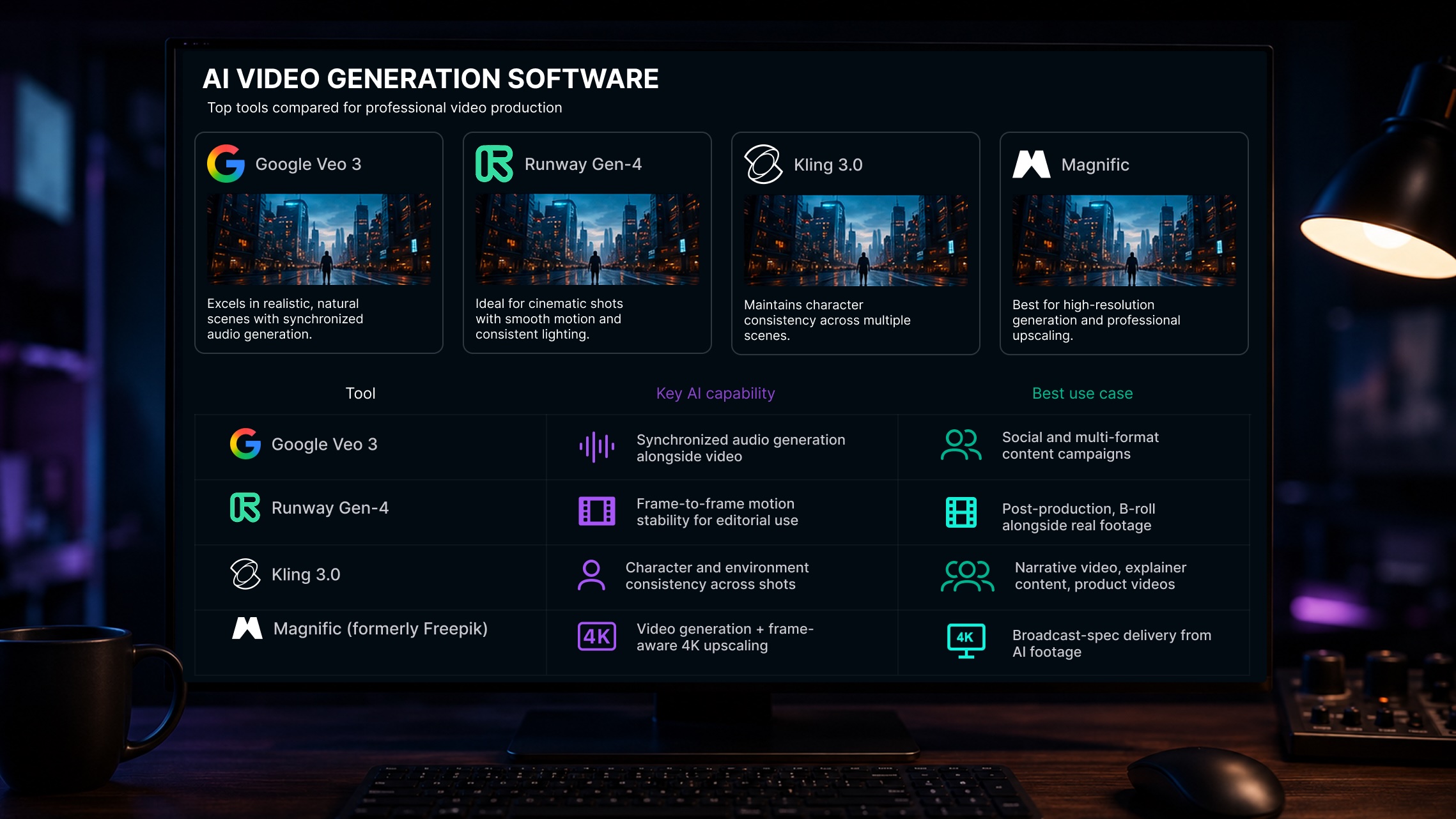
Here’s how the main AI video generation tools in this category compare for production teams:
| Tool | Key AI capability | Best use case |
|---|---|---|
| Google Veo 3 | Synchronized audio generated alongside video | Social and multi-format content campaigns |
| Runway Gen-4 | Frame-to-frame motion stability for editorial use | Post-production, B-roll alongside real footage |
| Kling 3.0 | Character and environment consistency across shots | Narrative video, explainer content |
| Magnific | Video generation + frame-aware 4K upscaling | Broadcast-spec delivery from AI footage |
For a full comparison of generation tools, including Seedance 2.0, audio capability, and per-second pricing, the best AI video generation software guide covers each tool in depth alongside the review workflow that follows.
One thing every production team learns quickly about AI generation: the faster you can create iterations, the faster the feedback requests pile up. A team that generated one cut a day now generates ten in an afternoon. Without a structured review process, that speed creates chaos rather than efficiency. The next section covers the tool category that solves it.
AI video editing software for production teams
We cover the editing stage in depth in our guide to the best AI video editing software and the top Premiere Pro alternatives for teams reconsidering their Adobe stack. Here’s a quick reference to the three AI video production software tools most relevant for teams building an end-to-end AI video creation software workflow.
Adobe Premiere Pro
Premiere Pro has integrated AI into three workflow-relevant features: Generative Extend fills gaps between cuts using AI-generated frames, Auto Reframe automatically adapts edits to 9:16, 1:1, and 16:9 aspect ratios, and Firefly integration brings generative fill into video compositing. For agencies producing multi-format campaign content from a single master edit, these three features materially reduce the time between locked picture and final deliverables. Krock.io connects via the Adobe integration, letting editors push cuts to client review without leaving the Creative Cloud environment.
Best for: Agencies in the Creative Cloud ecosystem producing multi-format deliverables; editors who need AI to work inside an established NLE rather than as a separate tool.
DaVinci Resolve
DaVinci Resolve includes AI features across four production disciplines in the free version: Magic Mask for automatic subject tracking and rotoscoping, Neural Engine for multicam color matching, AI noise reduction for audio and video, and Speed Warp for motion-accurate retiming. Studios that handle edit, color, VFX, and audio in-house get all of these at no cost. The DaVinci Resolve integration connects cuts directly to Krock.io for client review without re-exporting.
Best for: Studios handling edit, color, and audio under one roof; teams prioritizing professional AI features without per-seat software costs.
Descript
Descript edits video by editing the transcript: delete a word in the text, and the corresponding audio and video clip is removed from the timeline. For interview and dialogue-driven content, this approach removes the manual process of scrubbing through footage to find specific phrases. The Overdub feature generates AI voice to patch mispronounced words without a re-recording session. It isn’t a general-purpose NLE and doesn’t suit narrative or motion-heavy content.
Best for: Corporate video teams, documentary editors, and e-learning studios producing interview-based content where dialogue drives the cut.
AI video review and approval software
Here’s the stage every AI video creation software guide skips, and the reason most production teams using AI tools end up worse off than before: AI makes creation faster but leaves review broken.
Before AI, a team might produce one rough cut per day. Now they produce five. Each version triggers a new round of feedback.
Clients send comments over email, Slack, voice notes, and video calls, referring to different versions with inconsistent naming. Editors lose track of which note belongs to which cut. A project that should have taken three rounds takes eight.
Frame-accurate review software solves this. It’s the missing piece in any AI video creation software stack. When every comment is pinned to the exact second on the exact version, there’s no ambiguity about what needs to change. When new versions stack next to old ones with comment history intact, the team always knows the current state. When clients can review without creating an account, approval cycles run faster because there’s no onboarding friction.
Krock.io for AI video review and approval
Krock.io is the review layer for AI-generated video, and it’s the only AI video creation software in this guide that covers both the start and end of the creation pipeline.
At the pre-production stage, Storyboard AI generates panels from text and routes them directly into a client review environment. At the delivery stage, Krock.io’s video proofing software handles frame-accurate comments, version comparison, and client sign-off, all in the same platform, with no per-seat fee for external reviewers.
Consider what happened to Marcus, a producer at a three-person motion graphics studio. His team started using AI generation for client explainer videos and tripled their monthly output almost immediately. What they did not expect was the feedback volume tripling with it. Clients were responding to the wrong version, editors were losing track of which comments were resolved, and projects were taking longer than before despite the AI speed-up.
Marcus moved the whole review workflow into Krock.io. Clients got a shareable link, left frame-accurate comments on the right version, and approved or requested changes in one place.
The studio resolved nine versions of a 90-second explainer in two weeks without a single email chain. The final approval came through the platform with a timestamp. They shipped on deadline for the first time in two months.
Krock.io is also the only tool here with unlimited reviewers on every plan. For studios and agencies where client teams routinely include five to fifteen stakeholders, no per-seat pricing is not a minor detail. It is the difference between inviting everyone who needs to see the work and managing a roster of approved viewers to control costs.
For agencies managing mixed-media campaigns alongside video, Krock.io also works as a full online proofing platform for creative teams, covering images, PDFs, and audio in the same approval environment. One review tool for all asset types.
The best video review software comparison covers how Krock.io stacks up against Frame.io, Wipster, and other review platforms in detail.
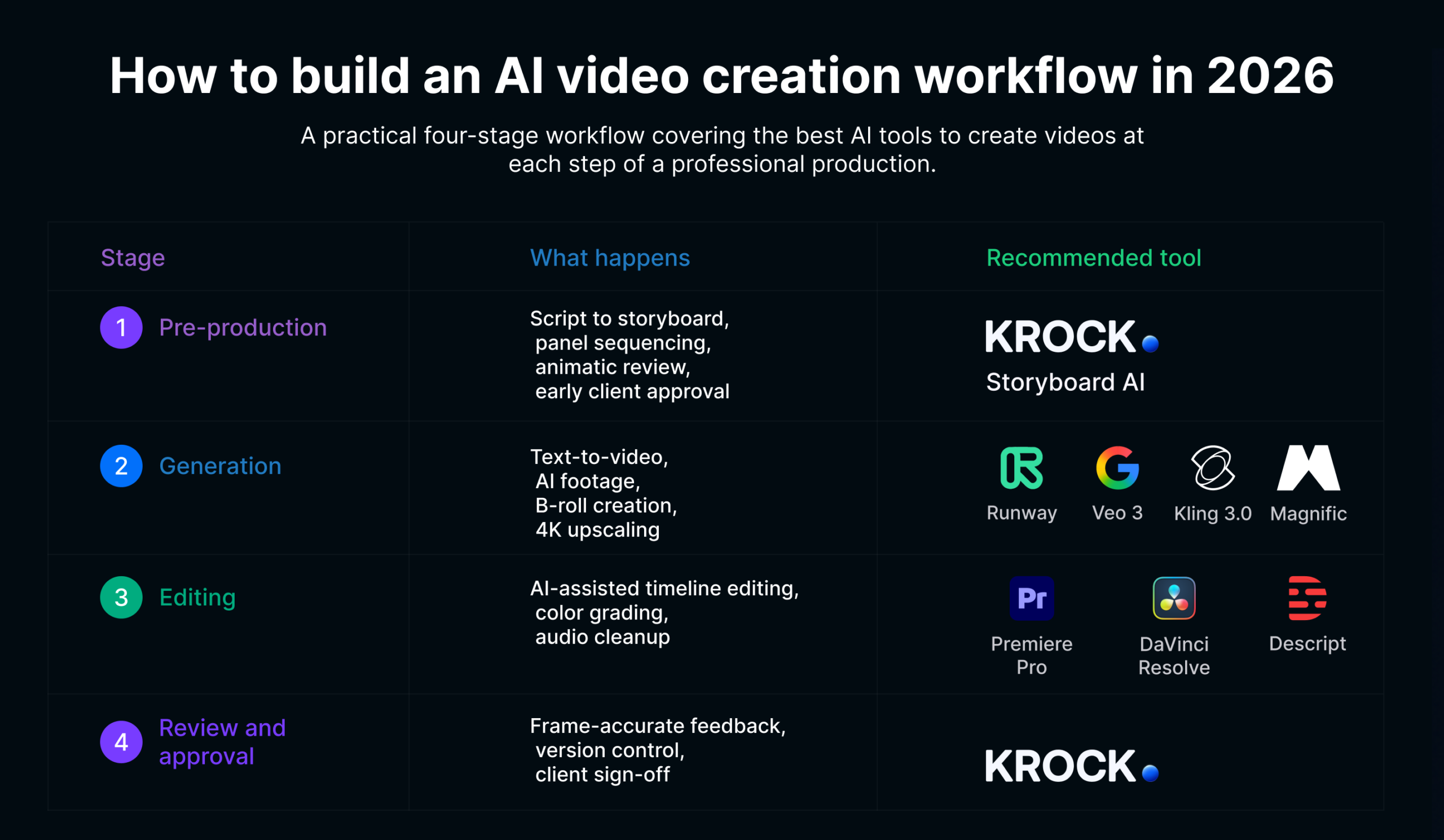
How to build an AI video creation workflow in 2026
The teams producing the best work with AI video creation software are not using one tool. They’re running a pipeline where each stage has the right tool and every hand-off is clean.
Here’s a practical four-stage workflow covering the best AI tools to create videos at each step of a professional production:
| Stage | What happens | Recommended tool |
|---|---|---|
| Pre-production | Script to storyboard, panel sequencing, animatic review, early client approval | Krock.io Storyboard AI |
| Generation | Text-to-video, AI footage, B-roll creation, 4K upscaling | Runway, Veo 3, Kling, Magnific |
| Editing | AI-assisted timeline editing, color, audio cleanup | Premiere Pro, DaVinci Resolve, Descript |
| Review and approval | Frame-accurate feedback, version control, client sign-off | Krock.io |
One important principle: the review tool should connect to the editing tool, not live separately from it. When an editor has to re-export, upload, and re-share every time a client gives notes, the speed gains from AI editing get lost in the logistics. Krock.io’s integrations with Premiere and DaVinci Resolve keep that loop tight.
James runs a video agency that produces branded content for e-commerce clients. Before adopting this four-stage approach, his team used different tools for every stage with no consistent handoff process.
Storyboards went to clients as PDFs. Cuts went to clients as Vimeo links. Notes came back as emails. The final approval was a verbal “looks good” on a call, with no paper trail.
After switching to Krock.io for both storyboard review and cut approval, James could show clients the original storyboard frame and the finished shot side by side during the review conversation. Client confidence increased, revision requests decreased, and he started landing repeat contracts from brands that previously bounced after one project.
Conclusion: AI video creation is a pipeline, not a single button
The teams winning with AI video are not the ones who found the best text-to-video generator. They’re the ones who chose AI video creation software that covers every stage, from visual planning through final delivery, with tools that talk to each other and keep clients informed at each step.
The right AI video creation software works as a system. Each stage feeds the next.
For a focused breakdown of how each of those stages has changed in 2026, AI in video production covers the tools, the workflow, and the bottleneck AI still can’t fix.
Start at the beginning. Use AI video creation software to get faster alignment on the creative direction before production begins. Use it to accelerate generation and editing in the middle. And use a dedicated review tool at the end so the speed gains you earned in production don’t disappear in approval cycles.
Krock.io covers the first stage and the last stage, connects to the editing tools in between, and keeps unlimited reviewers in the loop at every step. Free plan available, no credit card required.
Start your free trial and build your AI video creation workflow from storyboard to approval.



