

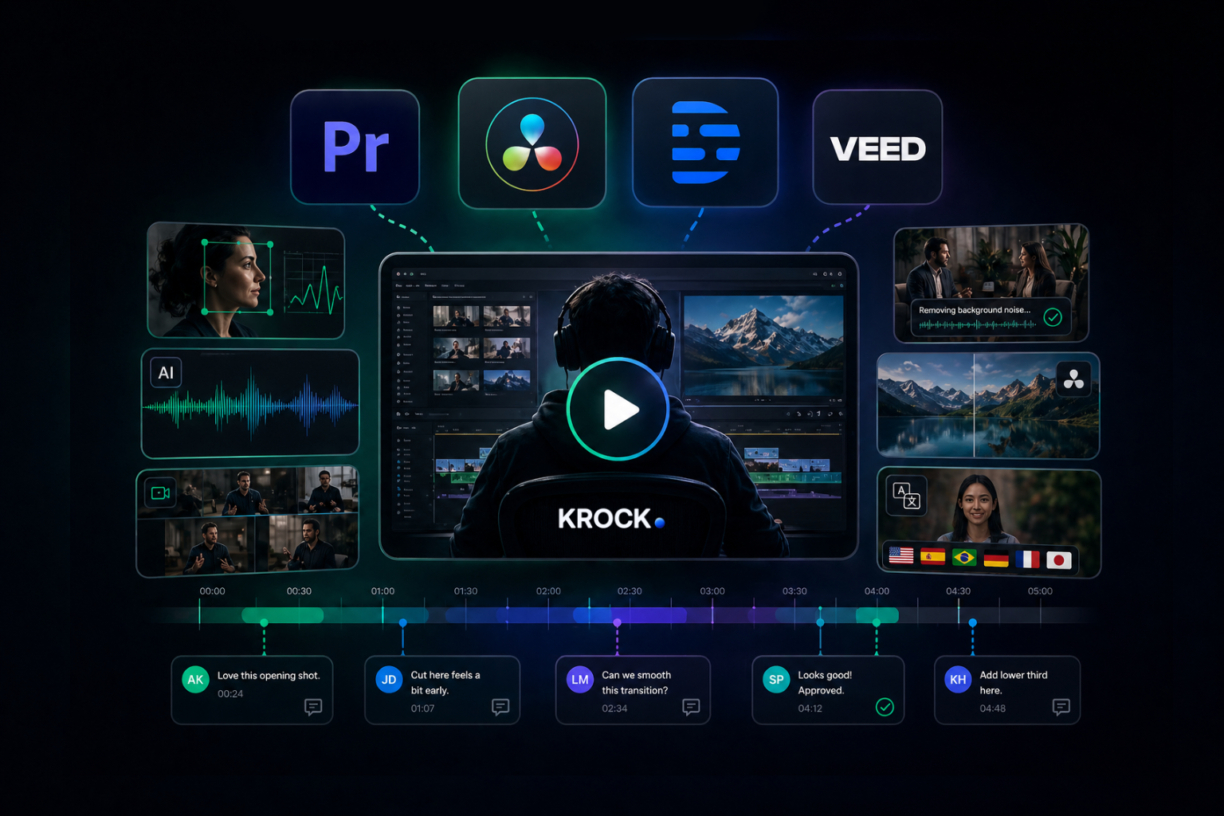


The best AI video editing software for professional teams in 2026: Adobe Premiere Pro (best for agencies in the Creative Cloud ecosystem), DaVinci Resolve (best all-in-one suite for edit, color, and audio), Descript (best for interview and talking-head video), and VEED.IO (best browser-based option for distributed teams). The right choice depends on your workflow — not feature count.
Most AI video tools are built for TikTok creators. A few are built for production teams. If you work in an agency, studio, or production company — dealing with client timelines, multicam footage, long interview cuts, and the approval process — this guide covers the tools that actually hold up in professional workflows, plus the part of the post-editing process that every other guide leaves out.
What makes AI video editing software worth using (for professionals)
AI features vary wildly in quality. Some are genuinely useful in a production context. Others are consumer novelties that would embarrass you in a client deliverable.
For professional teams, the criteria that matter are different from what solo creators need:
- Does it integrate into an existing NLE? Adding a standalone AI tool to a Premiere or DaVinci workflow creates friction. The best AI editing software puts the AI inside the tool you already use.
- How well does it handle real-world footage? Interview footage shot in mixed lighting, multicam sports coverage, documentary sequences with ambient audio. Not demo reel material, actual production conditions.
- Does it give you control? A good AI edit is a starting point, not a finished product. The best tools let you override, refine, and direct the AI rather than hand off control entirely.
- Can your team actually collaborate around it? File size, export format, handoffs between editor and colorist, these matter at production scale.
AI editing genuinely helps with three things in professional workflows: rough cut acceleration (especially on long-form interview footage), audio cleanup (noise reduction, dialogue enhancement), and color matching across multicam. It does not replace editorial judgment, client communication, or the approval process. If a tool claims to eliminate those steps, it’s not for professional production.
Best AI video editing software for professional teams
Adobe Premiere Pro, best for agency workflows
Premiere has spent the last two years building AI deeply into its timeline, and the results are the most useful for agencies and creative teams already inside the Creative Cloud ecosystem.
Generative Extend is the headline feature: it uses AI to extend clips by generating frames at either end of a shot, useful when you’re just short of covering an edit point or need a beat to breathe. It’s not magic, but it works well on clean footage with steady backgrounds. For agencies cutting TV spots and social versions of the same content, it saves real time.
Auto Reframe automatically reapplies edits to different aspect ratios using AI tracking, which is now standard for any team producing 16:9, 9:16, and 1:1 versions of the same deliverable.
Firefly integration brings generative fill and background extension into the video editing workflow. It’s early, but it’s real, and it’s only going to get more capable.
Premiere works naturally with Krock.io via the Adobe integration for video review, so editors can push cuts to review without leaving the Creative Cloud environment. For teams where client approval happens at every cut stage, that connection matters.
Best for: Agencies in the Creative Cloud ecosystem, teams producing multi-format deliverables, editors who need AI to assist inside a known interface.
DaVinci Resolve, best all-in-one post-production suite
DaVinci Resolve’s AI features run deeper than almost any other tool in this space, and the free version includes most of them. For studios doing edit, grade, VFX, and audio in-house, nothing else comes close. The full DaVinci Resolve review workflow guide covers the complete setup from plugin install to syncing client comments back as markers.
Magic Mask is the standout for editorial work. It tracks subjects and objects across the timeline automatically, creating clean mattes without frame-by-frame rotoscoping. For editors cutting narrative content or anything requiring secondary color work on talent, this saves hours per project.
DaVinci Neural Engine powers automatic color matching across multicam clips, noise reduction, face refinement, and speed warp. The color matching is particularly good in practice: shoot a talking head scene with two cameras in slightly different positions, hand it to Neural Engine, and you’re at 80% of the way to a match before touching a wheel.
Speed Editor integration gives editors keyboard-based AI-assisted rough cut tools that work faster than mouse-based workflows for long interview sequences.
MCP support, added in DaVinci Resolve 21.1 (September 2026), is the newest and most significant addition. Blackmagic built a native MCP (Model Context Protocol) server into Resolve, the same open standard Anthropic created as a common connector between AI assistants and external applications. Once set up (File > Setup AI Assistants), a compatible AI assistant like Claude or ChatGPT can organize and rename clips, apply LUTs and custom color looks, render timelines in multiple formats and codecs, add markers, check Netflix delivery compliance, and reframe timelines to different aspect ratios, all from natural-language commands instead of manual menu work. It’s the clearest sign yet of AI in editing shifting from suggesting changes to directly executing them, and worth testing on a real project before handing it tasks like reframing or renaming that used to get manual QC.
The DaVinci Resolve integration lets teams push cuts from the timeline directly into Krock.io for client review. For studios where the colorist and editor share the same Resolve project, having a review platform that connects cleanly is a material time-saver.
Best for: Studios wanting professional-grade AI across edit, color, and audio in one platform; teams prioritizing the free version for cost reasons; editors working in Fusion or Fairlight alongside their cut.
Descript, best for interview and talking-head video
Descript is the right tool for a narrow but important category: documentary, corporate training, talking-head interviews, and any video that’s built around spoken dialogue.
The core concept of Descript is transcript-based editing: you edit the text, Descript edits the video. Cut a word in the transcript, it cuts the corresponding clip. Remove “ums” and dead air across the transcript, and it removes them from the timeline. For a 45-minute interview that needs to become a 6-minute highlight reel, this workflow is genuinely faster than anything else.
Overdub lets you generate AI voice to fix mispronounced words or add a line of narration without going back to a recording session. It requires voice training, and the results are convincing on material where the correction is minor.
Descript doesn’t work for everything. It’s not a replacement for Premiere or DaVinci in a full production pipeline. But for teams producing corporate content, e-learning, or documentary footage where dialogue drives the edit, it’s the fastest tool available.
Best for: Corporate video teams, documentary editors, content marketers producing interview-based video, e-learning studios.
VEED.IO, best browser-based option for distributed teams
VEED is a capable AI-powered browser-based editor for teams that need to collaborate without locking everyone into the same installed software.
Its AI features cover the basics well: automatic subtitles (accurate enough to need only light correction on clean audio), eye contact correction (it adjusts recorded eye-line to camera, useful for webcam-shot corporate video), noise removal, compressing videos and background removal. Translation and localization for multi-market versions of the same content is where VEED genuinely stands out for agency teams.
For quick-turnaround deliverables, distributed review teams, and multilingual content production, VEED gives mid-size agencies a useful option that doesn’t require heavy infrastructure. It’s not a replacement for a full NLE in a production facility, but for teams where “the editor” and “the client” are on different continents, it has a real use case.
Best for: Distributed teams, multilingual content production, quick-turnaround social and corporate deliverables.
AI video editing tools for specific use cases
Not all AI video editing software is built for the same audience. A few tools worth knowing for specific contexts:
CapCut is the standard for social media content creators. Its AI effects, auto-captions, and trend-responsive templates are built for TikTok-style output. Professional production teams working on social-only deliverables use it, but it’s not a tool for agency or studio work.
Reap.video specializes in long-to-short repurposing: it identifies the most engaging segments of a long video and creates short clips automatically. Useful for content marketing teams distributing podcast or webinar recordings as social clips. (Planning the event itself? See our virtual events guide.) The ICP is closer to marketing than production.
Async is an all-in-one AI video editor that covers recording, editing, generation, and repurposing in a single workflow. Its AI chat lets you create and edit videos with prompts, while AI clips, subtitles, reframe, dubbing, lip-sync, and voice cloning make it practical for turning long-form recordings into platform-ready videos. There’s a free plan with limited AI credits, and paid plans start at $19.99. It’s a good fit for content marketing teams and creators who want one tool from recording to publishing, less so for multicam or grading-heavy production work.
Wondershare Filmora is a prosumer tool with a reasonable AI feature set, including auto beat sync, AI de-noise, and motion tracking. It sits between consumer apps and professional NLEs. For freelancers producing branded content on tight budgets, it’s a practical option. (For a broader roundup of no-cost options, the best free video editing software guide covers the full landscape.)
| Tool | Best for | Not for |
|---|---|---|
| Adobe Premiere Pro | Agency workflows, Creative Cloud teams | Teams outside Adobe ecosystem |
| DaVinci Resolve | Full post-production suites, grading-heavy projects | Teams needing simple cloud collaboration |
| Descript | Interview, documentary, talking-head video | Narrative film, motion graphics |
| VEED.IO | Browser-based, distributed, multilingual teams | Complex multicam or VFX-heavy work |
| CapCut | Social media creators | Professional production |
| Reap.video | Podcast/webinar clip repurposing | Full editorial workflows |
| Async | All-in-one recording, editing, and repurposing for content teams | Multicam or grading-heavy production |
The part every AI video editing guide ignores: what happens after the cut
Here’s what no other AI video editing article covers: faster editing creates a new problem.
When AI helps you cut a 90-minute interview into a 5-minute piece in three hours instead of two days, the bottleneck doesn’t disappear. It moves. Now your client needs to review it. And if AI gave you the confidence to produce three different cut options instead of one, your client needs to review three cuts.
Take Priya, a producer at a mid-size video agency. Before AI tools, her team would deliver one rough cut per project. The editor spent two days on it, so there was no question, that was the version going to the client. After adopting Premiere’s AI-assisted rough cut tools, her team started delivering two or three options per project. Good for quality. Chaos for approvals.
Within a month, the approval process that used to take 48 hours was taking five days. Clients were emailing time-code references in the wrong format, confusing which version they’d seen, asking questions about sequences that had already been revised. The faster editing created more revision cycles, not fewer.
The reason is structural. AI editing tools don’t include any mechanism for getting organized client feedback on the output. When you export a cut from Premiere or DaVinci, you still face the same problem you always faced: where do clients watch it, how do they give feedback, how do you track what was approved, and how does the editor know which version is current?
That’s what video proofing software solves. Krock.io lets you upload any format from any editing tool, share a review link with clients and stakeholders, and collect frame-accurate comments on exact timestamps. When a client says “fix the transition at 2:34,” that annotation is pinned to 2:34, not buried in an email thread.
For teams running multiple cut versions, version comparison shows clients v1 and v3 side by side. For agencies managing approvals at scale, the approval tracking records who approved what and when. There’s no per-reviewer seat fee, so inviting 10 stakeholders to weigh in doesn’t change the invoice.
If you’re already linking your editing work to review through a tool like Krock.io, you’re ahead of most agencies. If you’re not, the best video review software comparison covers what to look for.
Some teams transition away from Frame.io specifically to reduce per-seat costs as their client roster grows. The Frame.io alternatives guide covers that in detail.
How to choose the right AI video editing software
The most common mistake is choosing a tool for its AI features without thinking about how it fits into the full production workflow. The best AI video editor for your team depends less on feature count and more on workflow fit. AI features get better quickly; workflow integration doesn’t change.
| If you are… | Start with |
|---|---|
| A full-service agency in Creative Cloud | Adobe Premiere Pro |
| A studio doing edit, grade, and audio in-house | DaVinci Resolve |
| A corporate video team producing talking-head content | Descript |
| A distributed team with multilingual deliverables | VEED.IO |
| A freelancer on a tight budget | DaVinci Resolve (free version) |
Beyond the tool itself, prioritize:
- OS and infrastructure compatibility: DaVinci Resolve Studio requires capable hardware; VEED runs in a browser. Know your setup before committing.
- AI feature depth vs. AI feature count: Premiere and DaVinci have fewer AI features than some newer tools, but the ones they have are tested at production scale. Evaluate depth, not count.
- Export quality and format support: Every NLE exports ProRes, H.264, and H.265. The difference is in specialized formats: MXF, DNxHR, BRAW. Match to your delivery requirements.
- What comes after the edit: The tool that gets the cut out fastest isn’t the best tool if your review process then collapses. Factor in how you’ll collect feedback and get approval before you commit to an editing workflow.
If AI-generated footage feeds your editing pipeline, the best AI video generation software guide covers which text-to-video tools pair best with professional NLEs — with pricing, audio capability, and production use case comparisons. For a full view of how AI fits across every production stage — not just editing — AI in video production in 2026 maps the complete pipeline from pre-production to client approval.
Wrapping up
AI has made professional video editing faster in specific, measurable ways: rough cuts on long-form interviews, noise reduction on challenging recordings, color matching across multicam, and multi-format delivery. For agencies and studios, those time savings are real and compound across projects.
But the gains in editing speed tend to expose the bottleneck that editing was covering: client review and approval. Teams that invest in AI editing tools without also updating their review workflow find themselves finishing faster and waiting longer.
The editors and producers who are actually shipping faster in 2026 aren’t just using better editing software. They’re pairing it with a review process that can keep up.
See how Krock.io connects to your editing workflow, free plan available, no seat fees for reviewers.



