
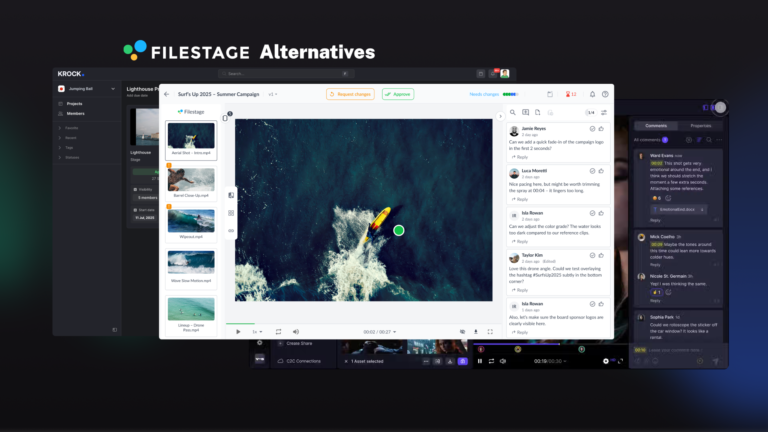
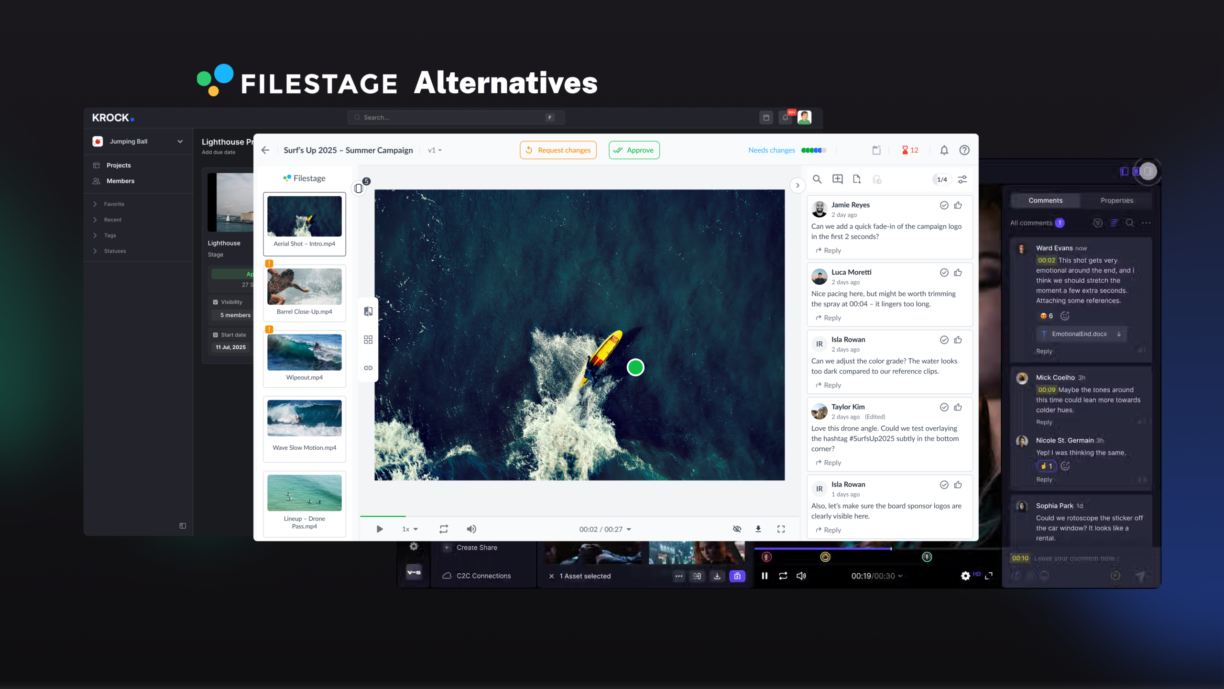


The invoice arrives, and the math stops making sense. Your video team is ten people, you’ve been on Filestage for a year, and you’re paying $249 per month on the Starter plan. Meanwhile, a tool that covers your full production workflow — storyboarding, NLE integrations, production stage management — runs the same team at $100 per month. That’s a significant line item for a tool that covers only the approval step.
If that scenario sounds familiar, you’re not alone. Filestage handles the basics well, but for teams whose primary work is video, it leaves real gaps: upload-only workflow with no streaming, per-seat pricing that penalizes growth, and no production pipeline beyond the review step. It was built for marketing approval workflows, not video production.
This guide covers the seven best Filestage alternatives for video teams in 2026, with honest assessments of each. If you need a tool that matches how video production actually works, there’s a better fit than Filestage for most team sizes.
Why video teams look for a Filestage alternative
Filestage does one thing well: it creates an organized, centralized place for reviewers to comment on creative assets. For marketing teams managing PDFs and static images alongside the occasional video, it works fine.
For teams where video is the primary output, the friction shows up faster.
Pricing that climbs fast once you outgrow the free tier. Filestage has a free plan, but it caps you at one active project and five new files per month — enough for light personal use, not a production team. The first paid tier — the Starter plan — is $249 per month. The Business plan is $399 per month. Per the Filestage pricing page, costs increase from there as your plan requirements grow.
Upload-only workflow. Every review cycle requires uploading a new file. There’s no streaming review capability, which means long upload times for heavy video files and extra storage overhead on every revision cycle.
Review without the rest of the workflow. Filestage covers the approval step. It doesn’t cover storyboarding, pre-production planning, or production pipeline management. Video teams using Filestage typically maintain a separate project management tool alongside it.
Take a typical scenario: a ten-person video agency on Filestage’s Starter plan at $249 per month. They need DaVinci Resolve or Premiere Pro integration, and Filestage has neither. After pricing out alternatives, most teams in this position move to a tool that covers the full production workflow — and pay $100 per month instead of $249.
Ready to see what Filestage is costing your team? See the full pricing comparison and run the numbers for your team size.
The 7 best Filestage alternatives for video teams
1. Krock.io: best overall for video production
Krock.io is the strongest Filestage alternative for teams whose primary output is video. Where Filestage is built around approval workflows for marketing assets, Krock.io is built around the full production lifecycle, from first storyboard frame to final client sign-off.
What it does better than Filestage:
- Unlimited reviewers on every plan. Clients, stakeholders, and external vendors can review without needing a paid seat. You pay for the people creating content, not everyone who clicks a link.
- Full production workflow. Krock.io includes AI-powered storyboarding, animatic tools, production stage management, and version history with side-by-side comparison. It replaces three tools most video teams currently run in parallel.
- NLE integrations. DaVinci Resolve, Adobe Premiere Pro, After Effects, and Final Cut Pro all connect directly. Editors push work for review without leaving their NLE. Comments come back in context.
- Free plan available. The free plan includes unlimited reviewers, video review, and the storyboard tool. No credit card required.
Pricing: Free plan available. Pro plan starts at $10 per user per month, which includes unlimited reviewers and from 2 TB of storage. For comparison, Filestage’s Starter plan starts at $249 per month flat. At ten users, Krock.io Pro is $100 per month.
Best for: Video production agencies, animation studios, in-house creative teams, and freelancers who want one tool from concept to delivery.
See how Krock.io stacks up against Filestage feature by feature. Krock.io vs. Filestage — detailed comparison →
2. Frame.io: best for teams already in the Adobe ecosystem
Frame.io is the most widely used video review tool in professional post-production. As a Filestage alternative, it’s strongest for teams that live inside Adobe Premiere Pro or After Effects — the native C2C (Camera to Cloud) integration and deep Adobe workflow ties are genuinely hard to match.
Where it stands out: Direct integration with Premiere Pro and After Effects. Professional post-production features. Enterprise-grade security and watermarking.
Where it falls short vs. Filestage: Frame.io charges per seat for reviewers, which makes client collaboration expensive as accounts grow. No built-in storyboarding or production management. Plans start at $15 per user per month, rising to $25 for the Team plan.
Best for: Post-production houses and agencies already running Adobe Creative Cloud workflows — Premiere Pro, After Effects, Final Cut Pro — who don’t need to expand the tool set beyond review.
If you’re evaluating Frame.io as a Filestage replacement, see the full Frame.io vs Krock.io comparison for a feature-by-feature breakdown.
3. Ziflow: best for enterprise proofing workflows
As a Filestage alternative, Ziflow is built for large marketing organizations and agencies managing high-volume approval workflows across multiple asset types. It handles video alongside HTML, animated GIFs, rich media banners, and interactive content, which makes it particularly strong for digital advertising teams.
Where it stands out: Multi-stage automated approval workflows with detailed audit trails. Broad file type support. Enterprise compliance features.
Where it falls short vs. Filestage: Starting at $199 per month for up to 15 users (billed annually), it’s priced at enterprise scale. For video-first teams who don’t need HTML or interactive media proofing, they pay for features they’ll never use.
Best for: Enterprise marketing teams and large agencies managing complex approval pipelines across diverse asset types.
4. GoVisually: best for design-heavy teams
GoVisually targets creative teams that review a mix of static design, video, and PDF content. Its interface is clean and fast to onboard, and it positions itself as a simpler, more affordable option than Filestage for teams that don’t need enterprise workflow features.
Where it stands out: Simple interface with a low learning curve. Competitive pricing for small teams. Handles image and video review cleanly.
Where it falls short vs. Filestage: Limited production workflow features. No storyboarding, no NLE integrations, no production stage management. Better suited for design review than video production.
Best for: Freelancers and small design teams who need a lightweight review without a full production pipeline.
5. PageProof: best pricing Filestage alternative
PageProof is one of the most direct pricing alternatives to Filestage, offering unlimited users on its paid plans, where most competitors charge per seat. For teams whose primary frustration with Filestage is the cost of adding reviewers, PageProof removes that friction.
Where it stands out: Unlimited users on paid plans. Clean review interface. Strong support for documents, images, and video. Well-rated on G2 for ease of use.
Where it falls short vs. Filestage: No built-in production pipeline, storyboarding, or NLE integrations. Video-specific annotation tools are less developed than video-first platforms.
Best for: Teams switching from Filestage primarily because of seat pricing, particularly marketing and design teams rather than video production studios.
6. Wipster: best for simple video review
Wipster is one of the oldest video review tools in the space, built specifically for video rather than general creative assets. It handles the core review loop cleanly: upload a video, invite reviewers, collect time-coded comments, and approve.
Where it stands out: Purpose-built for video. Clean time-coded commenting. Low friction for clients who’ve never used a review tool before.
Where it falls short vs. Filestage: Wipster uses per-seat pricing that scales against growing teams. It has no freehand drawing tools, no production workflow features, and limited storage on base plans. Our Wipster alternative guide covers this in detail for teams considering it as a Filestage replacement.
Best for: Small, stable video teams who want review-only functionality without the complexity of a full production platform.
7. ReviewStudio: best for animation and film review
ReviewStudio is built specifically for professional video, animation, and film review workflows. It supports high-resolution playback, frame-accurate commenting, and handles large video files better than most tools in this list.
Where it stands out: Professional-grade video playback. Built for animation and film teams with complex review requirements. Supports multi-page PDF review alongside video in the same project.
Where it falls short vs. Filestage: No built-in project management or production pipeline features. Pricing can add up for larger teams. Less known than the major players, which occasionally creates hesitation during client onboarding.
Best for: Animation studios and film production teams with demanding video playback requirements who don’t need a full production management platform.
Filestage alternatives comparison table
| Feature | Krock.io | Frame.io | Ziflow | GoVisually | PageProof | Wipster | ReviewStudio |
|---|---|---|---|---|---|---|---|
| Time-coded video comments | Yes | Yes | Yes | Yes | Yes | Yes | Yes |
| Unlimited reviewers | Yes (all plans) | No | No | No | Yes (paid) | No | No |
| Free plan | Yes | Yes (limited) | Yes (limited) | No | No | No | No |
| Storyboarding | Yes | No | No | No | No | No | No |
| Production workflow | Yes | No | Partial | No | No | No | No |
| DaVinci Resolve integration | Yes | No | No | No | No | No | No |
| Adobe CC integration | Yes | Yes | Yes | No | No | Limited | No |
| Starting price | $10/user | $15/user | $199/mo | $20/mo | $249/mo | $11.95/mo | $15/user |
How to choose the right Filestage alternative
The right tool depends on where Filestage is actually failing your team. Four questions narrow it down quickly.
Is pricing your primary issue? If per-seat reviewer costs are the main problem, PageProof offers unlimited reviewers on its paid plans (starting at $249/month — the same price as Filestage Starter). Krock.io offers both unlimited reviewers and a lower price point, starting at $10 per user per month, plus a free plan to test before committing.
Are you looking for more than just review? If the bigger problem is that Filestage only covers one stage of a workflow that spans concept through delivery, Krock.io is the only tool on this list that covers storyboarding, production stage management, and final approval without adding additional tools to the stack.
Does your team work in a professional NLE? If your editors are in DaVinci Resolve, Premiere Pro, or Final Cut Pro, look for direct integration. Krock.io and Frame.io both offer this. Most other tools require manual exports and uploads.
A common pattern when teams switch: the review tool works, but it doesn’t connect to anything else. Timecodes get copied into a separate task list. Clients send email feedback alongside platform comments because the link felt unfamiliar. When those teams move to Krock.io, comment-to-task conversion handles the manual copying automatically, and simpler guest links reduce the email-on-the-side problem. Revision cycles that averaged four rounds tend to drop to two.
Filestage alternatives FAQ
Does Filestage have a free plan?
Filestage does have a free plan, but it’s limited to one active project and five new files per month. For any real production workload, you’ll hit that ceiling quickly. Krock.io’s free plan has no project cap and includes video review, unlimited reviewers, and the storyboard tool with no credit card required.
What is the cheapest Filestage alternative?
Krock.io’s free plan costs nothing. The Pro plan starts at $10 per user per month, which makes it the most affordable option among the tools in this list that include production workflow features. For review-only use, Wipster starts at $11.95 per month.
Which Filestage alternative is best for video teams specifically?
Krock.io, ReviewStudio, and Wipster are all built primarily for video. Krock.io covers the widest range of production workflow needs. ReviewStudio is strongest for high-resolution film and animation review. Wipster suits small teams who want a simple review loop without additional features.
Can clients review videos without creating an account?
With Krock.io, yes. Guest links let clients leave frame-accurate comments without signing up or logging in. The same applies to Frame.io and most other tools on this list.
Is there a free alternative to Filestage that includes video review?
Krock.io’s free plan includes full video review, timecoded commenting, freehand drawing on frames, and the storyboard tool. It’s the strongest free alternative on this list for video teams. Check out how it compares to other Ziflow alternatives too if you’re evaluating multiple tools.
Does Filestage support storyboarding or pre-production tools?
No. Filestage covers the review and approval stage only. It has no storyboarding, animatic, or production pipeline features. Krock.io covers the full workflow from first concept through final sign-off.
Making the switch from Filestage
Switching to a Filestage alternative is straightforward with any of the tools on this list. None of them require a data export from Filestage. You start fresh with active projects, invite your team and clients, and the review workflow picks up from wherever you are.
Most teams are reviewing their first project in a new tool within an hour of signing up. The only planning worth doing: finish any Filestage projects that are mid-review cycle before switching, or run both in parallel for one round. A short note to clients that review links are changing prevents confusion.
If your team’s main frustration is pricing, Krock.io’s free plan is a zero-risk way to test the switch before committing. Full access, no credit card, unlimited reviewers from day one.
The Krock.io video review platform covers everything from annotation and approval tracking to storyboarding and production stage management. For teams that have outgrown Filestage’s review-only model or hit the ceiling on per-seat costs, it’s worth ten minutes to try.
Start your free Krock.io trial → No credit card required. Full access from day one.



