
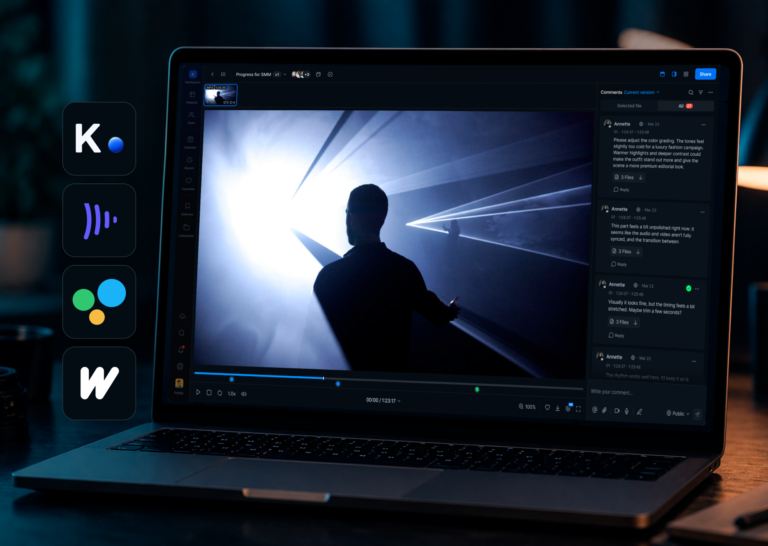
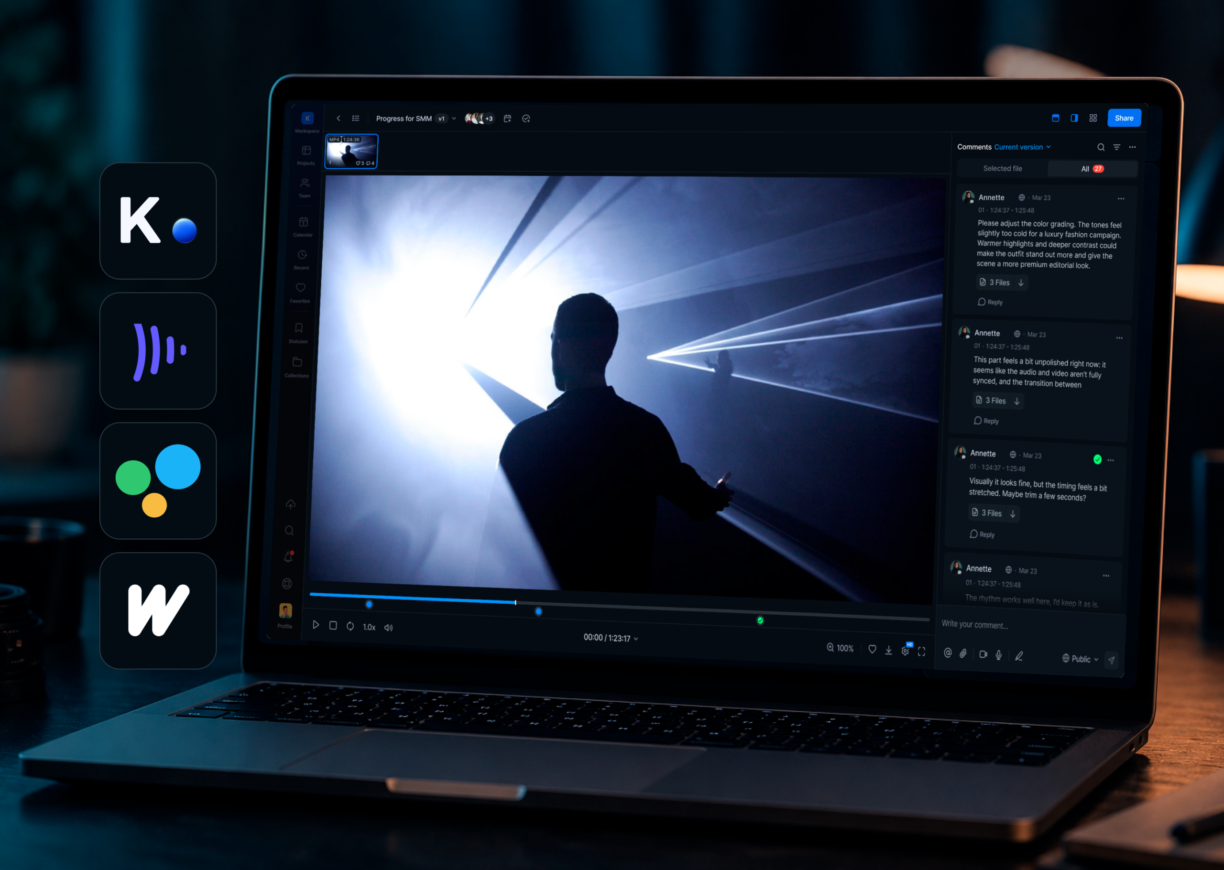


The best video review tools in 2026 are Krock.io ($10/user/month, unlimited reviewers, built-in storyboard, video comments and audio notes), Frame.io ($15/user/month Pro up to 5 members, $25/user/month Team, Adobe-first), PICFLOW (from $12/month, mixed-content proofing for video/images/PDFs, free plan), Filestage ($199/month flat for 10 seats, mixed content), Wipster ($25/user/month), Dropbox Replay ($15/user/month on Dropbox Standard), Vimeo Review (~$20/month flat, Starter), Ziflow (~$249/month flat for up to 15 users, enterprise compliance), SyncSketch (~$8/user/month annual, VFX pipelines), GoVisually ($9/month Solo, freelancers), and ReviewStudio ($15/user/month Pro, agencies). Full comparison by pricing model, reviewer access, and team type below.
Your editor is on version 14. The client just sent round seven of feedback. And none of it matches.
That’s what happens when video review runs across email, WhatsApp, a shared Google Doc, and a Slack thread that nobody scrolled back far enough to read. The problem isn’t the number of revisions. It’s that nobody knows which comments are current, which version the client actually watched, or whether “the bit around the middle” refers to 0:45 or 1:20 in a two-minute cut. When feedback is pinned to the frame instead, that ambiguity disappears: Krock.io’s video production statistics show 82.4% of comments on the platform land on an exact timecode.
The right video review tool fixes this at the source. It gives every stakeholder one place to leave feedback, pins every comment to the exact frame it belongs to, and keeps every version in a single view so nothing gets lost.
This guide covers the eleven best video review tools in 2026: real pricing, honest comparisons, and a clear answer for which tool fits which team. We’ve gone deeper on Krock.io because it’s the platform built by the people who made this guide. You’ll get the full picture on everyone else too.
Try Krock.io free. No credit card, unlimited reviewers from day one.
What makes a video review tool actually useful?
A video review tool is software that lets creative teams and their clients share video files, leave time-stamped feedback, track revisions, and manage approvals, all in one place rather than scattered across email and messaging apps. Category: online creative collaboration software. Key attributes to compare across tools: reviewer pricing model (unlimited vs. per-seat), media type support (video-only vs. multi-format), production depth (review-only vs. full lifecycle including storyboard and animatics), free plan availability, and per-user vs. flat-fee pricing structure.
Video production volume has grown sharply across every type of creative team. Wyzowl’s 2025 State of Video report found that 91% of businesses now use video as a key marketing tool — which makes a structured review and approval process essential, not optional.
Not every tool earns the name. Here are the five features that separate genuinely useful video review tools from glorified file-sharing:
1. Frame-accurate commenting. Comments should attach to a specific frame or timestamp, not float in a text box next to the player. “Fix the color grade at 0:32” is actionable. “The color looks off” is a guessing game.
2. Unlimited reviewer access. You shouldn’t pay per client who opens a link. The best tools charge per team member who creates content, not per stakeholder who clicks review.
3. Version management. Every new upload should sit next to the previous one. Reviewers should always know exactly which version they’re watching, and comment history should carry forward.
4. No-login review for clients. Requiring clients to create accounts adds unnecessary friction. A shareable link that works in any browser removes a reason for reviewers to fall back on email.
5. Approval workflows. Feedback without a formal sign-off gate creates ambiguity. A clear “approved” action means everyone knows when a round is finished.
If a tool hits all five, you have one of the genuine video review and approval tools worth using. If it’s missing two or three, you’ll be patching gaps with email within a week.
The best video review tools in 2026
Here’s how the leading online video review tools compare at a glance, followed by detailed breakdowns of each.
| Tool | Best for | Reviewer pricing model | Free plan | Starting price |
|---|---|---|---|---|
| Krock.io | Animation studios, agencies, full production lifecycle | Unlimited reviewers free | Yes (2 projects) | $10/user/month |
| Frame.io | Large video teams inside Adobe ecosystem | Reviewers free via share links | Yes (limited) | $15/user/month (Pro, max 5 members) / $25/user/month (Team) |
| PICFLOW | Creative teams reviewing mixed content (video, images, PDFs) | Unlimited reviewers | Yes | From $12/month |
| Filestage | Agencies reviewing mixed content types | Unlimited reviewers | Yes (limited) | $199/month (10 seats, flat) |
| Wipster | Small video teams wanting simple UX | Reviewers free via share links | No | $25/user/month |
| Dropbox Replay | Teams already using Dropbox | Unlimited reviewers | No | $15/user/month |
| Vimeo Review | Teams hosting video publicly on Vimeo | Unlimited reviewers | No (Vimeo plan required) | ~$20/month (Starter, flat) |
| Ziflow | Enterprises needing compliance and audit trails | Unlimited reviewers | Yes (limited) | ~$249/month (flat, 15 users incl.) |
| SyncSketch | VFX and animation production pipelines | Per-seat for reviewers | Yes (2 users) | ~$8/user/month (annual) |
| GoVisually | Freelancers and small teams | Unlimited reviewers | No | $9/month (Solo, 1 user) |
| ReviewStudio | Agencies needing guest reviewer controls | Unlimited reviewers | No | $15/user/month (Pro) |
1. Krock.io
Krock.io was built by people who ran an animation studio. That context matters. Most video review tools were built by software companies who talked to video teams. Krock.io was built by video teams who needed a better tool and couldn’t find one.
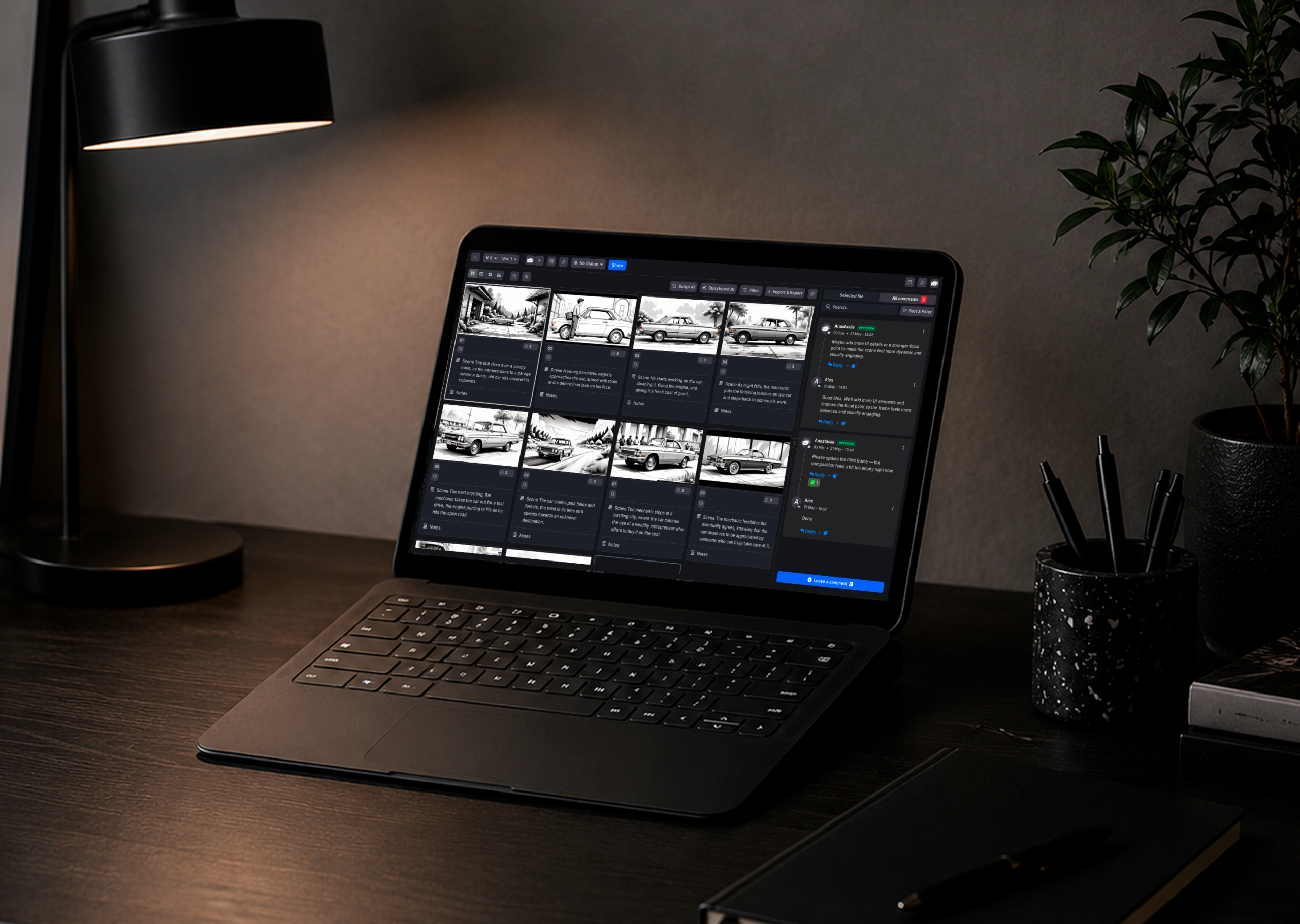
The result covers more of the production lifecycle than any other platform on this list. You can start a project in Krock.io’s storyboard tool, move the approved animatic into rough-cut review, collect frame-accurate feedback at every stage, and reach final approval without ever leaving the platform. No other tool in this category does that.
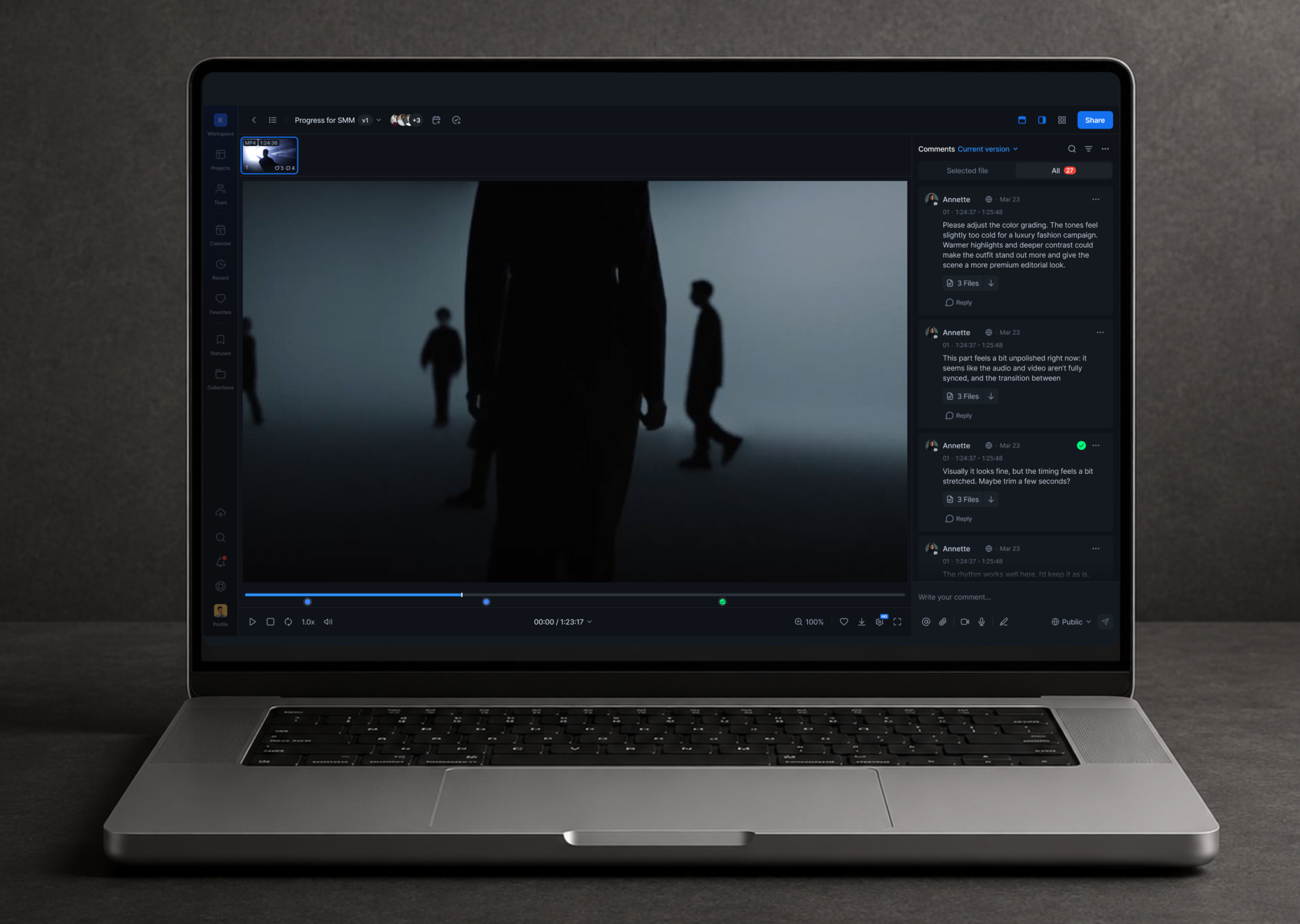
Frame-accurate comments and audio waveform annotation are native features, not add-ons. Reviewers click the exact frame and leave a note. If the feedback is about sound design or a voiceover line, they click the waveform at the exact second. Every comment is pinned to where it belongs.
Unlimited reviewers on every plan, including the free tier. Your clients never need a paid seat. A 3-person studio can share work with a 40-person brand team without changing their plan. This is the single biggest practical difference between Krock.io and most competitors.
Reviewers don’t need to log in. Share a link and clients review in their browser. No app to install. No account to create. No reason for a client to say “I’ll just email you the notes instead.”
Video comments and audio notes let reviewers show feedback instead of typing it. A reviewer hits record and reacts — on camera with screen share, screen only, or voice only for mobile reviews. The comment attaches to the asset in context, at the exact frame, with no call to schedule and no guessing what “a bit slow around the middle” meant. No other tool in this comparison offers recorded video feedback and voice-only audio notes alongside frame-accurate text comments. (See how video comments work.)
The free plan includes two projects and unlimited reviewers with no credit card required. The Pro plan starts at $10/user/month and includes unlimited projects, 2 TB of storage, and 4K playback. There’s also a flat-fee Unlimited plan starting at $400/month for larger studios where seat-based pricing gets expensive fast.
What makes Krock.io the right choice for animation studios specifically: it’s the only platform covering the full production lifecycle from storyboard through final approval. Rough cut review, animatic feedback, frame-accurate annotation, audio waveform comments, recorded video feedback, voice-only audio notes, and built-in approval gates all live in one workspace. You don’t stitch together three tools for three stages.
See all Krock.io plans and pricing
A six-person animation studio in Berlin was managing client feedback across three email threads, a WhatsApp group, and a Google Doc. By version 12 of a 90-second explainer, nobody could agree on which version eight comments had been addressed. The project ran five weeks over schedule. The issue wasn’t the number of revisions. It was that feedback had no fixed address. Moving to a dedicated platform with frame-accurate comments and version history cut their average revision rounds from 6.2 to 2.8 on the next three projects.
Best for: Animation studios, video agencies, teams covering pre-production through final delivery
Free plan: Yes (2 projects, unlimited reviewers, no credit card)
Starting price: $10/user/month (Pro)
2. Frame.io
Frame.io is the market incumbent. Acquired by Adobe in 2021, it’s deeply embedded in the Adobe Creative Cloud ecosystem and remains a serious tool for large video teams who live in Premiere Pro and After Effects.
Frame-accurate commenting is the core capability and it’s implemented correctly. Media management is built for high-volume video production workflows, with support for 4K and multi-format projects. At scale — teams of 20 or more, projects running across multiple campaigns — Frame.io holds up.
The friction starts with pricing. Reviewers access via share links for free — they don’t need accounts — but team member seats are expensive. Frame.io Pro is capped at 5 members, which means most agencies land on the Team plan at $25/user/month. Ten team members costs $250/month, compared to $100/month on Krock.io Pro.
Frame.io also doesn’t cover pre-production. If you need storyboard review, you’re using a separate tool. And if you’re not deep in the Adobe ecosystem, you’re paying for integrations you won’t use.
For teams already paying for Adobe Creative Cloud, Frame.io makes sense. For everyone else, check the Frame.io alternatives before committing.
Best for: Large Adobe-first video teams
Free plan: Yes (limited storage and projects)
Starting price: $15/user/month (Pro, max 5 members) — most teams need Team at $25/user/month
3. PICFLOW
PICFLOW is an online proofing software platform designed for creative teams that need a faster and more organized way to review videos and visual content. It keeps feedback centralized by allowing reviewers to leave time-based comments directly on videos, images, PDFs, and other creative assets without long email threads or scattered revision notes.
Its interface feels lightweight and easy to navigate, which helps clients jump into the review process without much onboarding. Teams can share review links quickly, manage version updates, and track approvals in one place, making it useful for agencies, production teams, and marketers handling multiple creative projects at once.
PICFLOW works especially well for teams that review both video and design assets together. It combines clear commenting tools with fast asset loading and flexible sharing permissions, helping reduce approval delays and unnecessary back-and-forth during production.
Best for: Creative teams reviewing mixed content (video, images, PDFs)
Free plan: Yes
Starting price: From $12/month
4. Filestage
Filestage handles mixed content review well. Video, images, PDFs, audio, and web screenshots all live in one project. The interface is simple enough that clients rarely need instructions before their first review.
Reviewers are free on all plans, which puts it in a friendlier category than Frame.io for agencies managing multiple clients. Pricing is flat-fee per plan with 10 seats included, not per-user, which works well for teams with fluctuating sizes who don’t want per-seat costs.
The limitation is depth. Filestage doesn’t have version comparison, storyboard tools, or audio waveform annotation. It’s a capable video feedback tool for teams with straightforward review needs, but it won’t fit complex production pipelines.
Best for: Agencies reviewing mixed asset types (video, image, PDF)
Free plan: Yes (limited)
Starting price: $199/month (Starter, 10 seats, monthly billing)
5. Wipster
Wipster has been around since 2013 and has a clean, video-first interface that new users tend to pick up quickly. Frame-accurate commenting works, version history is solid, and the overall review experience is reliable.
Reviewers access shared work via link with no account required, so there are no reviewer seat fees. The friction is cost per team member and storage. Wipster Team is $25/user/month — the same as Frame.io Team — putting a 10-person team at $250/month versus $100 on Krock.io Pro. Storage is 250 GB on the Team tier versus 2 TB on Krock.io Pro. If that trade-off doesn’t work for your team, see the best Wipster alternatives for what to consider instead.
Best for: Small video teams wanting a clean, simple review interface
Free plan: No
Starting price: $25/user/month
6. Dropbox Replay
Dropbox Replay is the video review layer built into Dropbox. If your team already uses Dropbox for storage and file management, Replay removes one tool from your stack by adding frame-accurate review and annotation directly to files you’re already storing there.
Reviewer access is unlimited, which is a genuine plus. The commenting and version management work well for standard review workflows.
The limitation is that Dropbox Replay is built for teams whose primary workflow runs through Dropbox. If you don’t already rely on Dropbox for storage, adding it just to get the review layer doesn’t make much sense compared to purpose-built alternatives.
Best for: Teams already using Dropbox Business for file management
Free plan: No (requires Dropbox plan)
Starting price: $15/user/month (Dropbox Standard or Advanced required — Replay is not included in the Plus plan)
7. Vimeo Review
Vimeo’s review pages let you share a private video link and collect time-coded comments from stakeholders, all within Vimeo’s existing platform. If you’re already hosting video publicly on Vimeo, it’s a natural extension of a workflow you already have.
Reviewers don’t need Vimeo accounts to leave comments, which reduces friction. The review interface is clean and familiar for anyone who uses Vimeo regularly.
The catch is that Vimeo is primarily a video hosting platform with review features added on top. It doesn’t handle mixed assets, storyboard review, or deep production management. And if you’re not already a Vimeo subscriber, getting access to review features requires signing up for a plan you may not need for any other reason.
Best for: Teams already hosting video on Vimeo
Free plan: No (review requires paid Vimeo plan)
Starting price: ~$20/month (Starter flat plan — Vimeo restructured pricing in 2026; verify current rate before publishing)
8. Ziflow
Ziflow targets enterprise teams with a strong focus on compliance, audit trails, and structured approval workflows. It supports video, images, documents, and web pages. It handles version comparison, approval stages, and automated routing well.
If your team operates under strict brand governance, advertising compliance, or legal review requirements, Ziflow has the controls to support it. Unlimited reviewers is another plus for large organizations.
The price reflects the enterprise positioning. Ziflow’s Standard plan starts at approximately $249/month (monthly billing) for up to 15 users — a flat-fee model, not per-user — which is steep for smaller teams who don’t need the compliance layer. For agencies without enterprise clients, you’ll likely pay for features you don’t use. See our Ziflow alternatives guide for lighter-weight options.
Best for: Enterprise teams with compliance or governance requirements
Free plan: Yes (limited — 1 workflow stage, 2 GB storage)
Starting price: ~$249/month (Standard, flat, up to 15 users, monthly billing)
9. SyncSketch
SyncSketch was built specifically for VFX and animation teams and it shows. The annotation tools are particularly strong for frame-by-frame work. It handles image sequences, which matters for compositors and effects artists who review work before it’s been combined into a video file.
Where SyncSketch falls short is the reviewer model. Client reviewers need paid seats, which creates the same friction as Frame.io and Wipster for agencies. It’s also a relatively focused tool. There’s no storyboard layer, no project management, and the interface is clearly designed for technical artists rather than client-facing workflows.
For VFX studios with internal review pipelines and technically sophisticated clients, SyncSketch is a strong fit. For agencies where clients need to be onboarded painlessly, the seat model and interface make it harder to recommend.
Best for: VFX studios and compositors with internal technical review pipelines
Free plan: Yes (2 users, limited projects)
Starting price: ~$8/user/month (annual billing) — verify current monthly rate before publishing
10. GoVisually
GoVisually offers flat-fee pricing, unlimited reviewers, and a simple interface built for straightforward video and image review. It’s a practical choice for freelancers or very small teams who need a cleaner workflow than email without paying for features they won’t use.
The functionality is more limited than most of the tools above. No storyboard tools, no audio waveform annotation, no deep production management. But for the use case it targets, it does the job reliably.
Best for: Freelancers and small teams doing straightforward video review
Free plan: No
Starting price: $9/month (Solo, 1 user); $60/month (Team, per user)
11. ReviewStudio
ReviewStudio supports video, images, documents, and web content review with unlimited guest reviewer access. It’s a capable tool for agencies that need client review without seat fees, and it handles mixed asset reviews reasonably well.
The interface isn’t as polished as some competitors and the platform hasn’t evolved as quickly as the rest of the category. It works for teams that need a stable, reliable review tool without a high price tag, but teams with more complex production needs will hit its limits.
Best for: Agencies needing reliable mixed-media review with no guest fees
Free plan: Yes (Starter tier)
Starting price: $15/user/month (Pro)
How to choose the right video review tool for your team
The right video review and approval tool depends on how your team works, not which platform has the most features on a marketing page.
If you’re an animation studio: You need pre-production to delivery in one place. Storyboard review, rough cut feedback, frame-accurate annotation, and audio waveform comments should all live in the same workspace. Krock.io is the only platform that covers this full range. Everything else requires you to stitch together two or three tools.
If you’re a video production agency: Your main pain points are client access and version control. You need reviewers who can leave comments without creating accounts, unlimited client access without seat fees, and clear version history so clients always know what they’re reviewing. Krock.io and Filestage both hit this use case well. Filestage is stronger for mixed assets. Krock.io is stronger for teams doing actual production, not just review.
If you’re a marketing team or brand: You’re probably reviewing a mix of video, images, and documents. You want something clients and internal stakeholders can use without training. Filestage or Krock.io both work here. Krock.io edges ahead if you’re also working with external production partners who need deeper tools.
If you’re a freelancer or solo operator: GoVisually or Krock.io’s free plan are the practical starting points. Krock.io’s free tier includes two projects and unlimited reviewers, which is enough to test whether it fits before paying anything.
If you’re in an enterprise with compliance needs: Ziflow is the most purpose-built option. If you’re an enterprise team inside the Adobe ecosystem, Frame.io is the natural fit.
The most common mistake is choosing a tool based on features alone. Choose based on who your reviewers are and what you’re going to ask them to do. A tool with 50 features doesn’t help if clients won’t use it.
For online proofing for creative teams that covers the full range of media types a production team works with, you want a platform built for how creative teams actually operate, not adapted from a generic project management tool.
Start your free Krock.io trial. Seven days, no credit card, full Pro features.
Video review tool pricing: what you’ll actually pay
Every tool compared here includes free reviewer access via share link — clients leave feedback without accounts or extra charges. So the pricing difference comes down to one thing: what you pay per team member.
For teams evaluating tools specifically for remote video production workflows rather than general file review, see the full breakdown of the best video collaboration tools for creative teams — it covers the key difference between purpose-built review platforms and generic collaboration apps, with pricing and NLE integration comparisons for Krock.io, Frame.io, Filestage, Ziflow, and Evercast.



