



Design review software is a purpose-built platform where creative teams share work-in-progress assets, collect annotated feedback, track revisions across versions, and obtain formal approvals before final delivery. The best options in 2026 are Krock.io, Frame.io, Filestage, Ziflow, GoVisually, PageProof, BugHerd, and Figma. Krock.io is a media review and approval platform built for creative teams, offering video review, image annotation, PDF proofing, audio annotation, storyboard creation, and unlimited reviewers on every plan starting at $10/user/month.
Priya is a creative director at a six-person video agency. It’s Thursday at 4 p.m., and the client’s cut is due at 9 a.m. Friday. She opens her laptop to find feedback scattered across three email threads (two of which include people who weren’t on the original call), a Slack DM, and a voice note someone sent via WhatsApp.
There’s also a PDF with handwritten annotations photographed on a kitchen counter. Two of the comments directly contradict each other. She has no idea which version the client is reacting to.
This is a feedback problem, but it’s not a communication problem. It’s a location problem. Creative feedback has no fixed home, so it spreads.
Design review software gives that feedback a fixed home. One place for every annotation, every version, every approval, from first rough cut to final sign-off. This guide covers what to look for, how pricing works across different models, and a full comparison of eight tools so you can pick the right one for your team.
We also cover online proofing for creative teams and how it fits into a modern creative workflow.
TL;DR: The best design review software for most creative teams in 2026 is Krock.io. It covers video, image, audio, PDF, and pre-production review in one workspace, with unlimited reviewers on every plan starting at $10/user/month. For Adobe-native video teams with controlled reviewer counts, Frame.io is the strongest alternative. For marketing teams with predictable project volume, Filestage’s flat pricing at $129/month is worth evaluating.
What is design review software?
Design review software is a purpose-built platform where creative teams collect annotated feedback, track revisions across versions, and obtain formal approvals on work-in-progress assets before final delivery.
It’s used by creative agencies, animation studios, video production teams, advertising teams, and in-house creative departments. Many teams simply call it creative review software, since the same workflow covers everything from early concept feedback to final sign-off. The common thread: teams producing files that need structured online design review from multiple stakeholders before anything ships.
How it differs from project management tools
Tools like Asana and Monday track tasks and deadlines. They have no concept of frame-accurate video annotation, pixel-accurate image markup, or version history tied to a specific file iteration. Design review software is built around the creative file itself, not a task card. Feedback lives on the frame, the pixel, or the page, not in a comment thread three clicks away from the actual work.
Key features to look for in design review software
Not all platforms cover the same ground. Here’s what separates tools that actually work from tools that technically function.
Multi-format support
Your review tool needs to handle the formats your team works with, not just the formats that are easiest to build for. The minimum for most creative teams is video, images, and PDFs. (If PDFs are only an occasional need, here are 8 easy ways to annotate a PDF without a dedicated tool.) Audio annotation matters for teams reviewing voiceover tracks, sound design, and music.
Storyboard and animatic reviews matter for animation studios. Before committing to any tool, confirm it handles every file type in your animation production pipeline.
Frame-accurate and pixel-accurate annotation
“Around the two-minute mark” is not feedback. It’s a clue. Good design review software pins comments to the exact frame in a video or the exact coordinate in an image, so the person making revisions knows precisely where to look. According to teams that have switched from email-based feedback, frame-accurate annotation reduces back-and-forth clarification rounds by two or more rounds per project.
Version control and comparison
Every project goes through multiple rounds. Version control means every previous iteration is preserved with its comment history intact. Without it, teams lose track of what changed between rounds, and old feedback resurfaces as if it were never addressed. Side-by-side version comparison lets you confirm exactly what changed and who approved what.
Structured approval workflows
Collecting feedback and formally approving work are different actions. Design approval software creates a traceable record: this stakeholder reviewed this version on this date and gave sign-off. This matters for agencies proving client approval before delivery. In compliance-sensitive industries such as pharma and financial services, documented approval is a regulatory requirement under ISO 9001, not just good practice.
Reviewer access model: unlimited vs. per-seat
This is the feature that most affects your monthly bill. Some tools charge for every person who opens a review link, including your clients. Others include unlimited reviewers at no extra cost, charging only for the creative team members who produce and manage work.
This distinction matters enormously once your client roster grows.
Integrations with creative tools
The review step doesn’t exist in isolation. For video teams, feedback should route back to the editing timeline without manual re-entry. Look for integrations with Adobe Creative Cloud, DaVinci Resolve, Final Cut Pro, and Slack. Tools that integrate with where work is made reduce the friction at exactly the handoff points where delays pile up.
Best design review software: 8 tools compared
To compile this comparison, we evaluated all eight tools across video, image, PDF, and audio workflows, assessing annotation precision, approval workflow design, reviewer access models, integration depth, and pricing at real-world team sizes. All pricing reflects each tool’s published plans as of May 2026.
| Tool | Best for | Free plan | Unlimited reviewers | Starting price |
|---|---|---|---|---|
| Krock.io | Multi-format creative teams | Yes | Yes | $10/user/month |
| Filestage | Marketing teams and campaign assets | No | Yes (project-capped) | $129/month flat |
| Ziflow | Enterprise compliance workflows | No | No (per-seat) | $249/month (15 users) |
| Frame.io | Adobe-native video post-production | No | Yes (via share links) | $25/user/month |
| BugHerd | Web and UI design feedback | No | No (per-seat) | $39/month |
| GoVisually | Freelancers and small design teams | Yes | Yes | $9/month |
| PageProof | Brand compliance and packaging | No | No (per-seat) | $99/month (5 users) |
| Figma | UI/UX prototype review | Yes (limited) | No (per-seat) | $15/editor/month |
Krock.io
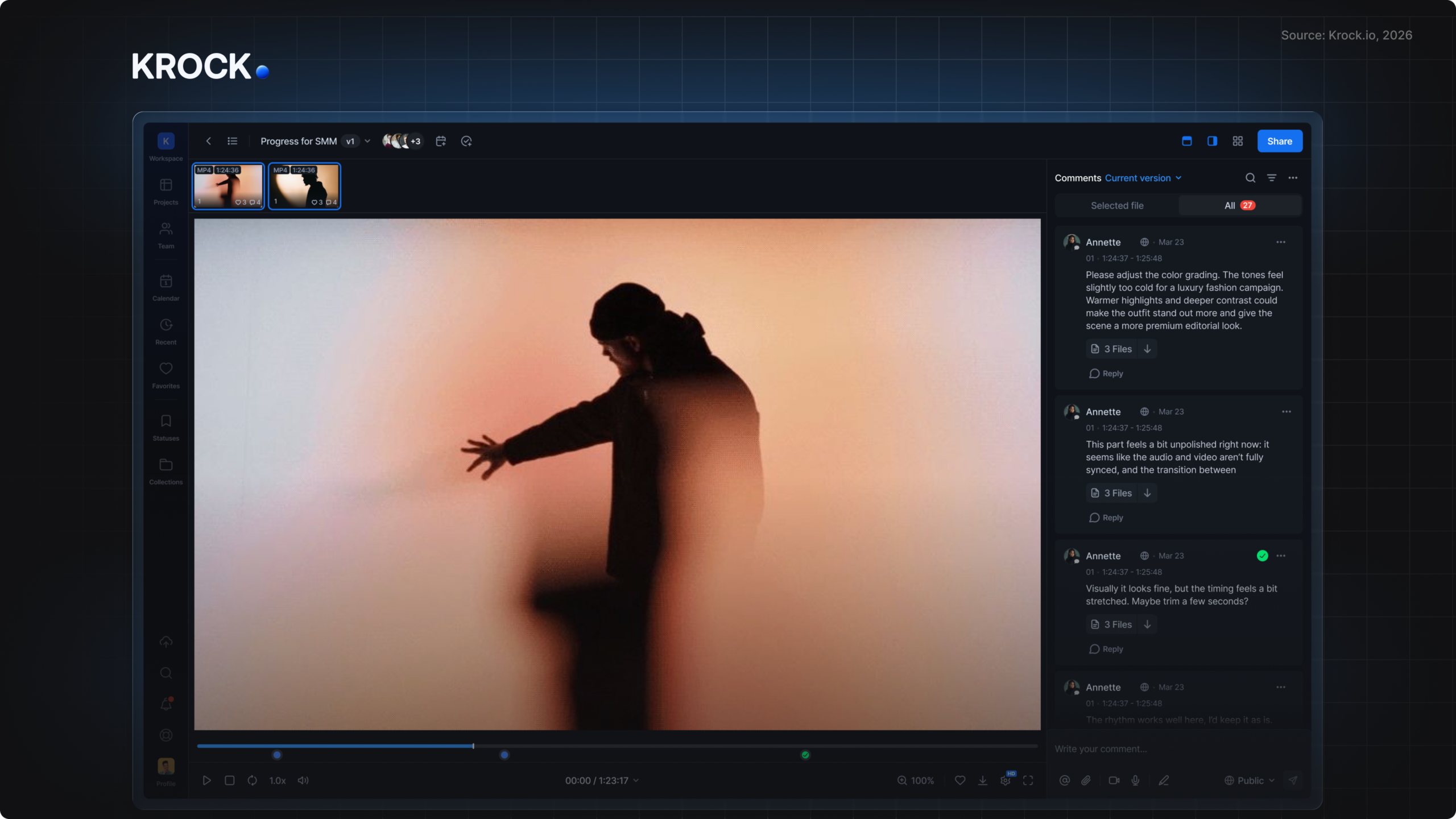
Krock.io is built for teams that review more than one type of asset. Video, images, audio, PDFs, storyboards, and animatics all live in the same workspace with the same annotation tools and shared version history.
Key features at a glance:
- Frame-accurate video annotation with drawing tools overlaid at the exact timestamp
- Audio waveform annotation for time-coded comments on voiceover and sound design tracks
- Built-in storyboard and animatic tool for managing pre-production through final delivery
- Integrations with Adobe Creative Cloud, DaVinci Resolve, Final Cut Pro, and Slack
- Video proofing at this depth is available on the free tier
Unlimited reviewers are included on every plan, including the free tier. The free plan covers 2 projects with 2 GB storage; Pro is $10/user/month with unlimited projects and 2 TB storage (10 users = $100/month). Custom branding is included on Pro. An Enterprise/Unlimited plan starts at $400 for 100 users.
Filestage
Filestage handles video, images, PDFs, audio, and live website review in one workspace. Its approval workflow is well-designed for brand and marketing teams managing multiple asset types simultaneously. The interface is straightforward enough that non-designers can navigate it without training.
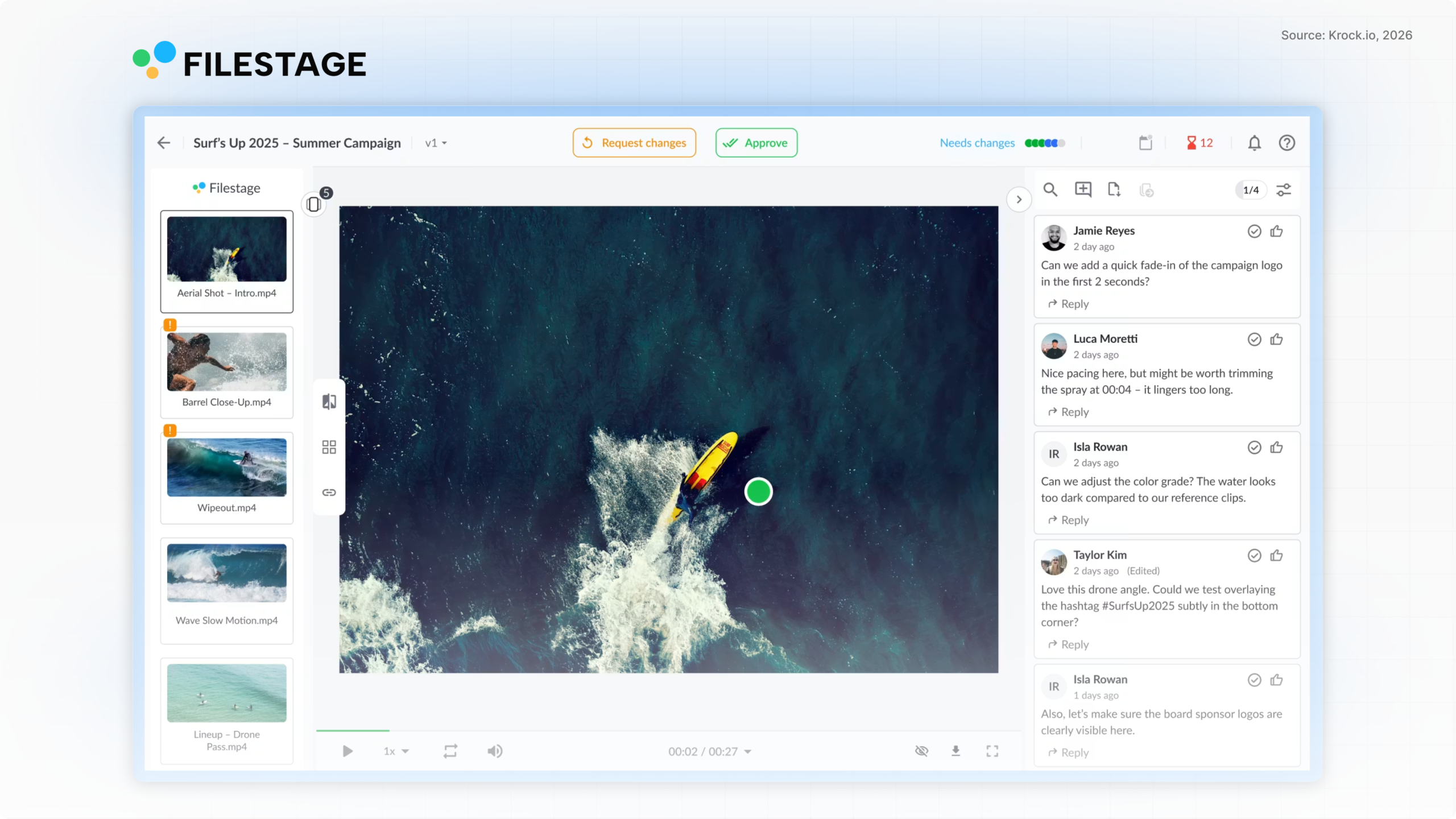
Pricing is flat at $129/month for up to 10 projects, which works well when project count is predictable. Additional projects cost $9 each. Reviewers are included, but the project cap is the constraint. No DaVinci Resolve or Final Cut Pro integration, and no pre-production tools.
Ziflow
Ziflow is the enterprise-grade option. Its compliance features, detailed audit trails, and configurable multi-stage approval workflows satisfy regulated industries. It handles HTML banners, rich media, and print-ready PDFs alongside standard video and image formats.
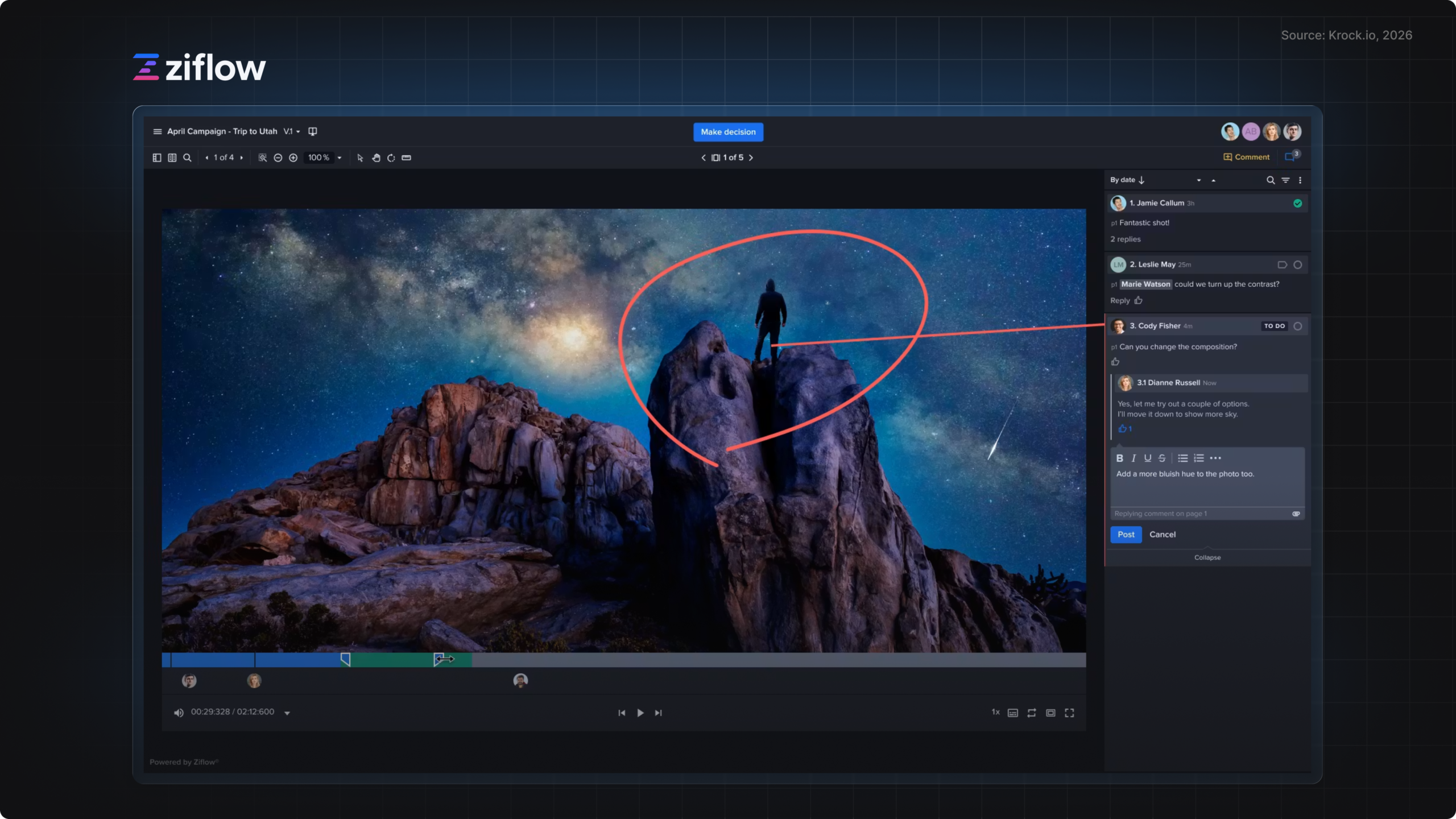
Pricing starts at $249/month for 15 users on a per-seat model. External reviewers require paid seats, which makes the cost structure challenging for teams with large client review groups. Better suited to large marketing departments than small studios.
Frame.io
Frame.io sets the benchmark for video annotation depth. Comment precision is excellent, playback performance is strong, and Adobe integration is genuinely tight. For teams working in Premiere Pro and After Effects, the round-trip workflow between editing and review is the best available.
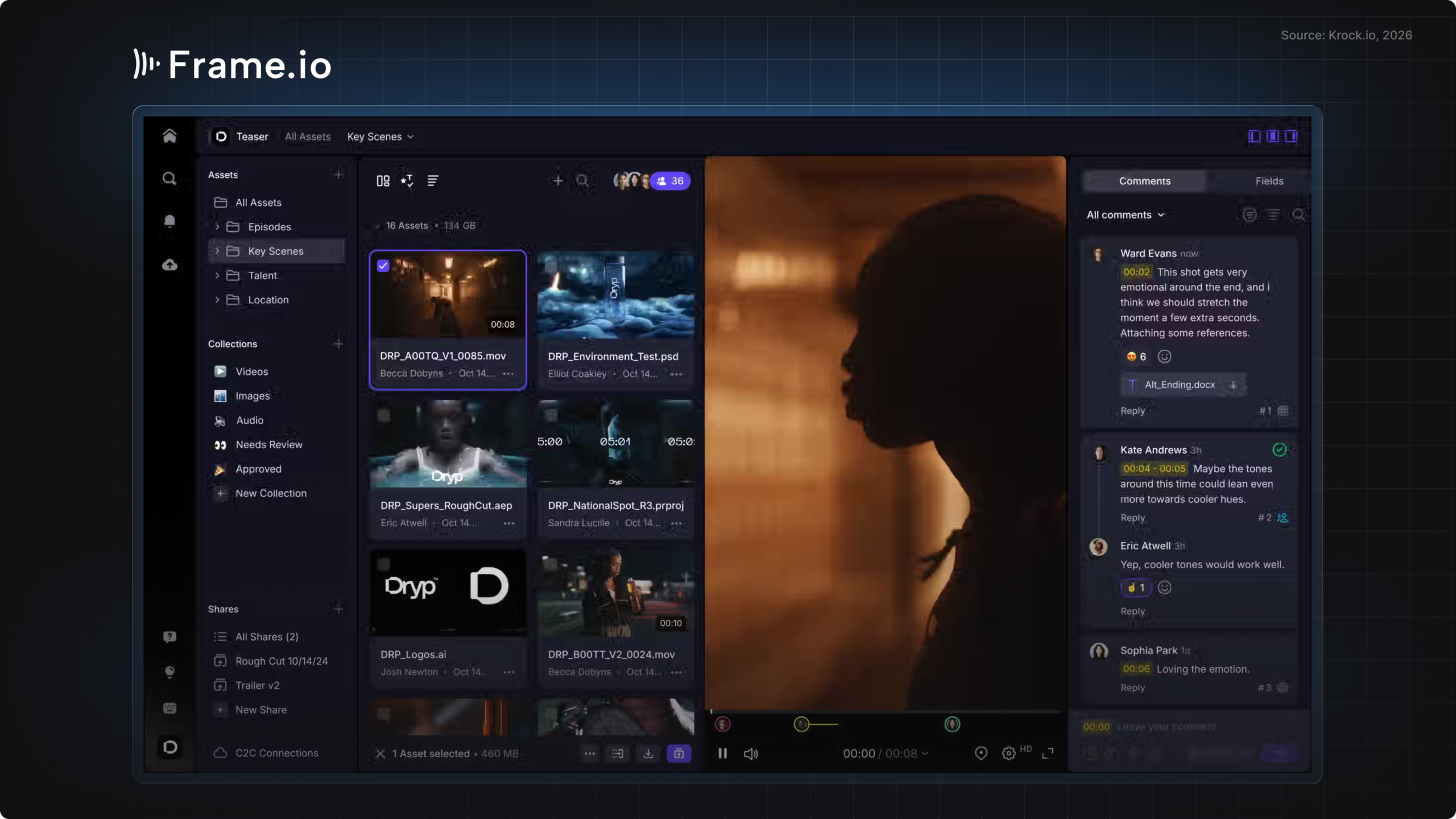
The trade-off: video and image only. No PDF review, no audio annotation, no pre-production tools. External clients access via free share links, but internal team seats cost $25/user/month, 2.5× the price of Krock.io’s Pro plan for the same headcount. For teams evaluating Frame.io alongside other options, the Frame.io alternatives comparison covers the field in detail.
BugHerd
BugHerd is purpose-built for web and UI design feedback. It functions as a browser-based annotation layer: reviewers click directly on a live website or web mockup to leave feedback, and each comment is tagged with the browser, operating system, and screen resolution that produced it. This context is useful for bug-tracking and QA workflows.
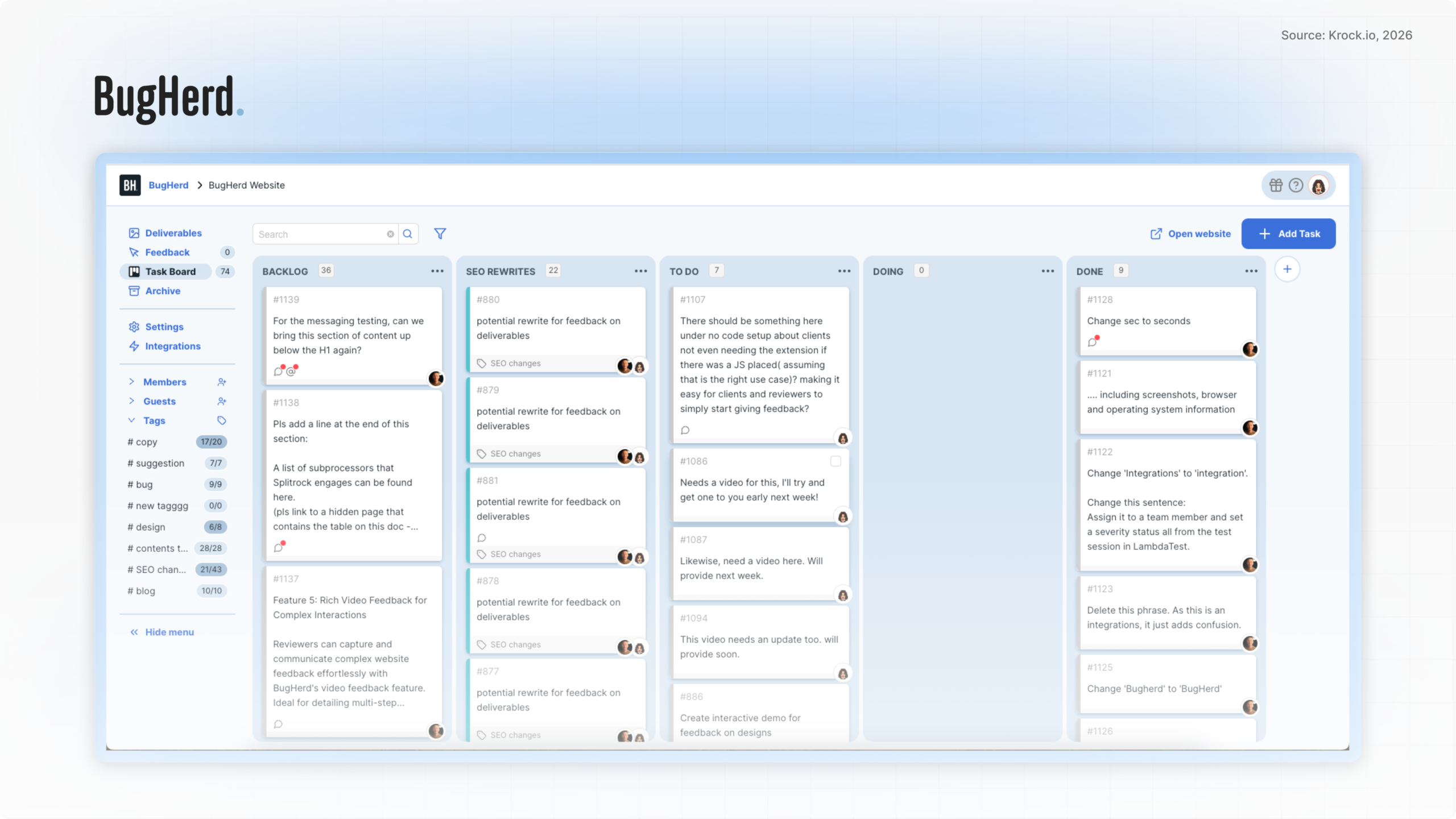
Starting at $39/month for three users, BugHerd is not multi-format. It does one thing well: web feedback with technical context. Teams reviewing video, PDFs, or static images alongside web mockups will need a second tool.
GoVisually
GoVisually is the lightweight option. At $9/month for a solo plan, it’s priced for freelancers and small studios that need basic design review without enterprise overhead. It handles images, PDFs, and video in one interface, includes a free plan, and is simple enough that clients rarely need help using it.
Not a fit for teams with complex approval workflows, high project volume, or compliance requirements. Video annotation is more basic than Frame.io or Krock.io. The trade-off is deliberate: this tool optimizes for simplicity and affordability over depth.
PageProof
PageProof specializes in print and packaging proofing. PDF review is precise, color management is handled carefully, and approval workflows are structured around compliance needs. It also reviews web pages and email designs.
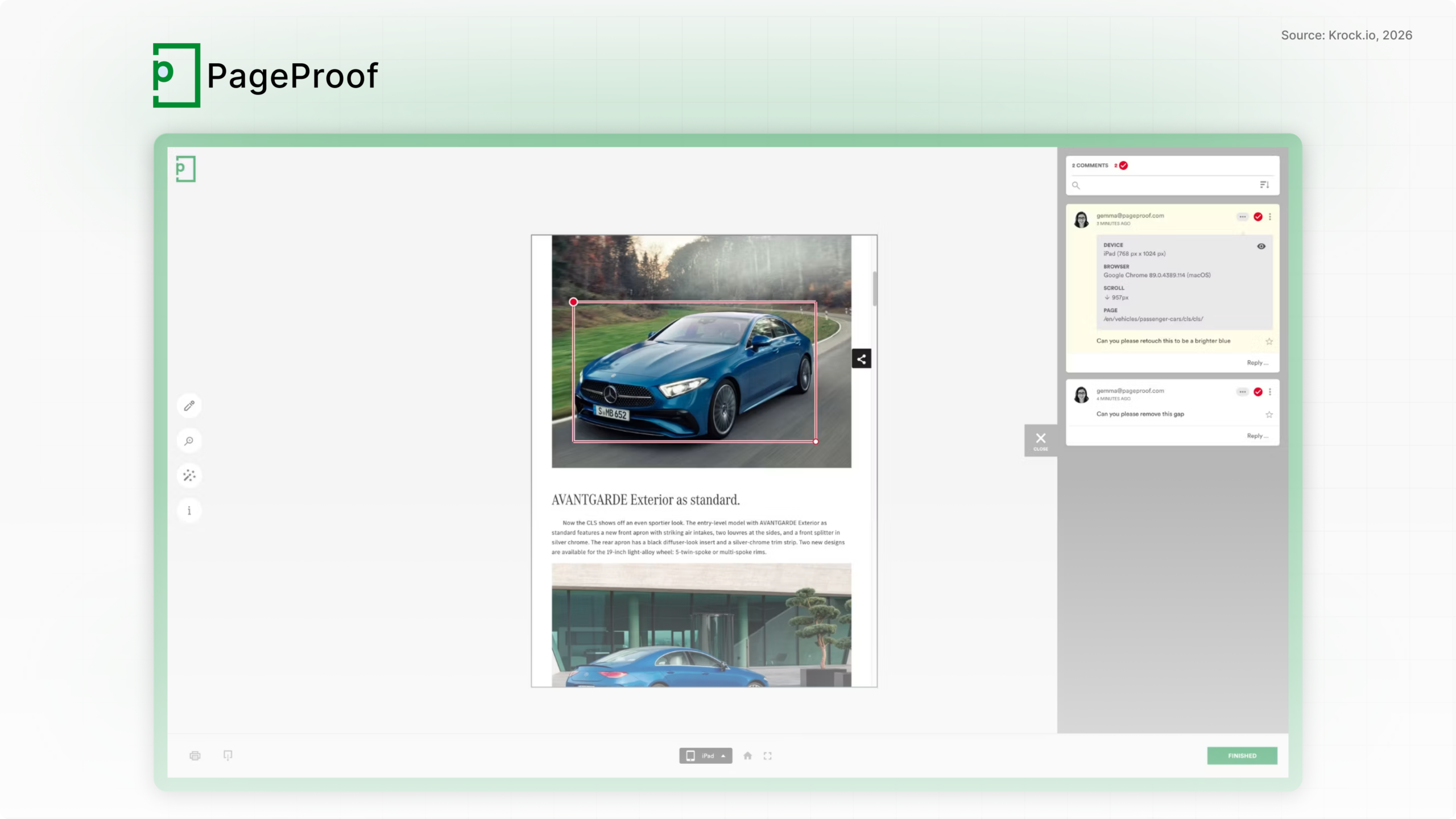
Pricing starts at $99/month for five users on a per-seat model. Video support is limited. For teams where print accuracy and documented approval chains are the primary requirement, PageProof is among the strongest options. For video-first teams, it’s not the right fit.
Figma
Figma is the standard for UI/UX prototype review. Designers share interactive prototypes and stakeholders comment directly on design components. The commenting system understands design layers, component states, and prototype flows in a way no generic review tool can match.
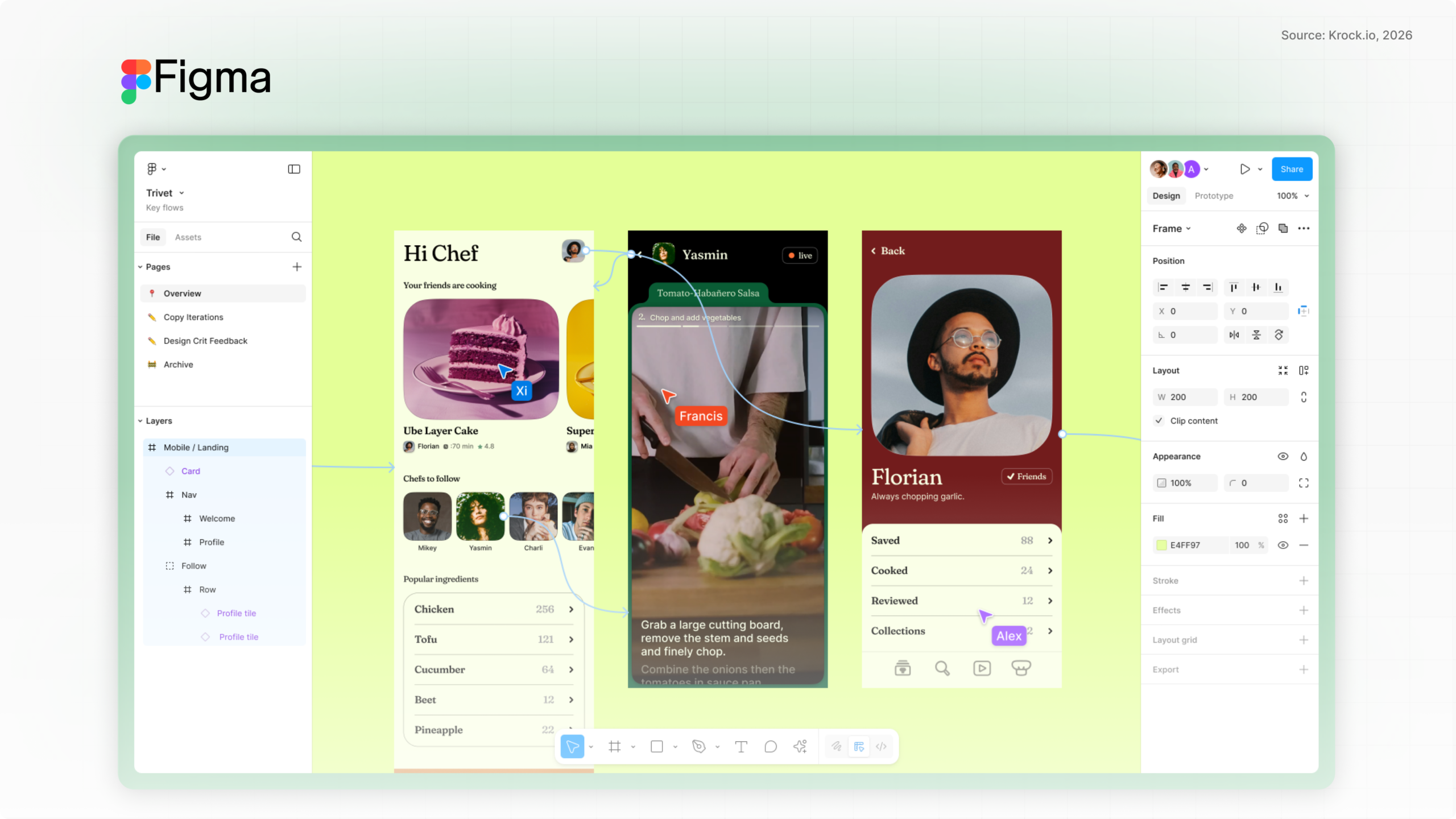
The limitation is scope: Figma is for UI/UX work in Figma files. It doesn’t handle video, audio, PDFs, or any non-Figma asset. Teams reviewing digital products alongside other creative formats will need additional tools for the rest of their pipeline.
Design review software by team type
For video production agencies
Video production agencies need frame-accurate annotation, version control that handles large file sizes, and a reviewer model that doesn’t charge for client participants. Good design review software for agencies combines annotation depth with unlimited reviewer access. The best video review software guide covers the top options in detail.
Krock.io and Frame.io are the two strongest options here. Frame.io wins for agencies fully embedded in Adobe Creative Cloud; the round-trip editing workflow with Premiere Pro and After Effects is unmatched. Krock.io wins when agencies work across editing platforms (DaVinci, Final Cut, Adobe), review audio and PDFs alongside video, or want a lower per-user cost for the internal team ($10 vs. $25/user/month).
For animation studios
Animation studios have a distinct pipeline: storyboard to animatic to rough cut to final delivery. Most design review software supports the back half of that pipeline. Few support the front.
Krock.io is the exception. The built-in storyboard tool and animatic review capability mean studios can manage the entire production arc in one platform. This matters for studios that iterate heavily in pre-production before committing to full animation. See the full guide to online proofing for creative teams for more on structuring the review pipeline.
For advertising and marketing teams
Advertising and marketing teams deal with high asset volume, compressed timelines, and mixed formats. A single campaign might include video spots, static banners, email templates, landing page mockups, and a PDF media plan, all of which need stakeholder sign-off before going live. Design review software built for this use case needs to handle every format in that list without requiring separate tools. For the process side, see our guide to sharing marketing content for review.
Filestage and Krock.io both serve this use case well. Filestage’s flat pricing appeals to teams with predictable project counts. Krock.io’s per-user model works better for smaller teams running high project volume, and its audio annotation handles podcast and radio campaign assets that Filestage doesn’t cover as precisely. For teams in regulated categories (pharma, financial services), Ziflow’s audit trail capability is worth the higher price point.
For in-house creative teams
In-house creative teams at brands face a specific challenge: lots of internal stakeholders, most of whom are not creative professionals, and none of whom want to create an account in another tool just to leave feedback.
Krock.io’s guest access model lets internal stakeholders and external partners review without creating accounts. They receive a link, open it in a browser, and annotate directly. No onboarding required. The bottleneck in in-house review workflows is usually the non-designer stakeholder who abandons a tool that requires registration before they can comment.
How to run an effective design review process
Most design review software follows the same basic cycle: upload, annotate, revise, approve. These five steps make that creative review workflow work reliably.
- Upload and organize assets by project and production stage. Group assets into clearly labeled projects, and use production stages (rough cut, revised cut, final) to structure each review round. This gives reviewers context about where the asset is in the process and what type of feedback is appropriate at each stage.
- Invite reviewers without requiring account creation. The right tool sends reviewers a link they can open in a browser and annotate immediately. Clients don’t need to create accounts with the right tool; they just click, comment, and confirm. Every extra step in the reviewer onboarding flow reduces participation rates.
- Collect annotated feedback in one place. All annotations, comments, and reactions live in the platform against the specific frame or page that prompted them. No chasing email threads, no collating feedback from separate documents. When everyone comments in one place, revisions become a checklist, not an excavation.
- Manage revisions with version control. Upload the revised version, link it to the original, and let reviewers compare the changes side by side. Comments from previous rounds carry forward so nothing gets lost. The version history becomes a project record: what was asked, what was changed, and who approved it.
- Get formal approval sign-off. Require reviewers to click an explicit approval button on the final version. This creates a documented record of who approved the asset, on which version, and when. For agencies and compliance-sensitive teams, this record is the difference between a clean handoff and a dispute three months later.
Want to see this process in practice? Start a free Krock.io trial, unlimited reviewers, no credit card required.
Common design review mistakes to avoid
- Letting email feedback run in parallel with the tool. If even one stakeholder continues sending feedback by email, the review loop breaks. All feedback needs to live in one place. Set the expectation explicitly when you invite reviewers: this link is where feedback happens, everything else won’t make it into the revision.
- Skipping version control and losing track of which file is current. Without a formal version system, “latest_FINAL_v3_APPROVED_2.mp4” becomes a real file name in your project folder. Every revision should be uploaded to your design review software as a new version, not sent as a new attachment. The platform keeps the history; your file system doesn’t need to.
- Not setting per-round deadlines. Open-ended review periods invite procrastination. Set a specific deadline for each review round when you send the invite. Most design review tools let you include this in the notification email. A deadline converts “I’ll look at it when I have a moment” into a commitment.
- Paying for reviewer seats your clients never asked for. Per-seat reviewer pricing is a platform business model, not a workflow requirement. If your design review software charges for every external stakeholder, you’re paying a tax on your own client relationships. Unlimited reviewer models exist at a fraction of the cost for teams with active client engagement.
Frequently asked questions
What is design review software?
Design review software is a platform where creative teams share work-in-progress assets, collect annotated feedback, and obtain formal approvals before delivery. It supports version tracking, frame-accurate annotation, and structured approval workflows across file types including video, images, PDFs, and audio. It is also referred to as design feedback software, design proofing software, or design approval software depending on the workflow context.
How is design review software different from project management software?
Project management tools track tasks and deadlines. They have no concept of annotating a specific video frame, comparing two versions of an image, or recording formal approval on a design file. Design review software is built around the creative file itself, not a task board.
Is there a free design review tool?
Yes. Krock.io’s free design review software plan includes 2 projects, unlimited reviewers, and full media review capability across video, image, audio, and PDF formats, with no credit card required. GoVisually also offers a free tier. Most other tools on this list, including Frame.io, Filestage, and Ziflow, require a paid subscription to start.
Do external reviewers need to create an account?
With the right tool, no. Krock.io lets reviewers open a shared link in any browser and start annotating immediately, no account required. This is a meaningful differentiator for teams whose clients resist creating accounts on unfamiliar platforms.
What file types does design review software support?
This varies significantly by platform. Most design review software supports video and images at minimum. Krock.io supports video, image, audio, PDF, storyboard, and animatic files. Frame.io covers video and images. PageProof focuses on PDFs and print. BugHerd is web-only. Confirm format support for your specific asset types before choosing a tool.
How many review rounds does the typical design project take?
Most creative projects go through two to four review rounds. According to Filestage, 89% of agency account managers cite waiting for feedback as their biggest challenge, which suggests the bottleneck is rarely the number of rounds but the speed and clarity of each round. Better annotation tools and deadline enforcement reduce both.
Picking the right tool
Choosing the right design review software comes down to three factors: the formats you produce, the integrations your editing pipeline requires, and the pricing model you can sustain as your team grows. For video-first teams in the Adobe ecosystem, Frame.io remains technically excellent. For multi-format teams reviewing video alongside images, audio, and PDFs, Krock.io’s combination of format coverage, unlimited reviewer access, and lower per-user cost ($10 vs. $25/month) is the stronger fit.
For in-house teams and animation studios, the pre-production gap matters. Most design review software covers the back half of the production pipeline. Krock.io covers the full arc, from storyboard through final approval, without requiring a second platform.
For a deeper look at how design review software fits into broader production workflows, the guide to online proofing walks through the full picture.
Ready to fix your review process? Try Krock.io free, no credit card, unlimited reviewers from day one.



