
Need more space for your projects? You can buy extra storage in 1 TB units directly from your profile. This article walks through how to add storage and what it costs.
Before you start
- You need a Pro or Unlimited plan. Storage add-ons aren’t available on the Free plan.
- You need admin access to your workspace to change billing.
How much does extra storage cost?
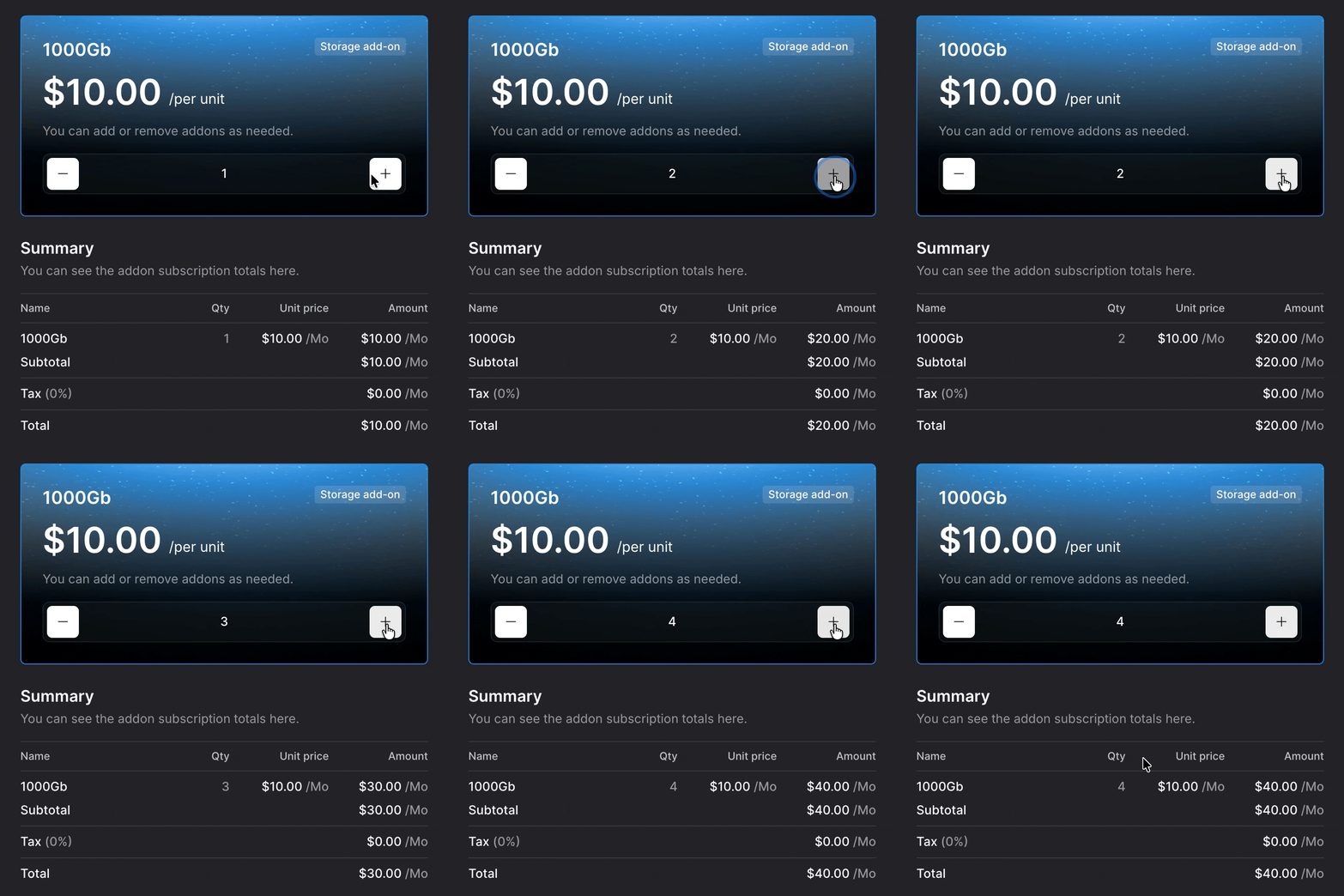
Each storage add-on gives you 1,000 GB (1 TB) of storage for $10/month. You can buy as many units as you need and remove them later when you don’t.
| Units | Storage added | Cost per month |
|---|---|---|
| 1 | 1 TB | $10 |
| 2 | 2 TB | $20 |
| 4 | 4 TB | $40 |
Add-ons bill monthly on top of your existing plan. Tax is calculated separately based on your billing region.
Add more storage
- Go to
platform.krock.io/profileand sign in as an admin. - Open the Storage add-on section.
- Click the + button to increase the number of 1000 GB units you want. Click – to remove a unit.
- Check the Summary panel on the right. The total updates as you change the quantity.
- Confirm your purchase to apply the new storage to your workspace.
Note: New storage becomes available in your workspace as soon as the payment is processed. Your billing cycle for add-ons aligns with your main subscription.
Remove or reduce storage
You can lower your storage at any time from the same screen.
- Go to your Storage add-on section in your profile.
- Click – to decrease the number of units.
- Confirm the change.
Warning: If you reduce storage below what your workspace currently uses, new uploads will be blocked until you free up space or buy storage back. Existing files aren’t deleted automatically.
Frequently asked questions
What counts toward my storage limit?
All uploaded assets — videos, images, PDFs, audio files, and every version of each asset — count toward your total. Comments and annotations don’t.
Can I buy storage on the Free plan?
No. Storage add-ons require a Pro or Unlimited plan. Free workspaces are capped at 2 GB. To buy add-ons, upgrade your plan first.
What happens if I hit my storage limit?
New uploads are blocked once you reach your limit. You can free up space by deleting old assets or versions, or add storage from your profile.
Will I be charged immediately?
Yes. Add-ons are charged when you confirm the purchase and then bill monthly until you remove them.
Related articles
Still need help? Email us, and the team will help you sort it out.
